Voice

Home AI Tools Voice
Explore top AI voice generators and text-to-speech tools for professional voiceovers and audio content.

AI Voiceover Software (2026): 7 Best Tools for Professional Voiceovers

2
AI Voiceover Software

Creating professional voiceovers used to require expensive recording equipment, voice actors, and significant production time.

Today, AI voiceover software allows creators and businesses to generate realistic narration in minutes.

Whether you’re producing YouTube videos, online courses, podcasts, training materials, advertisements, or presentations, AI voice technology can dramatically speed up content creation.

In this guide, we’ll compare the best AI voiceover software available in 2026.

If you’re looking for broader voice generation solutions, check out our Best AI Voice Generators (2026) guide.


What Is AI Voiceover Software?

AI voiceover software uses artificial intelligence to convert text into realistic spoken audio.

Unlike traditional text-to-speech systems, modern AI voice tools generate speech with:

  • Natural pacing
  • Human-like pronunciation
  • Emotional variation
  • Multiple accents
  • Professional voice quality

Many platforms also include voice cloning and advanced editing capabilities.


Benefits of AI Voiceover Software

Faster Production

Generate voiceovers within minutes.

Lower Costs

Reduce spending on voice talent.

Easy Revisions

Update scripts without re-recording audio.

Multiple Languages

Create content for global audiences.

Scalability

Produce large volumes of content efficiently.


How We Evaluated These Tools

We compared platforms based on:

  • Voice quality
  • Realism
  • Editing features
  • Voice cloning capabilities
  • Language support
  • Pricing

1. ElevenLabs

ElevenLabs is one of the most realistic AI voice platforms available today.

Its voice quality makes it ideal for professional voiceover projects.

Best For

  • YouTube voiceovers
  • Audiobooks
  • Podcasts
  • Narration

Pros

  • Exceptional realism
  • Advanced voice cloning
  • Multiple language support
  • Natural narration

Cons

  • Higher-tier plans can become expensive

Read our complete ElevenLabs Review.

Rating

⭐⭐⭐⭐⭐


2. Murf AI

Murf AI focuses heavily on professional voiceover production for businesses and creators.

Best For

  • Training videos
  • Corporate presentations
  • Marketing content

Read our complete Murf AI Review.

Rating

⭐⭐⭐⭐⭐


3. PlayHT

Best For

  • Professional narration
  • Voice cloning

Rating

⭐⭐⭐⭐⭐


4. LOVO AI

Best For

  • Marketing content
  • Commercial voiceovers

Rating

⭐⭐⭐⭐☆


5. WellSaid Labs

Best For

  • Enterprise voice production

Rating

⭐⭐⭐⭐☆


6. Speechify Studio

Best For

  • Quick voiceover projects

Rating

⭐⭐⭐⭐☆


7. Descript

Best For

  • Podcast editing
  • Audio production

Rating

⭐⭐⭐⭐☆

AI Voiceover Software Comparison Table

ToolVoice QualityVoice CloningEase of UseBest ForOverall Rating
ElevenLabs⭐⭐⭐⭐⭐⭐⭐⭐⭐⭐⭐⭐⭐⭐⭐Narration & YouTube⭐⭐⭐⭐⭐
Murf AI⭐⭐⭐⭐⭐⭐⭐⭐⭐⭐⭐⭐⭐Business Voiceovers⭐⭐⭐⭐⭐
PlayHT⭐⭐⭐⭐⭐⭐⭐⭐⭐⭐⭐⭐⭐⭐Professional Narration⭐⭐⭐⭐⭐
LOVO AI⭐⭐⭐⭐⭐⭐⭐⭐⭐⭐⭐Marketing Content⭐⭐⭐⭐
WellSaid Labs⭐⭐⭐⭐⭐⭐⭐⭐⭐⭐⭐Enterprise Teams⭐⭐⭐⭐
Speechify Studio⭐⭐⭐⭐⭐⭐⭐⭐⭐⭐⭐⭐Fast Voiceovers⭐⭐⭐⭐
Descript⭐⭐⭐⭐⭐⭐⭐⭐⭐⭐⭐⭐Podcasts⭐⭐⭐⭐

Which AI Voiceover Software Is Best?

AI Voiceover Software

The best AI voiceover software depends on your content type and workflow.

Best Overall

ElevenLabs

ElevenLabs delivers some of the most realistic AI-generated voices available today.

Its natural speech quality makes it ideal for professional voiceovers, YouTube narration, audiobooks, and commercial content.

Read our complete ElevenLabs Review.

Best for Business Content

Murf AI

Murf AI provides professional narration tools designed for presentations, training videos, and corporate content.

Read our complete Murf AI Review.

Best for Advanced Voice Cloning

PlayHT

PlayHT combines realistic speech synthesis with powerful voice cloning capabilities.


Common AI Voiceover Use Cases

YouTube Videos

Many creators use AI voiceovers for:

  • Faceless channels
  • Tutorials
  • Educational content
  • Documentary videos

Read our AI Voice Generator for YouTube guide.


Online Courses

AI voiceovers are frequently used for:

  • Training programs
  • Educational lessons
  • Employee onboarding

Audiobooks

Authors and publishers use AI narration to reduce production costs and speed up audiobook creation.


Marketing Videos

Businesses use AI-generated voiceovers for:

  • Product demos
  • Promotional videos
  • Social media advertisements

Corporate Presentations

Professional narration can improve engagement and consistency across presentations.


AI Voiceover Software vs Text to Speech Software

Although these terms are closely related, they are not identical.

Text to Speech Software

Primarily focuses on converting written text into spoken audio.

AI Voiceover Software

Provides additional features such as:

  • Voice cloning
  • Audio editing
  • Commercial voice production
  • Advanced narration controls

Read our complete Text to Speech Software guide.


ElevenLabs vs Murf AI for Voiceovers

These two tools are among the most popular AI voiceover platforms.

Choose ElevenLabs If You Want

  • Ultra-realistic narration
  • Audiobook production
  • YouTube content
  • Voice cloning

Choose Murf AI If You Want

  • Business presentations
  • Corporate training
  • Marketing videos
  • Team collaboration

For a detailed comparison, read our Murf AI vs ElevenLabs guide.


How AI Is Transforming Voiceover Production

Artificial intelligence has significantly changed audio production workflows.

Modern AI systems can:

Generate Human-Like Speech

Create realistic narration that sounds natural.

Produce Content Faster

Generate voiceovers in minutes.

Enable Easy Editing

Update scripts without re-recording.

Support Multiple Languages

Create content for global audiences.

Scale Production

Generate large volumes of audio efficiently.

For advanced voice replication features, read our AI Voice Cloning Software guide.


Frequently Asked Questions

What is the best AI voiceover software?

ElevenLabs is widely considered one of the best AI voiceover platforms due to its realistic voice quality and advanced voice cloning features.

Can AI replace voice actors?

For many applications, AI can provide a cost-effective alternative, although human voice actors still offer unique creative advantages.

Is AI voiceover software suitable for YouTube?

Yes. Many YouTube creators use AI-generated narration for faceless channels and educational content.

Can I use AI voiceovers commercially?

Most major platforms offer commercial licensing options, though users should review each provider’s terms.

What is the difference between voice cloning and voiceovers?

Voice cloning replicates a specific voice, while voiceover software focuses on generating narrated speech.


Final Verdict

AI voiceover software has become an essential tool for creators, marketers, educators, and businesses.

The latest platforms offer realistic narration, faster production, and lower costs compared to traditional voice recording workflows.

For most users, ElevenLabs remains the strongest overall choice in 2026 thanks to its exceptional realism and powerful voice cloning capabilities.

Businesses focused on presentations and training content may prefer Murf AI, while users requiring advanced voice replication should consider PlayHT.

The best approach is to test several platforms and choose the one that best aligns with your content goals.

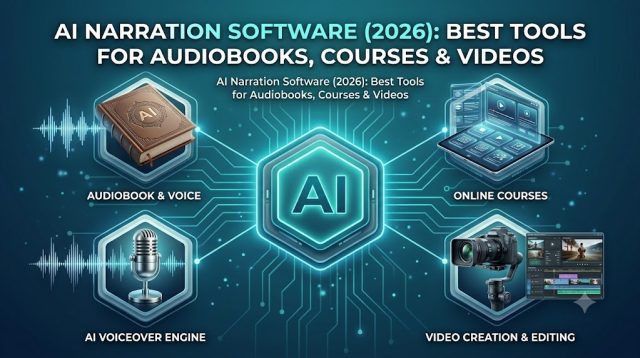
AI Narration Software (2026): Best Tools for Audiobooks, Courses & Videos

1
AI Narration Software

AI narration software has transformed the way creators, educators, authors, and businesses produce spoken content.

Instead of recording hours of audio manually, modern AI tools can generate natural-sounding narration from simple text input.

Whether you’re creating audiobooks, online courses, YouTube videos, podcasts, or training materials, AI narration software can dramatically reduce production time while maintaining professional audio quality.

In this guide, we’ll compare the best AI narration software available in 2026.

If you’re looking for broader AI voice solutions, check out our Best AI Voice Generators (2026) guide.


What Is AI Narration Software?

AI narration software uses artificial intelligence to convert written text into realistic spoken narration.

Modern platforms can produce:

  • Audiobook narration
  • Course narration
  • Video voiceovers
  • Podcast narration
  • Corporate training audio
  • Marketing voice content

The best tools generate speech that sounds remarkably close to human narration.


Benefits of AI Narration Software

Faster Content Creation

Generate narration within minutes.

Lower Production Costs

Reduce reliance on voice actors and recording studios.

Easy Script Updates

Edit narration simply by updating text.

Multiple Languages

Produce content for international audiences.

Scalable Production

Create large volumes of narrated content efficiently.


How We Evaluated These Tools

We ranked tools based on:

  • Voice quality
  • Narration realism
  • Language support
  • Editing features
  • Voice cloning capabilities
  • Pricing

1. ElevenLabs

ElevenLabs is widely regarded as one of the most realistic AI narration platforms available today.

Its natural speech generation makes it ideal for audiobooks, YouTube videos, and professional narration projects.

Best For

  • Audiobooks
  • YouTube narration
  • Podcasts
  • Storytelling content

Pros

  • Exceptional voice realism
  • Advanced voice cloning
  • Multiple language support
  • Natural narration flow

Cons

  • Premium features require paid plans

Read our complete ElevenLabs Review.

Rating

⭐⭐⭐⭐⭐


2. Murf AI

Murf AI is an excellent option for professional course creators and businesses.

Best For

  • Online courses
  • Corporate training
  • Educational content

Read our complete Murf AI Review.

Rating

⭐⭐⭐⭐⭐


3. PlayHT

Best For

  • Voice cloning
  • Audiobook narration

Rating

⭐⭐⭐⭐⭐


4. Speechify Studio

Best For

  • Long-form reading
  • Accessibility

Rating

⭐⭐⭐⭐☆


5. LOVO AI

Best For

  • Marketing narration
  • Social media content

Rating

⭐⭐⭐⭐☆


6. WellSaid Labs

Best For

  • Enterprise narration

Rating

⭐⭐⭐⭐☆


7. Descript

Best For

  • Podcast narration
  • Audio editing

Rating

⭐⭐⭐⭐☆

AI Narration Software Comparison Table

ToolVoice QualityNarration RealismEase of UseBest ForOverall Rating
ElevenLabs⭐⭐⭐⭐⭐⭐⭐⭐⭐⭐⭐⭐⭐⭐⭐Audiobooks & YouTube⭐⭐⭐⭐⭐
Murf AI⭐⭐⭐⭐⭐⭐⭐⭐⭐⭐⭐⭐⭐Courses & Training⭐⭐⭐⭐⭐
PlayHT⭐⭐⭐⭐⭐⭐⭐⭐⭐⭐⭐⭐⭐⭐Voice Cloning⭐⭐⭐⭐⭐
Speechify Studio⭐⭐⭐⭐⭐⭐⭐⭐⭐⭐⭐⭐⭐Long-Form Reading⭐⭐⭐⭐
LOVO AI⭐⭐⭐⭐⭐⭐⭐⭐⭐⭐⭐⭐Marketing Content⭐⭐⭐⭐
WellSaid Labs⭐⭐⭐⭐⭐⭐⭐⭐⭐⭐⭐⭐Enterprise Teams⭐⭐⭐⭐
Descript⭐⭐⭐⭐⭐⭐⭐⭐⭐⭐⭐⭐Podcasts⭐⭐⭐⭐

Which AI Narration Software Is Best?

The best AI narration software depends on your content goals.

Best Overall

ElevenLabs

ElevenLabs delivers some of the most natural-sounding narration available today.

Its realistic voices make it ideal for audiobooks, YouTube videos, documentaries, and storytelling content.

Read our complete ElevenLabs Review.

Best for Online Courses

Murf AI

Murf AI excels in educational and corporate environments where clear narration is essential.

Read our complete Murf AI Review.

Best for Voice Cloning

PlayHT

PlayHT combines high-quality narration with advanced voice cloning capabilities.


Best AI Narration Software for Different Use Cases

Audiobooks

Recommended:

  • ElevenLabs
  • PlayHT

These platforms offer highly realistic narration suitable for long-form content.

Read our AI Voice Cloning Software guide.


Online Courses

Recommended:

  • Murf AI
  • ElevenLabs

Course creators benefit from clear and consistent narration.


YouTube Videos

Recommended:

  • ElevenLabs
  • Murf AI

Read our AI Voice Generator for YouTube guide.


Corporate Training

Recommended:

  • Murf AI
  • WellSaid Labs

These tools provide professional-quality narration for employee education.


Podcasts

Recommended:

  • ElevenLabs
  • Descript

AI narration can accelerate podcast production workflows.


AI Narration Software vs AI Voiceover Software

Many users confuse these categories.

AI Narration Software

Optimized for:

  • Audiobooks
  • Educational content
  • Long-form narration

AI Voiceover Software

Optimized for:

  • Commercial content
  • Advertisements
  • Marketing videos
  • Presentations

Read our complete AI Voiceover Software guide.


How AI Narration Is Changing Content Creation

Artificial intelligence has significantly improved narration quality.

Modern AI tools can:

Generate Human-Like Speech

Produce realistic spoken content.

Save Production Time

Create narration without recording sessions.

Support Multiple Languages

Expand content globally.

Simplify Revisions

Update narration instantly when scripts change.

Scale Content Output

Generate large amounts of audio efficiently.

For broader voice technology comparisons, read our Text to Speech Software guide.


Frequently Asked Questions

What is AI narration software?

AI narration software converts text into realistic spoken audio using artificial intelligence.

What is the best AI narration software?

ElevenLabs is widely considered one of the strongest options due to its highly realistic voices.

Can AI narrate audiobooks?

Yes. Many authors and publishers use AI narration tools for audiobook production.

Is AI narration suitable for YouTube?

Absolutely. Many creators use AI-generated narration for educational and faceless YouTube channels.

Can AI narration replace human narrators?

For many projects, AI provides a cost-effective alternative, although human narrators still offer unique performance advantages.


Final Verdict

AI narration software has become a powerful tool for creators, educators, publishers, and businesses.

The latest platforms can generate realistic speech, reduce production costs, and dramatically accelerate content creation workflows.

For most users, ElevenLabs remains the best overall AI narration software in 2026 thanks to its exceptional voice quality and industry-leading realism.

Murf AI is an excellent alternative for course creators and businesses, while PlayHT remains a strong option for advanced voice cloning projects.

The best solution ultimately depends on your content goals, audience, and production workflow.

[BUTTON TEXT: Read ElevenLabs Review]

Best AI Tools for YouTube Creators (2026): 10 Tools to Grow Your Channel

0
Best AI Tools for YouTube Creators

Creating YouTube content has never been more competitive.

Successful creators are publishing more videos, producing better content, and scaling their channels faster than ever before.

One reason is artificial intelligence.

Today’s AI tools can help with:

  • Script writing
  • Voiceovers
  • Video creation
  • Thumbnail design
  • Content research
  • Workflow automation

In this guide, we’ll compare the best AI tools for YouTube creators in 2026.

Whether you’re running a faceless channel, educational channel, business channel, or entertainment brand, these tools can dramatically improve productivity.


How AI Helps YouTube Creators

AI tools can reduce hours of manual work every week.

Benefits include:

Faster Video Production

Generate scripts, voiceovers, and videos more efficiently.

Better Content Quality

Improve narration, visuals, and consistency.

Lower Costs

Reduce spending on freelancers and production teams.

Scale Channel Growth

Publish more content without increasing workload.


1. ElevenLabs

ElevenLabs is one of the most popular AI tools among YouTube creators.

Its realistic voices make it ideal for faceless channels.

Best For

  • Documentary channels
  • Educational content
  • Storytelling videos
  • News channels

Key Features

  • AI voice generation
  • Voice cloning
  • Multiple languages
  • Professional narration

Read our complete ElevenLabs Review.

Rating

⭐⭐⭐⭐⭐


2. Synthesia

Synthesia allows creators to generate videos using AI avatars.

Best For

  • Educational videos
  • Business content
  • Training videos
  • Product demonstrations

Key Features

  • AI avatars
  • Text-to-video generation
  • Multiple languages
  • Professional templates

Read our complete Synthesia Review.

Rating

⭐⭐⭐⭐⭐


3. Murf AI

Murf AI

Murf AI is a powerful AI voice platform focused on professional narration.

Best For

  • Tutorials
  • Corporate content
  • Training videos

Read our complete Murf AI Review.

Rating

⭐⭐⭐⭐⭐


4. Rytr

Rytr helps creators generate scripts, descriptions, titles, and content ideas.

Best For

  • Script writing
  • Video outlines
  • Content planning

Read our complete Rytr Review.

Rating

⭐⭐⭐⭐⭐


5. ChatGPT

Best For

  • Research
  • Script development
  • Content ideas

Rating

⭐⭐⭐⭐⭐


6. Canva

Best For

  • Thumbnails
  • Channel graphics

Rating

⭐⭐⭐⭐☆


7. Descript

Best For

  • Podcast editing
  • Video editing

Rating

⭐⭐⭐⭐☆


8. VidIQ

Best For

  • SEO optimization
  • Keyword research

Rating

⭐⭐⭐⭐☆


9. TubeBuddy

Best For

  • Channel management
  • SEO workflows

Rating

⭐⭐⭐⭐☆


10. Relay.app

Best For

  • Workflow automation
  • Content operations

Read our complete Relay.app Review.

Rating

⭐⭐⭐⭐☆

AI Tools for YouTube Creators Comparison Table

ToolCategoryBest ForEase of UseOverall Rating
ElevenLabsAI VoiceFaceless Channels⭐⭐⭐⭐⭐⭐⭐⭐⭐⭐
SynthesiaAI VideoAvatar Videos⭐⭐⭐⭐⭐⭐⭐⭐⭐⭐
Murf AIAI VoiceTutorials & Training⭐⭐⭐⭐⭐⭐⭐⭐⭐⭐
RytrAI WritingScript Creation⭐⭐⭐⭐⭐⭐⭐⭐⭐⭐
ChatGPTResearchContent Planning⭐⭐⭐⭐⭐⭐⭐⭐⭐⭐
CanvaDesignThumbnails⭐⭐⭐⭐⭐⭐⭐⭐⭐
DescriptEditingPodcasts & Videos⭐⭐⭐⭐⭐⭐⭐⭐
VidIQSEOKeyword Research⭐⭐⭐⭐⭐⭐⭐⭐
TubeBuddySEOChannel Growth⭐⭐⭐⭐⭐⭐⭐⭐
Relay.appAutomationWorkflow Automation⭐⭐⭐⭐⭐⭐⭐⭐

Which AI Tool Is Best for YouTube Creators?

Best AI Tools for YouTube Creators

The answer depends on what part of the content creation process you want to improve.

Best AI Voice Tool

ElevenLabs

If your channel relies on narration, ElevenLabs is one of the strongest options available.

Its realistic AI voices are ideal for:

  • Faceless channels
  • Storytelling videos
  • Documentary content
  • Educational videos

Read our complete ElevenLabs Review.


Best AI Video Tool

Synthesia

Synthesia helps creators generate professional videos using AI avatars.

Read our complete Synthesia Review.


Best AI Writing Tool

Rytr

Rytr can help generate:

  • Video scripts
  • Content outlines
  • Titles
  • Video descriptions

Read our complete Rytr Review.


Best Workflow Automation Tool

Relay.app

Relay.app helps automate repetitive creator workflows.

Examples include:

  • Publishing processes
  • Content approvals
  • Team collaboration
  • Content operations

Read our complete Relay.app Review.


Recommended AI Stack for Small YouTube Channels

If you’re just starting out, a simple stack works best.

AI Voice

ElevenLabs

AI Scripts

Rytr

AI Video

Synthesia

Thumbnails

Canva

Research

ChatGPT

This combination can significantly reduce production time.


Recommended AI Stack for Faceless YouTube Channels

Many faceless creators use:

ElevenLabs

For narration.

ChatGPT

For research and scripting.

Canva

For thumbnails.

VidIQ

For SEO optimization.

Relay.app

For workflow management.

Read our AI Voice Generator for YouTube guide.


How AI Can Help Grow a YouTube Channel

AI tools don’t guarantee success.

However, they can help creators:

Publish More Frequently

Produce more content without increasing workload.

Improve Production Quality

Generate professional-looking videos.

Optimize SEO

Find better keywords and improve discoverability.

Save Time

Reduce manual work across the content workflow.

Scale Faster

Build systems that support long-term growth.


Related Resources

Read Best AI Voice Generators (2026).

Read AI Voiceover Software.

Read AI Narration Software.

Read Best AI Video Generators (2026).


Frequently Asked Questions

What are the best AI tools for YouTube creators?

Some of the most popular tools include ElevenLabs, Synthesia, Murf AI, Rytr, ChatGPT, Canva, VidIQ, and TubeBuddy.

Which AI tool is best for faceless YouTube channels?

ElevenLabs is widely used because of its realistic AI voice generation capabilities.

Can AI create YouTube videos?

Yes. Platforms such as Synthesia can generate videos using AI avatars and text-to-video technology.

Can AI write YouTube scripts?

Yes. Rytr and ChatGPT can help create outlines, scripts, and content ideas.

Are AI tools worth it for YouTube creators?

For many creators, AI tools reduce production time and improve workflow efficiency, making them a worthwhile investment.


Final Verdict

AI tools have become an essential part of modern YouTube content creation.

Whether you’re building a faceless channel, educational brand, or business-focused channel, the right tools can dramatically improve productivity and content quality.

For voice generation, ElevenLabs remains the top choice in 2026.

For AI video creation, Synthesia is one of the strongest platforms available.

For script writing, Rytr offers an affordable and creator-friendly solution.

By combining several of these tools into a single workflow, creators can publish better content faster and focus more time on channel growth.

Text to Speech Software (2026): 7 Best Tools Compared

0

Text to speech software has improved dramatically thanks to artificial intelligence.

Modern AI voice generators can produce realistic voices that sound remarkably human, making them useful for content creators, businesses, educators, marketers, and developers.

Whether you’re creating YouTube videos, audiobooks, podcasts, training materials, or voiceovers, the right text to speech software can save hours of recording time.

In this guide, we’ll compare the best text to speech software available in 2026.

If you’re looking for broader AI voice solutions, read our Best AI Voice Generators (2026) guide.


What Is Text to Speech Software?

Text to speech (TTS) software converts written text into spoken audio.

Modern AI-powered tools can:

  • Generate realistic voices
  • Support multiple languages
  • Clone voices
  • Create voiceovers
  • Produce narration
  • Generate audio at scale

Unlike traditional robotic speech engines, modern AI voices sound natural and expressive.


Benefits of Text to Speech Software

Save Time

Generate voice recordings in minutes.

Reduce Costs

Avoid hiring voice actors for every project.

Scale Content Production

Create audio content quickly.

Improve Accessibility

Make content available to broader audiences.

Support Multiple Languages

Generate voiceovers in different languages.


How We Evaluated These Tools

We compared platforms based on:

  • Voice quality
  • Realism
  • Language support
  • Voice cloning features
  • Ease of use
  • Pricing

1. ElevenLabs

ElevenLabs

ElevenLabs is widely considered one of the best AI voice generation platforms available today.

Its voice quality is among the most realistic on the market.

Best For

  • YouTube creators
  • Audiobooks
  • Podcasts
  • Professional voiceovers

Pros

  • Extremely realistic voices
  • Advanced voice cloning
  • Multiple languages
  • High-quality narration

Cons

  • Premium features require paid plans

Read our complete ElevenLabs Review.

Rating

⭐⭐⭐⭐⭐


2. Murf AI

Murf AI is one of the strongest alternatives to ElevenLabs.

It offers high-quality AI voices and a user-friendly voiceover workflow.

Best For

  • Business presentations
  • Training videos
  • Corporate voiceovers

Read our complete Murf AI Review.

Rating

⭐⭐⭐⭐⭐


3. PlayHT

Best For

  • Voice cloning
  • Podcast narration

Rating

⭐⭐⭐⭐☆


4. Speechify

Best For

  • Reading assistance
  • Accessibility

Rating

⭐⭐⭐⭐☆


5. WellSaid Labs

Best For

  • Enterprise voiceovers

Rating

⭐⭐⭐⭐☆


6. Amazon Polly

Best For

  • Developers
  • Applications

Rating

⭐⭐⭐⭐☆


7. Google Cloud Text-to-Speech

Best For

  • Enterprise projects
  • API integrations

Rating

⭐⭐⭐⭐☆

Text to Speech Software Comparison Table

ToolVoice QualityVoice CloningEase of UseBest ForOverall Rating
ElevenLabs⭐⭐⭐⭐⭐⭐⭐⭐⭐⭐⭐⭐⭐⭐⭐Creators & Voiceovers⭐⭐⭐⭐⭐
Murf AI⭐⭐⭐⭐⭐⭐⭐⭐⭐⭐⭐⭐⭐⭐Business Use⭐⭐⭐⭐⭐
PlayHT⭐⭐⭐⭐⭐⭐⭐⭐⭐⭐⭐⭐⭐Voice Cloning⭐⭐⭐⭐
Speechify⭐⭐⭐⭐⭐⭐⭐⭐⭐⭐⭐⭐Accessibility⭐⭐⭐⭐
WellSaid Labs⭐⭐⭐⭐⭐⭐⭐⭐⭐⭐⭐Enterprise Teams⭐⭐⭐⭐
Amazon Polly⭐⭐⭐⭐⭐⭐⭐⭐Developers⭐⭐⭐⭐
Google Cloud TTS⭐⭐⭐⭐⭐⭐⭐⭐Applications⭐⭐⭐⭐

Which Text to Speech Software Is Best?

The best text to speech software depends on your goals.

Best Overall

ElevenLabs

ElevenLabs currently offers some of the most realistic AI voices available.

Its voice cloning capabilities and natural-sounding speech make it an excellent choice for creators and businesses.

Read our complete ElevenLabs Review.

Best for Business Voiceovers

Murf AI

Murf AI provides professional narration tools for training videos, presentations, and corporate content.

Read our complete Murf AI Review.

Best for Voice Cloning

PlayHT

PlayHT offers strong voice cloning and synthetic voice generation features.

Best for Accessibility

Speechify

Speechify is widely used for reading assistance and content accessibility.


Common Text to Speech Use Cases

YouTube Videos

Many creators use AI voices for:

  • Faceless YouTube channels
  • Tutorials
  • Explainer videos
  • Educational content

Audiobooks

AI narration can significantly reduce audiobook production costs.

Podcasts

Creators can generate narration and supplemental content quickly.

Corporate Training

Businesses use text to speech software for:

  • Employee training
  • Onboarding materials
  • Internal communications

Marketing Content

Marketers can create:

  • Product videos
  • Advertisements
  • Social media content
  • Promotional audio

Text to Speech Software vs AI Voice Generators

These terms are often used interchangeably.

Text to Speech Software

Focuses on converting written text into spoken audio.

AI Voice Generators

A broader category that includes:

  • Text to speech
  • Voice cloning
  • Voice transformation
  • Synthetic voice creation

Read our Best AI Voice Generators (2026) guide.


ElevenLabs vs Murf AI

Many users compare ElevenLabs and Murf AI directly.

Choose ElevenLabs If You Want

  • Ultra-realistic voices
  • Voice cloning
  • YouTube narration
  • Audiobook production

Choose Murf AI If You Want

  • Business presentations
  • Corporate training
  • Professional voiceovers
  • Team collaboration

Read our detailed Murf AI vs ElevenLabs comparison.


How AI Is Improving Text to Speech

Artificial intelligence has dramatically improved speech synthesis.

Modern AI systems can:

Create Human-Like Voices

Generate natural speech patterns.

Understand Context

Adjust pronunciation and pacing.

Clone Voices

Replicate specific voice characteristics.

Support Multiple Languages

Generate speech in dozens of languages.

Scale Audio Production

Create large amounts of audio content quickly.

For additional alternatives, read our Best ElevenLabs Alternatives guide.


Frequently Asked Questions

What is the best text to speech software?

ElevenLabs is widely considered one of the best text to speech platforms in 2026 due to its realistic voice quality.

Can AI voices replace human voice actors?

For many applications, AI voices can provide an effective and cost-efficient alternative.

Is text to speech software suitable for YouTube?

Yes. Many YouTube creators use AI voice generators for narration.

Can I clone my voice?

Many modern platforms, including ElevenLabs and PlayHT, support voice cloning.

Is text to speech software expensive?

Most platforms offer free plans or affordable entry-level pricing.


Final Verdict

Text to speech software has become an essential tool for creators, marketers, educators, and businesses.

The latest AI-powered platforms can generate highly realistic voices, reduce production costs, and dramatically accelerate content creation.

For most users, ElevenLabs remains the strongest overall choice in 2026 thanks to its exceptional voice quality and advanced voice cloning technology.

Businesses creating professional training materials may prefer Murf AI, while developers may benefit from cloud-based solutions such as Amazon Polly or Google Cloud Text-to-Speech.

Start by testing a few platforms and choose the one that best matches your workflow and content goals.
ElevenLabs Pricing (2026): Free, Starter, Creator, Pro & Business Plans Compared

0
ElevenLabs Pricing

ElevenLabs Pricing (2026): Which Plan Should You Choose?

If you’ve decided to use ElevenLabs for AI voice generation, your next question is probably simple:

Which pricing plan gives the best value?

ElevenLabs has become one of the most popular AI voice platforms thanks to its incredibly natural text-to-speech engine, realistic voice cloning, multilingual support, and developer-friendly API.

Whether you’re a YouTuber creating narrated videos, an audiobook publisher, an app developer, or a business producing training materials, choosing the right subscription can save you money while giving you enough usage every month.

If you’re still evaluating the platform itself, read our complete ElevenLabs review before comparing plans:

In this guide, we’ll compare every ElevenLabs pricing plan, explain who each plan is designed for, discuss whether the free plan is enough, and help you decide which subscription offers the best return on investment.


ElevenLabs Pricing Plans at a Glance

PlanBest ForCommercial UseAPI Access
FreeBeginnersLimitedYes
StarterCasual creatorsYesYes
CreatorFull-time creatorsYesYes
ProAgencies & professionalsYesAdvanced
BusinessLarge companiesYesEnterprise

Each tier increases your monthly usage allowance while unlocking more advanced features and better support.

Instead of paying for features you may never use, it’s worth choosing a plan that matches your actual workflow.


What Is Included in Every ElevenLabs Plan?

ElevenLabs Pricing

Regardless of which subscription you choose, every user gets access to the core ElevenLabs platform.

That includes:

  • High-quality AI voices
  • Text-to-speech generation
  • Voice library
  • Multiple languages
  • Voice design
  • API access
  • Speech generation history
  • Web editor

Compared with many tools listed in our Best AI Voice Generators guide, ElevenLabs consistently delivers some of the most realistic speech quality available today.


ElevenLabs Free Plan

The Free plan is the perfect starting point for anyone curious about AI voice generation.

You can experiment with the platform without entering a credit card, making it ideal for beginners who simply want to see how realistic ElevenLabs voices sound.

Best for

  • Students
  • Hobby creators
  • Bloggers
  • People testing AI voice tools

Advantages

  • Completely free
  • Fast setup
  • Multiple voices available
  • Supports many languages
  • API access included
  • No payment required

For someone creating one or two short videos each month, the Free plan may actually be enough.

However, if you upload content consistently, you’ll probably reach the monthly limit rather quickly.


Limitations of the Free Plan

Although generous, the Free plan isn’t intended for professional production.

Typical limitations include:

  • Limited monthly characters
  • Limited voice cloning
  • Lower monthly usage
  • Not ideal for long-form narration
  • Restricted commercial production compared with paid tiers

For YouTube creators producing multiple videos every week, upgrading becomes worthwhile very quickly.

If your primary goal is YouTube narration, you may also enjoy our guide:


Should You Start With Free?

Absolutely.

There’s very little downside.

Because the setup process only takes a few minutes, most users should begin with the Free plan before deciding whether they need additional monthly credits.

Testing voices with your own scripts gives you a much better understanding of whether ElevenLabs fits your workflow than simply watching YouTube reviews.


ElevenLabs Starter Plan

Once you begin creating content regularly, the Starter plan becomes far more attractive.

It’s designed for creators who publish consistently but don’t yet need enterprise-level limits.

Typical users include:

  • YouTubers
  • TikTok creators
  • Instagram creators
  • Freelance video editors
  • Podcasters

Compared with the Free plan, the Starter subscription provides significantly more monthly usage while allowing commercial projects.

This means you can monetize videos, client work, online courses, advertisements, and podcasts without worrying about free-tier restrictions.


Is the Starter Plan Worth It?

For many creators, yes.

Imagine you’re publishing three YouTube videos every week.

Recording voiceovers manually might require:

  • Writing scripts
  • Recording multiple takes
  • Editing mistakes
  • Removing background noise
  • Mastering audio

With ElevenLabs, that workflow becomes dramatically faster.

Many creators report saving several hours every week simply by replacing manual narration with AI voices.

The subscription often pays for itself through time savings alone.


Who Should Skip the Starter Plan?

The Starter plan isn’t perfect for everyone.

You may want to skip it if:

  • You generate audiobook narration
  • You publish dozens of videos every month
  • You’re building SaaS products with API integration
  • You operate multiple YouTube channels

These users generally benefit more from the Creator or Pro plans.


ElevenLabs Creator Plan

For serious content creators, the Creator plan is arguably the sweet spot.

It’s built for users who rely on AI voice generation as part of their daily workflow.

Typical users include:

  • Full-time YouTubers
  • Online educators
  • Course creators
  • Audiobook publishers
  • Marketing agencies
  • Social media teams

Compared with the Starter plan, Creator dramatically increases your monthly generation capacity while unlocking additional productivity features.

This makes it possible to produce hundreds of minutes of narration every month without constantly monitoring remaining credits.

ElevenLabs Pro Plan

The Pro plan is designed for professionals and businesses that depend on AI voice generation every day. If AI narration is part of your revenue stream rather than an occasional tool, this plan offers the scalability needed for larger projects.

It’s an excellent choice for:

  • YouTube automation businesses
  • Digital marketing agencies
  • SaaS companies
  • Mobile app developers
  • E-learning platforms
  • Podcast production teams

Compared to the Creator plan, Pro generally provides a much higher monthly character allowance, improved API capacity, and priority access to new features.

If your team generates hundreds of voiceovers every month, the higher subscription cost is often offset by increased productivity.


Who Should Choose the Pro Plan?

Choose the Pro plan if you:

  • Publish videos every day
  • Produce audiobooks regularly
  • Run multiple YouTube channels
  • Sell AI voice services
  • Need reliable API access
  • Build products powered by AI speech

For businesses, the biggest advantage isn’t just more characters—it’s consistency. Having enough monthly capacity means you won’t need to worry about running out of credits during important projects.


ElevenLabs Business Plan

The Business plan targets larger organizations that need enterprise-level reliability and collaboration.

Typical customers include:

  • Large media companies
  • Enterprise software providers
  • Customer support platforms
  • Corporate training providers
  • Game studios
  • Publishing companies

Business plans generally include:

  • Custom pricing
  • Enterprise security
  • Dedicated customer support
  • Higher API limits
  • Team management
  • Volume discounts
  • Service level agreements (SLAs)

If your organization has multiple team members creating AI voice content, Business provides the flexibility and support needed for large-scale deployments.


ElevenLabs Pricing Comparison

FeatureFreeStarterCreatorProBusiness
AI Voices
Commercial UseLimited
Voice CloningLimited
API AccessLimitedAdvancedEnterprise
Monthly UsageLowMediumHighVery HighCustom
Best ForBeginnersCreatorsProfessionalsAgenciesEnterprises

Which ElevenLabs Plan Should You Choose?

Choose the Free Plan if…

  • You’re learning AI voice technology.
  • You only need occasional voiceovers.
  • You want to test voice quality before subscribing.

Choose the Starter Plan if…

  • You upload YouTube videos weekly.
  • You create TikTok or Instagram content.
  • You need commercial usage rights.

Choose the Creator Plan if…

  • AI voice generation is part of your daily workflow.
  • You publish content across multiple platforms.
  • You need higher monthly usage without enterprise pricing.

For many users, this plan offers the best balance between price and features.


Choose the Pro Plan if…

  • You manage a content team.
  • You sell AI voice services.
  • You build applications using the ElevenLabs API.
  • You require dependable, high-volume voice generation.

Choose the Business Plan if…

  • You need enterprise security.
  • Multiple team members share one workspace.
  • Your company generates AI audio at scale.
  • You require custom support and billing.

Is ElevenLabs Worth the Price?

For most creators, yes.

Compared to hiring professional voice actors, ElevenLabs can significantly reduce both production time and costs.

Its biggest strengths include:

  • Exceptionally natural AI voices
  • High-quality voice cloning
  • Fast text-to-speech generation
  • Support for dozens of languages
  • Powerful API for developers
  • Regular feature updates

If voiceovers are a core part of your content strategy, even the paid plans can quickly pay for themselves.

If you’re comparing AI voice solutions, our Murf AI Review is another helpful resource:

You can also compare the two platforms directly:


ElevenLabs vs Murf AI Pricing

Choosing between ElevenLabs and Murf AI depends on your priorities.

CategoryElevenLabsMurf AI
Voice Quality⭐⭐⭐⭐⭐⭐⭐⭐⭐☆
Voice Cloning⭐⭐⭐⭐⭐⭐⭐⭐⭐☆
Ease of Use⭐⭐⭐⭐⭐⭐⭐⭐⭐⭐
AI VoicesExcellentVery Good
APIExcellentGood
Best ForContent creators & developersBusinesses & presentations

If your primary goal is creating realistic YouTube narration or audiobooks, ElevenLabs generally delivers more lifelike voices.

However, Murf AI remains an excellent option for business presentations, training videos, and corporate voiceovers.


Pros and Cons

Pros

  • Outstanding voice quality
  • Multiple pricing tiers
  • Excellent voice cloning
  • Beginner-friendly interface
  • Powerful developer API
  • Supports many languages
  • Suitable for individuals and businesses

Cons

  • Free plan has limited monthly usage
  • Advanced features require paid plans
  • Business pricing requires contacting sales

Frequently Asked Questions

Is ElevenLabs free?

Yes. ElevenLabs offers a free plan that allows new users to test its AI voice generation features with limited monthly usage.


Which ElevenLabs plan is the best?

For most creators, the Creator plan provides the best balance of price, monthly usage, and professional features.


Can I upgrade my plan later?

Yes. You can upgrade or change your subscription whenever your usage requirements increase.


Is ElevenLabs worth paying for?

If you regularly produce YouTube videos, podcasts, audiobooks, or marketing content, the time saved by AI voice generation often justifies the subscription cost.


Does ElevenLabs offer business pricing?

Yes. Enterprise customers can request custom pricing based on their team’s size and usage requirements.


Is the API included?

API access is available across plans, although higher subscription tiers provide increased capacity and additional features.


Final Verdict

ElevenLabs continues to be one of the strongest AI voice platforms available in 2026. Its pricing structure scales well from beginners experimenting with AI narration to enterprise teams producing voice content at scale.

The Free plan is perfect for testing the platform, while the Starter and Creator plans offer the best value for most content creators. If your business relies heavily on AI voice generation or API integrations, the Pro and Business plans provide the performance and flexibility needed for professional production.

Whether you’re creating YouTube videos, online courses, podcasts, or applications powered by AI speech, ElevenLabs offers a plan that can grow with your needs.

Murf AI Pricing (2026): Plans, Features & Is It Worth the Cost?

0
Murf AI Pricing

Murf AI Pricing (2026): Which Plan Offers the Best Value?

If you’re considering Murf AI for voiceovers, presentations, online courses, or marketing videos, one of the first questions you’ll ask is:

How much does Murf AI cost, and which plan should I choose?

Murf AI has become one of the most popular AI voice generators thanks to its natural-sounding voices, intuitive editor, and collaboration features. Whether you’re a solo creator or part of a business team, choosing the right subscription can save money while giving you access to the features you actually need.

If you’re still deciding whether Murf AI is the right platform, start by reading our Murf AI Review.

In this guide, we’ll compare every Murf AI pricing plan, explain the differences between them, discuss who each plan is designed for, and help you determine whether upgrading from the free version is worth it.


Murf AI Pricing Overview

Murf AI Pricing

Murf AI offers several subscription plans designed for different types of users, from beginners experimenting with AI voices to enterprise teams producing large amounts of audio content.

PlanBest ForCommercial UseCollaboration
FreeBeginnersLimitedNo
CreatorIndividual creatorsYesBasic
GrowthProfessionals & teamsYesYes
BusinessLarge organizationsYesAdvanced

Each higher tier increases your available voice generation, collaboration features, and access to premium voices.


What Do You Get With Every Murf AI Plan?

Regardless of which plan you choose, every Murf AI account includes access to the platform’s core features.

These include:

  • AI text-to-speech
  • Hundreds of AI voices
  • Multiple languages and accents
  • Voice customization
  • Audio editing tools
  • Script editor
  • Cloud-based workspace

If you’re comparing different AI voice platforms, check out our Best AI Voice Generators guide.


Murf AI Free Plan

The Free plan is the easiest way to explore Murf AI without paying for a subscription.

It’s ideal if you want to:

  • Test voice quality
  • Learn the interface
  • Experiment with AI narration
  • Compare Murf AI with other voice generators

The setup process only takes a few minutes, making it an excellent option for beginners.


Pros of the Free Plan

The free version includes enough features to help you understand how the platform works before committing to a paid subscription.

Advantages include:

  • No credit card required
  • Access to AI voices
  • Easy-to-use editor
  • Cloud-based projects
  • Great for testing

For students or hobbyists creating occasional projects, the Free plan may be all you need.


Limitations of the Free Plan

While useful for testing, the free version has several restrictions that make it unsuitable for professional work.

Typical limitations include:

  • Limited voice generation
  • Restricted downloads
  • Fewer premium voices
  • Limited commercial usage
  • Lower project capacity

If you’re creating videos for YouTube or client work, you’ll likely need a paid subscription.

For creators focused on YouTube narration, you may also enjoy our guide to AI Voice Generator for YouTube.


Murf AI Creator Plan

The Creator plan is designed for freelancers, YouTubers, educators, and content creators who publish content regularly.

Compared with the Free plan, it unlocks more monthly usage, premium voices, and commercial rights.

This plan is particularly suitable for:

  • YouTube creators
  • Online teachers
  • Podcasters
  • Marketing freelancers
  • Course creators

For many individuals, this is the best value plan because it provides enough capacity for consistent content production without the cost of business-focused features.


Why Upgrade to Creator?

If you upload videos every week, upgrading offers several advantages:

  • More voice generation
  • Better voice quality
  • Commercial licensing
  • Additional AI voices
  • Higher export limits
  • Faster workflow

Instead of recording voiceovers manually, you can generate professional narration in minutes.


Is the Creator Plan Worth It?

For most solo creators, yes.

The monthly subscription can easily pay for itself if it helps you publish content faster or reduce outsourcing costs.

Creators producing YouTube videos, podcasts, or online courses often recover the subscription cost through increased productivity alone.


Murf AI Growth Plan

The Growth plan targets professionals and small teams that produce AI voice content on a regular basis.

Compared with the Creator plan, Growth increases your monthly limits while adding collaboration features that make teamwork much easier.

It’s a popular option for:

  • Marketing agencies
  • E-learning companies
  • Video production teams
  • Corporate training departments
  • Businesses creating multilingual content

One of the biggest advantages is that multiple projects can be managed more efficiently, making it easier to maintain consistent voice quality across different campaigns.

Murf AI Business Plan

The Business plan is designed for organizations that require advanced collaboration, higher voice generation limits, and enterprise-level support.

It’s best suited for:

  • Large marketing agencies
  • Corporate training teams
  • SaaS companies
  • Media production studios
  • Customer support teams
  • Global businesses producing multilingual content

Compared with the Growth plan, Business focuses less on additional voice generation and more on scalability, security, and team management.

Typical enterprise features include:

  • Advanced collaboration
  • Team workspaces
  • Priority customer support
  • Enterprise security
  • Higher monthly limits
  • Centralized billing
  • Dedicated account management

For businesses producing voice content every day, these features can significantly improve workflow efficiency.


Murf AI Pricing Comparison

FeatureFreeCreatorGrowthBusiness
AI Voices
Premium VoicesLimited
Commercial UseLimited
Voice EditingBasicAdvancedAdvancedAdvanced
CollaborationBasicAdvanced
Monthly UsageLowMediumHighCustom
Best ForBeginnersIndividualsSmall TeamsEnterprises

Each plan builds on the previous one, making it easy to upgrade as your projects grow.


Murf AI Pricing vs ElevenLabs

Many users compare Murf AI with ElevenLabs before purchasing.

If you haven’t already, read our detailed comparison:

Murf AI vs ElevenLabs

Here’s a quick overview.

CategoryMurf AIElevenLabs
Voice Quality⭐⭐⭐⭐☆⭐⭐⭐⭐⭐
Voice Cloning⭐⭐⭐⭐☆⭐⭐⭐⭐⭐
Presentation Features⭐⭐⭐⭐⭐⭐⭐⭐☆☆
Text-to-Speech⭐⭐⭐⭐☆⭐⭐⭐⭐⭐
APIGoodExcellent
Ease of Use⭐⭐⭐⭐⭐⭐⭐⭐⭐⭐

If your primary goal is creating realistic narration for YouTube videos or audiobooks, ElevenLabs generally delivers more natural voices.

However, if you’re producing business presentations, training videos, or corporate voiceovers, Murf AI provides an excellent all-in-one editing experience.

You may also want to read our complete ElevenLabs Review before making your decision.


Which Murf AI Plan Should You Choose?

Choose the Free Plan if…

  • You’re testing AI voice software.
  • You only create occasional projects.
  • You want to compare Murf AI with competitors.

Choose the Creator Plan if…

  • You publish YouTube videos regularly.
  • You create online courses.
  • You produce podcasts.
  • You’re a freelancer.

For most solo creators, this plan offers the best balance between affordability and functionality.


Choose the Growth Plan if…

  • You work with clients.
  • Your team creates voiceovers every week.
  • You need collaboration features.
  • You manage multiple projects.

Growth is usually the best value for agencies and small businesses.


Choose the Business Plan if…

  • Your company has multiple departments.
  • Security and collaboration are priorities.
  • You need enterprise support.
  • Your organization creates voice content at scale.

Is Murf AI Worth the Price?

For many creators and businesses, the answer is yes.

Instead of spending hours recording voiceovers or hiring voice actors, Murf AI allows you to produce professional narration in minutes.

Its biggest strengths include:

  • High-quality AI voices
  • Beginner-friendly editor
  • Excellent collaboration tools
  • Commercial licensing
  • Support for multiple languages
  • Fast workflow for content production

If you mainly create educational videos, presentations, product demos, or training materials, Murf AI can easily justify its subscription cost.

If your focus is YouTube narration or realistic storytelling, compare it with the platforms featured in our Best AI Voice Generators guide.


Pros

  • Easy to use
  • Natural AI voices
  • Excellent editor
  • Strong collaboration features
  • Suitable for businesses
  • Multiple subscription options

Cons

  • Free plan is limited
  • Premium voices require a paid subscription
  • Voice cloning isn’t as advanced as some competitors
  • Enterprise features are only available on higher-tier plans

Frequently Asked Questions

Is Murf AI free?

Yes. Murf AI offers a free plan that lets new users explore the platform with limited functionality before upgrading.


Which Murf AI plan is best?

The Creator plan is the best choice for most individual creators, while the Growth plan is ideal for agencies and small teams.


Can I upgrade my subscription later?

Yes. You can move to a higher plan whenever your usage increases.


Is Murf AI good for YouTube?

Absolutely. Many YouTubers use Murf AI for tutorials, educational videos, product reviews, and marketing content.

If you’re specifically looking for YouTube voiceover software, read our AI Voice Generator for YouTube guide.


Is Murf AI better than ElevenLabs?

It depends on your needs.

ElevenLabs generally produces more realistic AI voices, while Murf AI offers a more complete editing workflow for business presentations and corporate content.


Final Verdict

Murf AI remains one of the best AI voice generation platforms available in 2026. Its flexible pricing makes it suitable for everyone, from beginners experimenting with AI narration to enterprises producing voice content at scale.

The Free plan is perfect for testing the platform, while the Creator plan provides the best value for most individuals. Teams and agencies should consider the Growth plan, and larger organizations will benefit most from the Business plan.

If your work involves presentations, online courses, training videos, or professional voiceovers, Murf AI is a worthwhile investment that can save time while improving content quality.

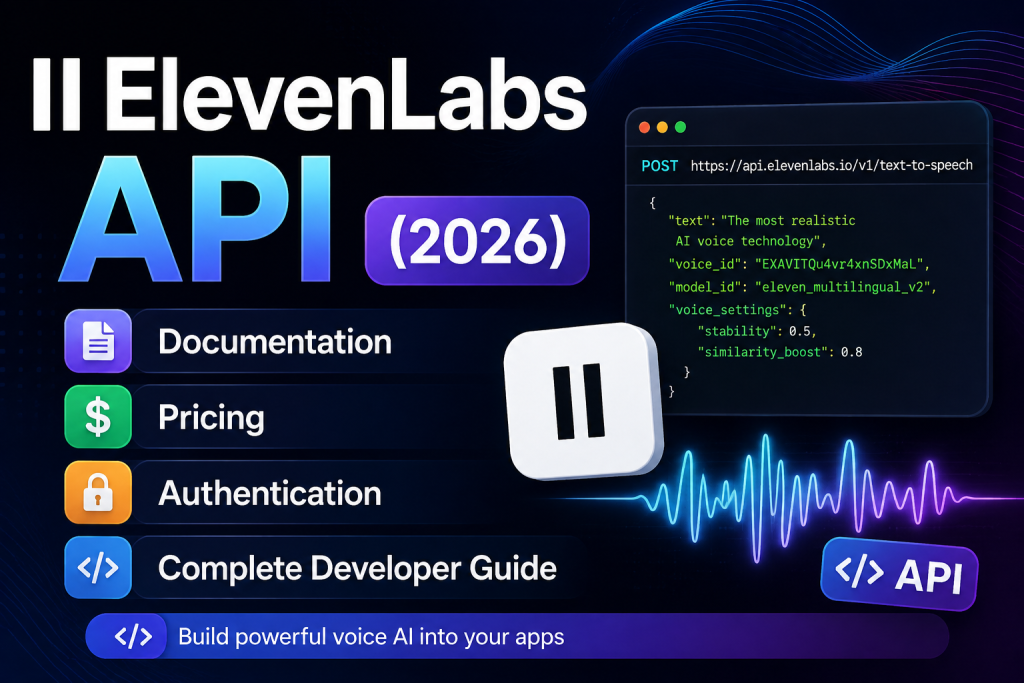
ElevenLabs API (2026): Documentation, Pricing, Authentication & Complete Developer Guide

0
ElevenLabs API

ElevenLabs API (2026): Complete Developer Guide

Artificial intelligence has transformed how developers build applications, and voice AI is one of the fastest-growing areas. Instead of recording voiceovers manually or relying on robotic text-to-speech engines, developers can now integrate realistic AI voices directly into their products using the ElevenLabs API.

ElevenLabs API

Whether you’re building an AI assistant, audiobook platform, customer support solution, language-learning app, or video automation workflow, the ElevenLabs API gives you access to industry-leading speech generation with just a few API calls.

If you’re new to ElevenLabs, read our ElevenLabs Review first.

In this guide, you’ll learn:

  • What the ElevenLabs API is
  • How authentication works
  • Available endpoints
  • Pricing considerations
  • Best use cases
  • Example requests
  • Best practices
  • Whether it’s worth using over competing AI voice APIs

What Is the ElevenLabs API?

The ElevenLabs API is a RESTful API that allows developers to integrate AI-powered voice generation into websites, mobile apps, desktop software, and backend services.

Instead of using the web interface, developers can generate speech programmatically by sending requests to the API.

Common use cases include:

  • AI chatbots
  • Audiobook generation
  • Podcast automation
  • YouTube narration
  • Voice assistants
  • E-learning platforms
  • Customer support systems
  • Accessibility tools
  • SaaS products
  • Mobile applications

Unlike traditional text-to-speech engines, ElevenLabs produces highly natural speech with realistic intonation, emotion, and pacing.

If you’re exploring other voice AI platforms, compare the leading options in our Best AI Voice Generators guide.


Why Developers Choose ElevenLabs API

The biggest reason developers choose ElevenLabs is voice quality.

Many text-to-speech APIs sound robotic, especially during long narrations. ElevenLabs uses advanced AI models to generate speech that sounds much closer to a real human.

Key benefits include:

  • Natural pronunciation
  • Emotional speech synthesis
  • Multiple languages
  • High-quality voice cloning
  • Fast response times
  • REST API
  • SDK support
  • Scalable infrastructure
  • Regular model updates

For startups and SaaS businesses, this means less development time and a better user experience.


Main Features of the ElevenLabs API

1. Text-to-Speech API

The Text-to-Speech endpoint converts written text into realistic spoken audio.

Typical applications include:

  • Video narration
  • Audiobooks
  • News readers
  • Learning platforms
  • Marketing videos
  • Product demos
  • Interactive assistants

Compared with many traditional TTS engines, ElevenLabs produces speech with far more natural rhythm and expression.

If you’re specifically researching text-to-speech tools, check out our Text to Speech Software guide.


2. Voice Cloning API

Voice cloning allows developers to create custom AI voices based on recorded audio samples.

Popular use cases include:

  • Brand voices
  • Digital presenters
  • Personalized assistants
  • Audiobook narration
  • Character voices
  • Gaming

Voice cloning should always be used responsibly and with proper consent.

Learn more in our AI Voice Cloning Software guide.


3. Multilingual Voice Generation

One of the platform’s strongest capabilities is multilingual support.

Developers can generate speech in numerous languages while maintaining natural pronunciation and pacing.

This makes the API ideal for:

  • International businesses
  • Localization platforms
  • Online education
  • Customer support
  • Global marketing campaigns

Instead of managing multiple voice providers, developers can often handle multilingual projects using a single API.


4. Low-Latency Speech Generation

Applications such as conversational AI require fast response times.

The ElevenLabs API is optimized for low-latency generation, making it suitable for:

  • Voice assistants
  • AI receptionists
  • Interactive learning
  • Live applications
  • Customer service bots

Reducing response time creates a more natural conversational experience for users.


5. High-Quality Audio Output

The generated audio is suitable for professional content creation.

Developers commonly use it for:

  • YouTube narration
  • Podcasts
  • Online courses
  • Product walkthroughs
  • Marketing campaigns
  • Corporate training

Many creators combine ElevenLabs with AI video tools to automate the entire production workflow.

If you’re creating AI-powered videos, read our Best AI Video Generators guide.


How the ElevenLabs API Works

At a high level, the workflow is straightforward:

  1. Create an ElevenLabs account.
  2. Generate an API key from your dashboard.
  3. Choose a voice ID.
  4. Send text to the Text-to-Speech endpoint.
  5. Receive an audio file in response.
  6. Save or stream the generated audio in your application.

This simple REST architecture makes the API easy to integrate into almost any programming language or framework.


Getting Your API Key

Before making API requests, you’ll need an API key.

The typical process involves:

  1. Sign in to your ElevenLabs account.
  2. Navigate to your account settings.
  3. Open the API section.
  4. Generate a new secret key.
  5. Store it securely.
  6. Never expose it in client-side code or public repositories.

Treat your API key like a password. If it’s compromised, regenerate it immediately and update your applications.


Authentication

Most API requests require authentication using your secret API key.

A typical request includes an authentication header similar to:

xi-api-key: YOUR_API_KEY

Always keep your credentials on the server side whenever possible to reduce security risks.


ElevenLabs API Pricing

API access is available across several subscription plans, with higher tiers offering larger usage limits and additional capabilities.

Before integrating the API into production, estimate:

  • Expected monthly requests
  • Average character usage
  • Peak traffic
  • Audio generation frequency
  • Storage requirements

Choosing the right plan early can help reduce costs as your application scales.

If you’re comparing subscription options, read our ElevenLabs Pricing guide.

API Endpoints

The ElevenLabs API provides several endpoints that allow developers to generate speech, clone voices, manage voice libraries, and build AI-powered applications.

Some of the most commonly used endpoints include:

  • Text-to-Speech
  • Speech-to-Text
  • Voice Cloning
  • Voice Library
  • Models
  • Projects
  • History
  • User Information

Most applications only need a few of these endpoints to get started.


Text-to-Speech API Example

The Text-to-Speech endpoint converts plain text into realistic speech.

Typical workflow:

  1. Choose a voice.
  2. Enter the text.
  3. Send the API request.
  4. Receive an audio file.
  5. Save or stream the audio.

This endpoint powers many AI products, including:

  • YouTube narration
  • Podcast generation
  • Audiobooks
  • Accessibility tools
  • AI assistants

If your primary goal is YouTube automation, check out our AI Voice Generator for YouTube.


Example Request Using cURL

curl -X POST https://api.elevenlabs.io/v1/text-to-speech/{voice_id} \
-H "Accept: audio/mpeg" \
-H "Content-Type: application/json" \
-H "xi-api-key: YOUR_API_KEY" \
-d '{
"text":"Hello from ElevenLabs!",
"model_id":"eleven_multilingual_v2"
}'

Example Using Python

import requests

url = "https://api.elevenlabs.io/v1/text-to-speech/VOICE_ID"

headers = {
    "xi-api-key": "YOUR_API_KEY",
    "Content-Type": "application/json"
}

payload = {
    "text": "Welcome to Toolnora!",
    "model_id": "eleven_multilingual_v2"
}

response = requests.post(url, json=payload, headers=headers)

with open("speech.mp3", "wb") as f:
    f.write(response.content)

Python remains one of the easiest languages for integrating the ElevenLabs API into automation workflows and backend services.


Example Using JavaScript

const response = await fetch(
"https://api.elevenlabs.io/v1/text-to-speech/VOICE_ID",
{
method:"POST",
headers:{
"Content-Type":"application/json",
"xi-api-key":"YOUR_API_KEY"
},
body:JSON.stringify({
text:"Hello World",
model_id:"eleven_multilingual_v2"
})
}
);

const audio=await response.blob();

JavaScript is a popular choice for web applications, browser-based tools, and server-side projects running on Node.js.


Voice Cloning API

Voice cloning is one of ElevenLabs’ most advanced capabilities.

Instead of using prebuilt voices, developers can create custom AI voices from recorded audio samples.

Popular applications include:

  • Personalized AI assistants
  • Brand voices
  • Video narration
  • Game characters
  • Interactive storytelling
  • Audiobook production

For an overview of voice cloning tools, read our AI Voice Cloning Software guide.


Streaming Audio

Some applications require speech generation in real time rather than waiting for a complete audio file.

Streaming is useful for:

  • AI assistants
  • Customer service bots
  • Live conversations
  • Interactive education
  • Voice-enabled SaaS products

Low-latency streaming improves the overall user experience by reducing delays.


Rate Limits

Like most cloud APIs, ElevenLabs applies usage limits based on your subscription.

The available capacity typically depends on:

  • Monthly plan
  • Character usage
  • Concurrent requests
  • API quota

Applications with heavy traffic should monitor usage carefully to avoid interruptions.


Error Handling

A production-ready application should always handle API errors gracefully.

Common scenarios include:

Authentication Errors

Usually caused by:

  • Invalid API key
  • Expired credentials
  • Missing authentication header

Invalid Requests

Often caused by:

  • Missing required fields
  • Invalid voice IDs
  • Incorrect JSON formatting

Rate Limit Errors

Applications exceeding their quota should:

  • Retry later
  • Queue requests
  • Upgrade the subscription if necessary

Server Errors

Although uncommon, temporary server issues may occur.

Best practice includes:

  • Retry with exponential backoff
  • Log failures
  • Notify administrators if repeated errors occur

Best Practices

To build reliable applications, follow these recommendations.

Store API Keys Securely

Never expose API keys inside frontend JavaScript or mobile applications.

Instead:

  • Use environment variables
  • Store secrets securely
  • Rotate keys regularly

Cache Generated Audio

If the same narration is requested repeatedly, cache the generated audio instead of creating a new request every time.

Benefits include:

  • Lower API costs
  • Faster loading
  • Reduced server load

Monitor Usage

Track:

  • Monthly characters
  • API requests
  • Failed requests
  • Processing time

Monitoring helps prevent unexpected billing surprises.


Use the Right Voice Model

Different projects require different voices.

Examples:

  • Podcasts
  • Customer support
  • Audiobooks
  • Educational videos
  • Marketing campaigns

Selecting the appropriate model improves the final listening experience.


Real-World Use Cases

The ElevenLabs API is used across many industries.

SaaS Applications

Generate spoken responses for AI assistants and productivity tools.


Education

Convert lessons into audio for students.


Accessibility

Help visually impaired users consume written content through realistic speech.


YouTube Automation

Many creators automate their workflow using:

  • ChatGPT for scripts
  • ElevenLabs for narration
  • AI video software for visuals

If you’re building an automated video pipeline, read our Best AI Tools for YouTube Creators.


Podcast Production

Transform articles, blog posts, or newsletters into podcasts automatically.


Audiobook Publishing

Publish books with AI narration in a fraction of the time required for traditional recording.


ElevenLabs API vs Other AI Voice APIs

FeatureElevenLabsMurf AIPlayHT
Voice Quality⭐⭐⭐⭐⭐⭐⭐⭐⭐☆⭐⭐⭐⭐☆
Voice Cloning⭐⭐⭐⭐⭐⭐⭐⭐⭐☆⭐⭐⭐⭐☆
APIExcellentGoodGood
LanguagesExcellentVery GoodVery Good
Best ForDevelopers & CreatorsBusinessVoice Apps

If you’re still comparing platforms, you may also enjoy our Murf AI Review.


Frequently Asked Questions

Is the ElevenLabs API free?

API access is available with free and paid accounts, but usage limits depend on your subscription plan.


Is the API REST-based?

Yes. ElevenLabs provides a REST API that can be integrated into virtually any programming language capable of making HTTP requests.


Which programming languages are supported?

Because the API is HTTP-based, you can use Python, JavaScript, PHP, Go, Java, C#, Ruby, and many other languages.


Can I use the API commercially?

Yes. Commercial usage depends on the terms of your subscription plan.


Is ElevenLabs better than Google Text-to-Speech?

For many use cases, ElevenLabs produces more natural-sounding speech, especially for narration, storytelling, and conversational AI.


Does the API support voice cloning?

Yes. Voice cloning is one of ElevenLabs’ core capabilities, allowing developers to create custom AI voices from audio samples.


Final Verdict

The ElevenLabs API is one of the most powerful AI voice APIs currently available. Its combination of realistic speech synthesis, advanced voice cloning, multilingual support, and developer-friendly REST architecture makes it an excellent choice for everything from personal projects to enterprise applications.

Whether you’re building an AI assistant, automating YouTube narration, creating audiobooks, or adding voice capabilities to your software, the API provides the flexibility and performance needed to scale with your project.

Developers who need high-quality AI speech with straightforward integration will find ElevenLabs to be one of the strongest options on the market.


Ready to start building with AI voice?


Want to compare pricing before integrating the API? Read our ElevenLabs Pricing guide.


Still deciding whether ElevenLabs is the right platform? Read our ElevenLabs Review.

Popular Posts

My Favorites

Workflow Automation Software Comparison

Workflow Automation Software Comparison (2026): Which Tool Is Best?

1
Workflow automation software helps businesses eliminate repetitive tasks, improve efficiency, and scale operations faster.Whether you're automating marketing campaigns, customer support, HR processes, or sales...