


Automation

Home AI Tools Automation
Best AI automation tools to streamline workflows, reduce repetitive tasks, and improve efficiency.

Automation Tools (2026): 10 Best Platforms for Businesses

0
Automation Tools (2026)

Automation tools help businesses eliminate repetitive tasks, improve efficiency, and scale operations faster.

From marketing automation and customer support to HR workflows and business operations, modern automation platforms can save hundreds of hours every year.

In this guide, we’ll compare the best automation tools available in 2026 and help you choose the right platform for your business.

If you’re looking specifically for AI-powered solutions, start with our guide to Best AI Automation Tools.


What Are Automation Tools?

Automation tools are software platforms that perform tasks automatically based on triggers and workflows.

Examples include:

  • Sending emails
  • Updating CRM records
  • Assigning tasks
  • Processing customer requests
  • Managing leads
  • Generating reports

Instead of manually completing these activities, businesses can automate them using software.


Benefits of Automation Tools

Save Time

Reduce repetitive work.

Improve Productivity

Allow teams to focus on important tasks.

Reduce Errors

Automation improves consistency.

Scale Faster

Businesses can grow without proportional increases in workload.

Improve Customer Experience

Customers receive faster responses and better service.


How We Evaluated These Automation Platforms

We ranked platforms based on:

  • Ease of use
  • Integrations
  • Workflow flexibility
  • AI capabilities
  • Pricing
  • Scalability

1. Relay.app

Relay.app is one of the best automation tools for businesses that want AI-powered workflows without complexity.

Best For

  • Small businesses
  • Operations teams
  • Marketing automation
  • AI workflows

Pros

  • Easy visual workflow builder
  • Human approval steps
  • AI integrations
  • Fast implementation

Cons

  • Smaller integration ecosystem than Zapier

Read our complete Relay.app Review.

Rating

⭐⭐⭐⭐⭐


2. Zapier

Zapier remains one of the most popular automation platforms worldwide.

Best For

  • Beginners
  • SaaS businesses
  • App integrations

Rating

⭐⭐⭐⭐⭐


3. Make

Make offers advanced workflow automation and customization.

Best For

  • Advanced users
  • Complex workflows

Rating

⭐⭐⭐⭐⭐


4. Microsoft Power Automate

Best For

  • Enterprise organizations
  • Microsoft users

Rating

⭐⭐⭐⭐☆


5. UiPath

Best For

  • Robotic process automation
  • Enterprise automation

Rating

⭐⭐⭐⭐☆


6. n8n

Best For

  • Developers
  • Open-source automation

Rating

⭐⭐⭐⭐☆


7. ClickUp

Best For

  • Project management
  • Team workflows

Rating

⭐⭐⭐⭐☆


8. Monday.com

Best For

  • Team operations
  • Workflow management

Rating

⭐⭐⭐⭐☆


9. Airtable

Best For

  • Data-driven workflows
  • Process management

Rating

⭐⭐⭐⭐☆


10. HubSpot

Best For

  • Sales automation
  • Marketing automation

Rating

⭐⭐⭐⭐☆

Automation Tools Comparison Table

ToolBest ForEase of UseAI FeaturesIntegrationsOverall Rating
Relay.appAI Workflows⭐⭐⭐⭐⭐⭐⭐⭐⭐⭐⭐⭐⭐⭐⭐⭐⭐⭐⭐
ZapierBeginners⭐⭐⭐⭐⭐⭐⭐⭐⭐⭐⭐⭐⭐⭐⭐⭐⭐⭐⭐
MakeAdvanced Automation⭐⭐⭐⭐⭐⭐⭐⭐⭐⭐⭐⭐⭐⭐⭐⭐⭐⭐
Power AutomateMicrosoft Users⭐⭐⭐⭐⭐⭐⭐⭐⭐⭐⭐⭐⭐⭐⭐⭐
UiPathEnterprise Automation⭐⭐⭐⭐⭐⭐⭐⭐⭐⭐⭐⭐⭐⭐⭐⭐
n8nDevelopers⭐⭐⭐⭐⭐⭐⭐⭐⭐⭐⭐⭐⭐⭐⭐
ClickUpProject Management⭐⭐⭐⭐⭐⭐⭐⭐⭐⭐⭐⭐⭐⭐⭐
Monday.comTeam Operations⭐⭐⭐⭐⭐⭐⭐⭐⭐⭐⭐⭐⭐⭐⭐
AirtableData Management⭐⭐⭐⭐⭐⭐⭐⭐⭐⭐⭐⭐⭐⭐⭐
HubSpotSales & Marketing⭐⭐⭐⭐⭐⭐⭐⭐⭐⭐⭐⭐⭐⭐⭐⭐

Which Automation Tool Is Best?

The best automation platform depends on your business goals.

Best Overall

Relay.app

Relay.app offers one of the best combinations of AI-powered workflows, ease of use, and flexibility.

Best for Beginners

Zapier

Simple setup and a massive integration ecosystem.

Best for Advanced Users

Make

Excellent for building sophisticated automation workflows.

Best for Enterprise Organizations

Microsoft Power Automate and UiPath

Strong options for larger organizations with complex requirements.

Best Open-Source Option

n8n

Ideal for developers and technical teams.


Common Automation Tool Use Cases

Marketing Automation

Automate:

  • Email campaigns
  • Lead nurturing
  • Social media publishing
  • Marketing reports

Sales Automation

Automate:

  • Lead qualification
  • CRM updates
  • Meeting scheduling
  • Follow-up sequences

Customer Support Automation

Automate:

  • Ticket routing
  • FAQ responses
  • Customer notifications
  • Survey collection

HR Automation

Automate:

  • Employee onboarding
  • Training assignments
  • Approval workflows
  • Document collection

For HR and operations workflows, read our Process Automation Tools guide.


Automation Tools vs Workflow Automation Software

These categories overlap but aren’t identical.

Automation Tools

A broad category that includes:

  • Workflow automation
  • Process automation
  • Marketing automation
  • Sales automation

Workflow Automation Software

Specifically focused on automating workflows between applications and teams.

Learn more in our Workflow Automation Software Comparison guide.


Why AI Is Making Automation Better

Artificial intelligence is transforming automation software.

Modern AI-powered automation platforms can:

  • Generate content
  • Analyze data
  • Categorize requests
  • Prioritize tasks
  • Assist decision-making

This enables businesses to automate more complex operations than traditional automation tools.

For a deeper look at AI-powered workflows, read our AI Business Process Automation guide.


Frequently Asked Questions

What are automation tools?

Automation tools are software platforms that automatically perform tasks and workflows based on predefined triggers and actions.

What is the best automation tool?

Relay.app, Zapier, and Make are among the strongest automation tools available in 2026.

Are automation tools worth it?

Yes. Automation can significantly reduce manual work, improve efficiency, and increase productivity.

Can small businesses use automation tools?

Absolutely. Many platforms are designed specifically for small businesses.

Do automation tools require coding?

No. Most modern platforms offer no-code workflow builders.


Final Verdict

Automation tools have become essential for businesses that want to operate more efficiently and scale faster.

Whether you’re automating sales, marketing, customer support, HR, or operations, the right platform can save significant time and resources.

For most businesses, Relay.app stands out as one of the best automation tools in 2026 thanks to its AI-powered workflows, modern interface, and flexibility.

Businesses needing larger integration ecosystems may prefer Zapier, while advanced users may find Make more suitable.

Start with one automation workflow and expand gradually as your business grows.

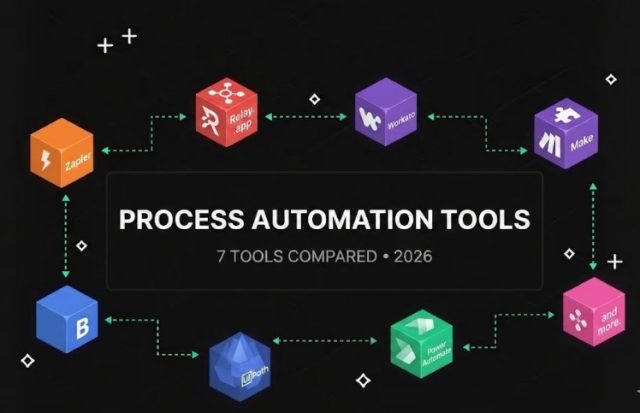
Process Automation Tools (2026): 7 Best Platforms Compared

1
Process Automation Tools

Process automation tools help businesses eliminate repetitive work, improve operational efficiency, and scale faster.

Instead of manually handling routine tasks, organizations can automate entire processes across sales, marketing, customer support, finance, and operations.

In this guide, we’ll compare the best process automation tools available in 2026 and explain which platform is best for different business needs.

If you’re new to automation, start with our guide to Best AI Automation Tools.


What Are Process Automation Tools?

Process automation tools are software platforms that automate business processes using workflows, triggers, integrations, and artificial intelligence.

Common examples include:

  • Lead management
  • Invoice approvals
  • Employee onboarding
  • Customer support workflows
  • Marketing campaigns
  • Data synchronization

Automation reduces manual work while improving consistency and productivity.


Benefits of Process Automation Tools

Save Time

Reduce repetitive administrative work.

Improve Accuracy

Automation minimizes human errors.

Reduce Costs

Businesses can handle larger workloads with fewer resources.

Increase Productivity

Employees can focus on strategic work.

Scale Operations Faster

Automation supports business growth without requiring proportional increases in staffing.


How We Ranked These Tools

We evaluated:

  • Ease of use
  • Workflow flexibility
  • AI capabilities
  • Integrations
  • Scalability
  • Pricing

1. Relay.app

Relay app AI workflow automation

Relay.app is one of the strongest process automation tools available for small and medium-sized businesses.

Its visual workflow builder makes automation accessible without coding.

Best For

  • AI-powered workflows
  • Marketing teams
  • Operations management
  • Small businesses

Pros

  • Easy workflow builder
  • Human approval steps
  • AI integrations
  • Modern interface

Cons

  • Fewer integrations than Zapier

Read our complete Relay.app Review.

Rating

⭐⭐⭐⭐⭐


2. Zapier

Zapier remains one of the most widely used automation platforms in the world.

The platform supports thousands of app integrations and simple workflow creation.

Best For

  • Beginners
  • Small businesses
  • SaaS integrations

Rating

⭐⭐⭐⭐⭐


3. Make

Make offers advanced workflow automation and greater customization.

Many power users prefer Make because of its flexibility.

Best For

  • Advanced workflows
  • Technical users
  • Custom automation

Rating

⭐⭐⭐⭐⭐


4. Microsoft Power Automate

Microsoft Power Automate integrates deeply with Microsoft products.

Best For

  • Enterprise organizations
  • Microsoft 365 users

Rating

⭐⭐⭐⭐☆


5. UiPath

UiPath is one of the leading enterprise automation platforms.

Best For

  • Robotic process automation
  • Enterprise automation

Rating

⭐⭐⭐⭐☆


6. n8n

n8n provides open-source workflow automation capabilities.

Best For

  • Developers
  • Self-hosted automation

Rating

⭐⭐⭐⭐☆


7. Workato

Workato is a powerful enterprise automation platform focused on business process integration.

Best For

  • Enterprise teams
  • Large-scale automation

Rating

⭐⭐⭐⭐☆

Process Automation Tools Comparison Table

ToolBest ForEase of UseAI FeaturesIntegrationsOverall Rating
Relay.appAI Workflows⭐⭐⭐⭐⭐⭐⭐⭐⭐⭐⭐⭐⭐⭐⭐⭐⭐⭐⭐
ZapierBeginners⭐⭐⭐⭐⭐⭐⭐⭐⭐⭐⭐⭐⭐⭐⭐⭐⭐⭐⭐
MakeAdvanced Automation⭐⭐⭐⭐⭐⭐⭐⭐⭐⭐⭐⭐⭐⭐⭐⭐⭐⭐
Power AutomateMicrosoft Users⭐⭐⭐⭐⭐⭐⭐⭐⭐⭐⭐⭐⭐⭐⭐⭐
UiPathEnterprise Automation⭐⭐⭐⭐⭐⭐⭐⭐⭐⭐⭐⭐⭐⭐⭐⭐
n8nDevelopers⭐⭐⭐⭐⭐⭐⭐⭐⭐⭐⭐⭐⭐⭐⭐
WorkatoEnterprise Integration⭐⭐⭐⭐⭐⭐⭐⭐⭐⭐⭐⭐⭐⭐⭐⭐

Which Process Automation Tool Is Best?

The best process automation tool depends on your business requirements.

Best Overall

Relay.app

Relay.app combines ease of use, AI-powered workflows, and strong automation capabilities.

Best for Beginners

Zapier

Ideal for users who want fast setup and a large integration ecosystem.

Best for Advanced Automation

Make

Perfect for businesses needing complex workflow logic.

Best for Enterprise Organizations

Microsoft Power Automate and UiPath

Strong choices for larger organizations.

Best Open-Source Solution

n8n

Excellent for technical teams that want more control.


Process Automation vs Workflow Automation

Many people use these terms interchangeably.

However, there are differences.

Workflow Automation

Workflow automation focuses on individual tasks and actions.

Examples include:

  • Sending emails
  • Creating tasks
  • Updating CRM records

Read our complete Workflow Automation Tools guide.

Process Automation

Process automation focuses on entire business processes.

Examples include:

  • Employee onboarding
  • Lead management
  • Customer support systems
  • Invoice approval workflows

For a deeper comparison, read our Process Automation Software guide.


Common Process Automation Examples

Sales Processes

Automate:

  • Lead capture
  • Follow-up emails
  • CRM updates
  • Meeting scheduling

Marketing Processes

Automate:

  • Email campaigns
  • Lead nurturing
  • Content distribution
  • Reporting

HR Processes

Automate:

  • Employee onboarding
  • Training assignments
  • Approval workflows
  • Document collection

Customer Support Processes

Automate:

  • Ticket routing
  • Customer notifications
  • FAQ responses
  • Feedback collection

Finance Processes

Automate:

  • Invoice approvals
  • Payment reminders
  • Expense tracking
  • Reporting

Why AI Is Transforming Process Automation

Artificial intelligence is making process automation smarter.

Modern platforms can now:

  • Analyze data
  • Generate content
  • Categorize requests
  • Recommend actions
  • Assist decision-making

This allows businesses to automate more complex operations than ever before.

Learn more in our AI Business Process Automation guide.


Frequently Asked Questions

What are process automation tools?

Process automation tools help businesses automate repetitive operational processes and workflows.

What is the best process automation tool?

Relay.app, Zapier, Make, Power Automate, and UiPath are among the top options in 2026.

Are process automation tools suitable for small businesses?

Yes. Many modern automation platforms are designed specifically for small and medium-sized businesses.

What is the difference between process automation and workflow automation?

Workflow automation focuses on individual tasks, while process automation focuses on complete business processes.

Can AI improve process automation?

Absolutely. AI enables smarter decision-making, content generation, and workflow optimization.


Final Verdict

Process automation tools are becoming essential for businesses that want to improve efficiency and scale operations.

Whether you’re automating sales, marketing, HR, customer support, or finance processes, the right platform can save significant time and resources.

For most businesses, Relay.app stands out as one of the best process automation tools in 2026 because it combines AI-powered workflows, ease of use, and flexibility.

Businesses needing larger integration ecosystems may prefer Zapier, while advanced users may find Make more suitable.

Start by automating one process, measure the results, and expand automation gradually across your organization.
Workflow Automation Tools (2026): 7 Best Platforms Compared

0

Workflow automation tools help businesses eliminate repetitive work, improve efficiency, and scale operations faster.

Instead of manually moving information between apps, assigning tasks, or updating records, automation platforms can perform these actions automatically.

In this guide, we’ll compare the best workflow automation tools available in 2026 and help you choose the right solution for your business.

If you’re new to automation, start with our guide to Best AI Automation Tools.


What Are Workflow Automation Tools?

Workflow automation tools allow businesses to automate tasks using triggers and actions.

For example:

  • New lead enters CRM
  • Automation creates a task
  • Team receives notification
  • Follow-up email is sent automatically

These workflows help reduce manual work while improving consistency.


Benefits of Workflow Automation Tools

Save Time

Reduce repetitive administrative tasks.

Improve Accuracy

Automation minimizes human errors.

Increase Productivity

Teams can focus on higher-value activities.

Scale Operations

Businesses can handle larger workloads without hiring more staff.

Improve Collaboration

Automation keeps teams aligned and informed.


How We Ranked These Tools

We evaluated:

  • Ease of use
  • Workflow flexibility
  • AI capabilities
  • Integrations
  • Pricing
  • Scalability

1. Relay.app

Relay.app is one of the most exciting workflow automation tools available today.

The platform focuses on AI-powered workflows while still allowing human approval steps when necessary.

Best For

  • Small businesses
  • Marketing teams
  • Operations automation
  • AI workflows

Pros

  • Easy visual builder
  • Strong AI integrations
  • Human-in-the-loop automation
  • Fast implementation

Cons

  • Smaller integration ecosystem than Zapier

Read our complete Relay.app Review.

Rating

⭐⭐⭐⭐⭐


2. Zapier

Zapier remains one of the most widely used workflow automation tools in the world.

The platform connects thousands of applications through simple automation workflows.

Best For

  • Beginners
  • SaaS businesses
  • App integrations

Pros

  • Huge integration library
  • Easy setup
  • Reliable automation

Cons

  • Costs increase as usage grows

Read our Zapier Alternatives guide.

Rating

⭐⭐⭐⭐⭐


3. Make

Make provides advanced workflow automation capabilities with a visual workflow builder.

Many power users prefer Make because of its flexibility and customization options.

Best For

  • Advanced users
  • Complex workflows
  • Custom automation

Rating

⭐⭐⭐⭐⭐


4. Microsoft Power Automate

Microsoft Power Automate integrates deeply with Microsoft products.

Best For

  • Enterprise organizations
  • Microsoft 365 users

Rating

⭐⭐⭐⭐☆


5. n8n

n8n is a popular open-source workflow automation platform.

Best For

  • Developers
  • Self-hosted automation

Rating

⭐⭐⭐⭐☆


6. ClickUp

ClickUp

ClickUp combines project management with workflow automation.

Rating

⭐⭐⭐⭐☆


7. Monday.com

Monday.com offers workflow automation capabilities alongside project and team management.

Rating

⭐⭐⭐⭐☆

Workflow Automation Tools Comparison Table

ToolBest ForEase of UseAI FeaturesIntegrationsOverall Rating
Relay.appAI Workflows⭐⭐⭐⭐⭐⭐⭐⭐⭐⭐⭐⭐⭐⭐⭐⭐⭐⭐⭐
ZapierBeginners⭐⭐⭐⭐⭐⭐⭐⭐⭐⭐⭐⭐⭐⭐⭐⭐⭐⭐⭐
MakeAdvanced Automation⭐⭐⭐⭐⭐⭐⭐⭐⭐⭐⭐⭐⭐⭐⭐⭐⭐⭐
Power AutomateMicrosoft Users⭐⭐⭐⭐⭐⭐⭐⭐⭐⭐⭐⭐⭐⭐⭐⭐
n8nDevelopers⭐⭐⭐⭐⭐⭐⭐⭐⭐⭐⭐⭐⭐⭐⭐
ClickUpProject Management⭐⭐⭐⭐⭐⭐⭐⭐⭐⭐⭐⭐⭐⭐⭐
Monday.comTeam Operations⭐⭐⭐⭐⭐⭐⭐⭐⭐⭐⭐⭐⭐⭐⭐

Which Workflow Automation Tool Is Best?

The best workflow automation platform depends on your business requirements.

Best Overall

Relay.app

Relay.app combines AI-powered workflows, ease of use, and flexibility into one platform.

Best for Beginners

Zapier

Ideal for businesses starting their automation journey.

Best for Advanced Workflows

Make

Excellent for users who need highly customized workflows.

Best for Enterprise Organizations

Microsoft Power Automate

A strong option for companies already using Microsoft products.

Best Open-Source Solution

n8n

Perfect for technical teams that want full control over automation.


Common Workflow Automation Examples

Sales Automation

Automate:

  • Lead capture
  • CRM updates
  • Meeting scheduling
  • Follow-up emails

Marketing Automation

Automate:

  • Email campaigns
  • Lead nurturing
  • Social media publishing
  • Reporting

Customer Support Automation

Automate:

  • Ticket routing
  • FAQ responses
  • Customer notifications
  • Survey collection

HR Automation

Automate:

  • Employee onboarding
  • Approval workflows
  • Document collection
  • Training assignments

For broader business automation, read our Business Automation Software for Small Businesses guide.


Workflow Automation vs Process Automation

Many people confuse workflow automation and process automation.

Workflow Automation

Automates specific workflows and tasks.

Examples:

  • Sending emails
  • Creating tasks
  • Updating CRM records

Process Automation

Automates complete business processes.

Examples:

  • Employee onboarding
  • Customer support operations
  • Invoice approval systems

Learn more in our Process Automation Software guide.


AI and Workflow Automation

Artificial intelligence is making workflow automation more powerful than ever.

Modern AI-powered platforms can:

  • Generate content
  • Summarize information
  • Categorize requests
  • Analyze customer interactions
  • Recommend next actions

This allows businesses to automate more complex workflows than traditional rule-based systems.

For a deeper look at AI automation, read our AI Business Process Automation guide.


Frequently Asked Questions

What are workflow automation tools?

Workflow automation tools help businesses automate repetitive tasks and workflows using triggers and actions.

What is the best workflow automation tool?

Relay.app, Zapier, and Make are among the strongest workflow automation tools available in 2026.

Are workflow automation tools worth it?

Yes. They reduce manual work, improve efficiency, and help businesses scale operations.

Do workflow automation tools require coding?

No. Most modern platforms provide no-code workflow builders.

Which workflow automation tool is best for small businesses?

Relay.app and Zapier are excellent choices because they are easy to use and quick to implement.


Final Verdict

Workflow automation tools have become essential for modern businesses.

Whether you’re automating sales, marketing, customer support, or internal operations, the right platform can save significant time and resources.

For most businesses, Relay.app stands out as one of the best workflow automation tools in 2026 thanks to its AI-powered workflows, intuitive design, and flexibility.

Businesses requiring larger integration ecosystems may prefer Zapier, while advanced users may benefit from Make.

Start by automating one workflow, then expand automation across your organization as you gain experience.

Process Automation Software (2026): Best Tools Compared

Process Automation Software

Businesses today face increasing pressure to improve efficiency while reducing operational costs.

One of the most effective ways to achieve this is through process automation software.

Modern automation platforms help organizations automate repetitive tasks, streamline workflows, and improve productivity across departments.

In this guide, we’ll compare the best process automation software available in 2026 and help you choose the right solution for your business.

If you’re new to automation, start with our guide to Best AI Automation Tools.


What Is Process Automation Software?

Process automation software automates recurring business processes using predefined workflows and triggers.

Examples include:

  • Lead management
  • Invoice approvals
  • Customer support workflows
  • Employee onboarding
  • Marketing campaigns
  • Data synchronization

Rather than manually performing these tasks, businesses can automate them using software platforms.


Benefits of Process Automation Software

Save Time

Automation eliminates repetitive work.

Reduce Costs

Businesses can handle more work with fewer resources.

Improve Accuracy

Automated processes reduce human error.

Increase Productivity

Employees can focus on higher-value activities.

Scale Operations

Businesses can grow without significantly increasing workload.


How We Evaluated These Platforms

We compared each tool based on:

  • Ease of use
  • Workflow flexibility
  • AI capabilities
  • Integrations
  • Pricing
  • Scalability

1. Relay.app

Relay.app is one of the most user-friendly automation platforms available.

Its visual workflow builder allows businesses to automate processes without technical expertise.

Best For

  • Small businesses
  • Marketing automation
  • Operations teams
  • AI workflows

Pros

  • Visual workflow builder
  • Human approval steps
  • AI integrations
  • Easy setup

Cons

  • Smaller integration ecosystem than Zapier

Read our complete Relay.app Review.

Rating

⭐⭐⭐⭐⭐


2. Zapier

Zapier remains one of the most popular process automation platforms.

Its extensive integration library allows businesses to connect thousands of applications.

Best For

  • Beginners
  • Small businesses
  • SaaS integrations

Pros

  • Massive app ecosystem
  • Easy setup
  • Reliable automation

Cons

  • Can become expensive as usage grows

If you’re evaluating alternatives, read our Zapier Alternatives guide.

Rating

⭐⭐⭐⭐⭐


3. Make

Make offers powerful automation capabilities with a visual workflow builder.

Advanced users often prefer Make because it provides greater flexibility than many competitors.

Best For

  • Complex workflows
  • Advanced users
  • Custom automation

Rating

⭐⭐⭐⭐⭐

4. Microsoft Power Automate

Microsoft Power Automate is designed for businesses that already use the Microsoft ecosystem.

The platform integrates seamlessly with:

  • Microsoft 365
  • Teams
  • SharePoint
  • Outlook
  • Dynamics 365

Best For

  • Enterprise organizations
  • Microsoft users
  • Internal process automation

Pros

  • Deep Microsoft integration
  • Enterprise-grade security
  • Strong governance controls

Cons

  • Learning curve for beginners
  • Less intuitive than Relay.app

Rating

⭐⭐⭐⭐☆


5. UiPath

UiPath is one of the leading robotic process automation (RPA) platforms.

It enables organizations to automate highly repetitive business processes at scale.

Best For

  • Large enterprises
  • Robotic process automation
  • Legacy system automation

Pros

  • Powerful automation capabilities
  • Enterprise scalability
  • Advanced AI features

Cons

  • Higher complexity
  • Enterprise-focused pricing

Rating

⭐⭐⭐⭐☆


Process Automation Software Comparison Table

ToolBest ForEase of UseAI FeaturesIntegrationsOverall Rating
Relay.appAI Workflows⭐⭐⭐⭐⭐⭐⭐⭐⭐⭐⭐⭐⭐⭐⭐⭐⭐⭐⭐
ZapierBeginners⭐⭐⭐⭐⭐⭐⭐⭐⭐⭐⭐⭐⭐⭐⭐⭐⭐⭐⭐
MakeAdvanced Automation⭐⭐⭐⭐⭐⭐⭐⭐⭐⭐⭐⭐⭐⭐⭐⭐⭐⭐
Power AutomateMicrosoft Users⭐⭐⭐⭐⭐⭐⭐⭐⭐⭐⭐⭐⭐⭐⭐⭐
UiPathEnterprise Automation⭐⭐⭐⭐⭐⭐⭐⭐⭐⭐⭐⭐⭐⭐⭐⭐

Which Process Automation Software Is Best?

The best platform depends on your business needs.

Best Overall

Relay.app

Relay.app provides one of the best combinations of AI capabilities, usability, and workflow flexibility.

Best for Beginners

Zapier

Ideal for businesses starting their automation journey.

Best for Advanced Workflows

Make

Excellent for building highly customized automation scenarios.

Best for Enterprise Organizations

Microsoft Power Automate

Strong option for Microsoft-centric businesses.

Best for Robotic Process Automation

UiPath

Designed for large-scale automation initiatives.


Process Automation Use Cases

Sales Processes

Automate:

  • Lead qualification
  • CRM updates
  • Follow-up emails
  • Meeting scheduling

Marketing Processes

Automate:

  • Campaign management
  • Lead nurturing
  • Content distribution
  • Reporting

HR Processes

Automate:

  • Employee onboarding
  • Document collection
  • Approval workflows
  • Training assignments

For HR automation, read our guide to Business Automation Software for Small Businesses.

Customer Support Processes

Automate:

  • Ticket routing
  • Customer notifications
  • Feedback collection
  • FAQ responses

Finance Processes

Automate:

  • Invoice approvals
  • Expense tracking
  • Payment reminders
  • Financial reporting

Process Automation vs Workflow Automation

These concepts are closely related but not identical.

Workflow Automation

Focuses on automating individual tasks and workflows.

Examples:

  • Sending emails
  • Updating databases
  • Creating tasks

Process Automation

Focuses on automating complete business processes.

Examples:

  • Employee onboarding
  • Customer support operations
  • Sales pipelines

Read our complete Workflow Automation Software Comparison guide.


Why AI Is Changing Process Automation

Artificial intelligence is making automation more powerful than ever.

Modern AI-powered platforms can:

  • Analyze data
  • Generate content
  • Categorize information
  • Make recommendations
  • Assist with decision-making

This allows businesses to automate more complex workflows than traditional automation systems.

Learn more in our guide to AI Business Process Automation.


Frequently Asked Questions

What is process automation software?

Process automation software helps businesses automate repetitive processes and operational workflows.

What is the best process automation software?

Relay.app, Zapier, Make, Power Automate, and UiPath are among the top solutions available in 2026.

Is process automation worth it?

Yes. Automation reduces manual work, improves efficiency, and helps businesses scale faster.

Can small businesses use process automation software?

Absolutely. Many platforms are designed specifically for small and medium-sized businesses.

What is the difference between process automation and RPA?

Process automation focuses on workflows and business processes, while robotic process automation (RPA) often automates repetitive computer-based tasks.


Final Verdict

Process automation software has become an essential tool for modern organizations.

By automating repetitive work, businesses can improve efficiency, reduce costs, and create better customer experiences.

For most small and medium-sized businesses, Relay.app stands out as one of the best process automation software platforms in 2026 thanks to its AI-powered workflows, ease of use, and flexibility.

Larger organizations may benefit from enterprise-focused solutions such as Microsoft Power Automate or UiPath.

Start with one process, measure the results, and gradually expand automation across your business.

Business Automation Software for Small Businesses (2026)

0
Business Automation Software

Running a small business often means wearing multiple hats.

Owners and small teams handle sales, marketing, customer support, administration, and operations every day.

As businesses grow, manual work quickly becomes a bottleneck.

This is where business automation software can help.

Modern automation tools allow small businesses to automate repetitive tasks, reduce operational costs, and improve productivity without hiring additional staff.

In this guide, we’ll compare the best business automation software for small businesses in 2026.

If you’re new to automation, start with our guide to Best AI Automation Tools.


What Is Business Automation Software?

Business automation software helps companies automate routine tasks and workflows.

Examples include:

  • Sending follow-up emails
  • Managing leads
  • Updating CRM systems
  • Creating tasks automatically
  • Generating reports
  • Processing customer requests

Instead of handling these tasks manually, businesses can create workflows that run automatically.


Why Small Businesses Need Automation

Small businesses often operate with limited resources.

Automation provides several benefits.

Save Time

Reduce repetitive manual work.

Increase Productivity

Allow employees to focus on higher-value activities.

Reduce Errors

Automated workflows improve consistency.

Scale Faster

Handle more customers without increasing workload.

Improve Customer Experience

Deliver faster and more reliable service.


How We Evaluated These Tools

We compared each platform based on:

  • Ease of use
  • Pricing
  • Automation features
  • AI capabilities
  • Integrations
  • Scalability

1. Relay.app

Relay app AI workflow automation

Relay.app is one of the best automation platforms for small businesses in 2026.

The platform combines workflow automation with AI-powered actions, making it easy for teams to automate operations.

Best For

  • Small businesses
  • Marketing teams
  • Operations management
  • AI workflows

Pros

  • Visual workflow builder
  • Easy setup
  • AI integrations
  • Human approval steps

Cons

  • Smaller integration ecosystem than Zapier

Read our full Relay review.

Rating

⭐⭐⭐⭐⭐


2. Zapier

Zapier remains one of the most popular automation platforms available.

With thousands of integrations, businesses can connect apps and automate workflows without coding.

Best For

  • Beginners
  • SaaS businesses
  • Marketing automation

Pros

  • Huge integration library
  • Easy to use
  • Reliable platform

Cons

  • Pricing can increase quickly

Rating

⭐⭐⭐⭐⭐


3. Make

Make offers powerful workflow automation with a visual builder.

Many advanced users prefer Make because of its flexibility and customization options.

Best For

  • Advanced automation
  • Complex workflows
  • Power users

Rating

⭐⭐⭐⭐⭐


4. ClickUp

ClickUp combines project management with automation.

Businesses can automate tasks, notifications, and team workflows.

Rating

⭐⭐⭐⭐☆


5. Airtable

Airtable combines databases with automation capabilities.

It is ideal for businesses managing large amounts of information.

Rating

⭐⭐⭐⭐☆


6. Monday.com

Monday.com helps businesses automate workflows, projects, and operations.

Rating

⭐⭐⭐⭐☆


7. HubSpot

HubSpot offers strong automation capabilities for marketing, sales, and customer service teams.

Rating

⭐⭐⭐⭐☆

Business Automation Software Comparison Table

ToolBest ForEase of UseAI FeaturesIntegrationsOverall Rating
Relay.appAI-Powered Workflows⭐⭐⭐⭐⭐⭐⭐⭐⭐⭐⭐⭐⭐⭐⭐⭐⭐⭐⭐
ZapierBeginners⭐⭐⭐⭐⭐⭐⭐⭐⭐⭐⭐⭐⭐⭐⭐⭐⭐⭐⭐
MakeAdvanced Automation⭐⭐⭐⭐⭐⭐⭐⭐⭐⭐⭐⭐⭐⭐⭐⭐⭐⭐
ClickUpProject Management⭐⭐⭐⭐⭐⭐⭐⭐⭐⭐⭐⭐⭐⭐⭐
AirtableData Management⭐⭐⭐⭐⭐⭐⭐⭐⭐⭐⭐⭐⭐⭐⭐
Monday.comTeam Operations⭐⭐⭐⭐⭐⭐⭐⭐⭐⭐⭐⭐⭐⭐⭐
HubSpotSales & Marketing⭐⭐⭐⭐⭐⭐⭐⭐⭐⭐⭐⭐⭐⭐⭐⭐

Which Business Automation Software Is Best for Small Businesses?

The best choice depends on your business goals.

Best Overall

Relay.app

Relay.app offers an excellent combination of AI-powered workflows, ease of use, and automation flexibility.

Small businesses can automate operations without needing technical expertise.

Best for Beginners

Zapier

Ideal for business owners who want simple automation with minimal setup.

Best for Complex Workflows

Make

Perfect for users who need advanced workflow customization.

Best for Project Management

ClickUp

Combines task management and automation in a single platform.


Common Small Business Automation Use Cases

Lead Management

Automatically:

  • Capture leads
  • Update CRM systems
  • Assign sales representatives
  • Send follow-up emails

Customer Support

Automate:

  • Ticket routing
  • FAQ responses
  • Customer notifications
  • Survey requests

Marketing

Automate:

  • Email campaigns
  • Social media posting
  • Lead nurturing
  • Campaign reporting

Operations

Automate:

  • Task creation
  • Approval processes
  • Internal notifications
  • Reporting workflows

AI-Powered Business Automation

Modern automation software is increasingly powered by artificial intelligence.

AI can help businesses:

  • Generate content
  • Summarize information
  • Classify data
  • Prioritize tasks
  • Analyze customer interactions

This allows automation systems to handle more complex processes than traditional rule-based workflows.

For a deeper look at AI automation, read our guide to AI Business Process Automation.


How Much Can Small Businesses Save with Automation?

The exact savings depend on the business.

However, many small businesses report:

Time Savings

Teams spend fewer hours on repetitive tasks.

Lower Labor Costs

Automation reduces manual workload.

Faster Customer Response Times

Workflows can operate 24/7.

Increased Revenue

Employees spend more time on growth activities.

Even automating a few routine tasks can produce significant benefits over time.


Business Automation Software vs Workflow Automation Software

These terms are often used interchangeably.

Business Automation Software

Focuses on improving overall business operations.

Examples:

  • Sales processes
  • Marketing automation
  • HR workflows
  • Customer support

Workflow Automation Software

Focuses on automating specific tasks and workflows.

Examples:

  • Sending emails
  • Updating records
  • Creating tasks

Read our complete Workflow Automation Software Comparison guide.


Frequently Asked Questions

What is business automation software?

Business automation software helps companies automate repetitive tasks and operational processes.

What is the best business automation software for small businesses?

Relay.app, Zapier, and Make are among the strongest options available in 2026.

Is automation software expensive?

Many tools offer affordable plans suitable for small businesses.

Can business automation software improve productivity?

Yes. Automation reduces manual work and allows teams to focus on more important activities.

Do I need coding skills to use automation software?

No. Most modern platforms offer no-code workflow builders.


Final Verdict

Business automation software is no longer just for large enterprises.

Small businesses can now use affordable automation platforms to improve efficiency, reduce costs, and scale operations faster.

For most small businesses, Relay.app stands out as one of the best business automation software solutions in 2026 thanks to its AI-powered workflows, user-friendly design, and strong automation capabilities.

Businesses that need larger integration ecosystems may prefer Zapier, while advanced users may benefit from Make.

Start by automating one repetitive process, then gradually expand automation across your business.

Workflow Automation Software Comparison (2026): Which Tool Is Best?

1
Workflow Automation Software Comparison

Workflow automation software helps businesses eliminate repetitive tasks, improve efficiency, and scale operations faster.

Whether you’re automating marketing campaigns, customer support, HR processes, or sales workflows, choosing the right platform can save hundreds of hours every year.

In this workflow automation software comparison, we’ll review the leading tools available in 2026 and help you determine which platform best fits your needs.

If you’re new to automation, start with our complete guide to AI Automation Tools.


What Is Workflow Automation Software?

Workflow automation software automatically performs tasks based on predefined triggers and actions.

Instead of manually completing repetitive processes, businesses can create automated workflows that handle routine work.

Common examples include:

  • Sending emails automatically
  • Updating CRM records
  • Assigning team tasks
  • Processing leads
  • Moving data between applications
  • Generating reports

Modern automation platforms now include AI features that further enhance productivity.


Benefits of Workflow Automation Software

Increased Productivity

Teams spend less time on repetitive work.

Reduced Human Error

Automation ensures consistent execution.

Faster Operations

Processes that once took hours can happen instantly.

Improved Customer Experience

Customers receive faster responses and service.

Better Team Collaboration

Workflows help teams stay organized and aligned.


How We Evaluated These Workflow Automation Platforms

For this comparison, we evaluated each tool based on:

  • Ease of use
  • AI capabilities
  • Integration ecosystem
  • Workflow flexibility
  • Pricing
  • Business scalability

1. Relay.app

Relay app AI workflow automation

Relay.app is one of the most promising workflow automation platforms for businesses looking to combine automation with AI-powered workflows.

Unlike many traditional automation tools, Relay focuses heavily on human-in-the-loop automation, allowing teams to stay involved when necessary.

Best For

  • Small businesses
  • Marketing teams
  • Operations teams
  • AI-powered workflows

Pros

  • Easy visual builder
  • Strong AI integrations
  • Fast setup process
  • Modern interface

Cons

  • Smaller integration library than Zapier

Read our full Relay review.

Rating

⭐⭐⭐⭐⭐


2. Zapier

Zapier remains the most popular workflow automation platform in the market.

With thousands of integrations available, it’s often the easiest solution for businesses wanting to connect multiple apps.

If you’re comparing alternatives, check our Zapier Alternatives guide.

Best For

  • Beginners
  • Small businesses
  • SaaS integrations

Pros

  • Massive integration ecosystem
  • Easy to learn
  • Reliable platform

Cons

  • Can become expensive at scale

Rating

⭐⭐⭐⭐⭐


3. Make

Make is known for offering powerful workflow automation capabilities with a visual workflow builder.

Many advanced users prefer Make because it provides more flexibility than Zapier.

Best For

  • Power users
  • Complex workflows
  • Advanced automation

Rating

⭐⭐⭐⭐⭐

4. Microsoft Power Automate

Microsoft Power Automate is one of the strongest workflow automation platforms for organizations already using Microsoft products.

It integrates deeply with:

  • Microsoft 365
  • Teams
  • SharePoint
  • Outlook
  • Dynamics 365

Best For

  • Enterprise organizations
  • Microsoft-based businesses
  • Internal workflow automation

Pros

  • Deep Microsoft integration
  • Enterprise security
  • Strong governance controls

Cons

  • Learning curve for beginners
  • Less intuitive than Relay or Zapier

Rating

⭐⭐⭐⭐☆


5. n8n

n8n has become increasingly popular among technical users looking for greater control over their workflows.

Unlike many SaaS automation platforms, n8n can be self-hosted.

Best For

  • Developers
  • Technical teams
  • Self-hosted automation

Pros

  • Open-source option
  • Flexible workflow design
  • Lower long-term costs

Cons

  • Requires technical knowledge

Rating

⭐⭐⭐⭐☆


Workflow Automation Software Comparison Table

ToolBest ForEase of UseAI FeaturesIntegrationsOverall Rating
Relay.appAI Workflows⭐⭐⭐⭐⭐⭐⭐⭐⭐⭐⭐⭐⭐⭐⭐⭐⭐⭐⭐
ZapierBeginners⭐⭐⭐⭐⭐⭐⭐⭐⭐⭐⭐⭐⭐⭐⭐⭐⭐⭐⭐
MakeAdvanced Automation⭐⭐⭐⭐⭐⭐⭐⭐⭐⭐⭐⭐⭐⭐⭐⭐⭐⭐
Power AutomateMicrosoft Users⭐⭐⭐⭐⭐⭐⭐⭐⭐⭐⭐⭐⭐⭐⭐⭐
n8nDevelopers⭐⭐⭐⭐⭐⭐⭐⭐⭐⭐⭐⭐⭐⭐⭐

Which Workflow Automation Software Is Best?

Best Overall

Relay.app

Relay.app combines ease of use, AI capabilities, and workflow flexibility.

It is one of the most promising automation platforms for businesses in 2026.

Best for Beginners

Zapier

The easiest platform for users starting with automation.

Best for Advanced Workflows

Make

Excellent for building complex automation scenarios.

Best for Enterprises

Microsoft Power Automate

Ideal for organizations heavily invested in the Microsoft ecosystem.

Best Open-Source Option

n8n

Perfect for technical teams that want full control.


Workflow Automation Use Cases

Marketing Automation

Automate:

  • Lead capture
  • Email campaigns
  • CRM updates
  • Content distribution

Sales Automation

Automate:

  • Lead qualification
  • Meeting scheduling
  • Follow-up sequences
  • Pipeline management

Customer Support

Automate:

  • Ticket routing
  • FAQ responses
  • Customer notifications
  • Feedback collection

HR Automation

Automate:

  • Employee onboarding
  • Document collection
  • Training assignments
  • Approval workflows

If you’re exploring broader automation strategies, read our guide to AI Business Process Automation.


Workflow Automation vs Business Process Automation

Many people use these terms interchangeably.

However, there are important differences.

Workflow Automation

Focuses on automating individual tasks and workflows.

Examples:

  • Sending emails
  • Updating records
  • Moving data between apps

Business Process Automation

Focuses on automating complete business operations.

Examples:

  • Employee onboarding
  • Customer support systems
  • Invoice processing

Learn more in our guide to AI Automation Platforms.


Frequently Asked Questions

What is workflow automation software?

Workflow automation software automates repetitive tasks and business processes using predefined triggers and actions.

What is the best workflow automation software?

For most businesses in 2026, Relay.app, Zapier, and Make are among the strongest options available.

Is workflow automation worth it?

Yes. Automation can reduce manual work, improve accuracy, and increase productivity across departments.

What is the difference between Zapier and Relay.app?

Zapier focuses on integrations and ease of use, while Relay.app offers more collaborative workflows and stronger AI-focused capabilities.

Can small businesses benefit from workflow automation?

Absolutely. Small businesses often see some of the biggest productivity gains from automation.


Final Verdict

Workflow automation software has become essential for modern businesses.

Whether you’re automating marketing campaigns, sales operations, customer support, or internal processes, the right platform can save significant time and resources.

For most businesses, Relay.app stands out as one of the best workflow automation platforms in 2026 thanks to its AI-powered workflows, intuitive design, and strong automation capabilities.

Businesses needing larger integration ecosystems may prefer Zapier, while advanced users may find Make more suitable.

Start by automating one repetitive process, then expand automation gradually across your organization.

AI Workflow Automation Examples: 15 Real-World Use Cases (2026)

0
AI Workflow Automation Examples

AI workflow automation is transforming how businesses operate.

Instead of spending hours on repetitive tasks, companies are increasingly using automation platforms to handle routine processes automatically. Modern tools can connect apps, move data, send notifications, generate content, and even make decisions using artificial intelligence.

The result is faster operations, fewer mistakes, and improved productivity.

Whether you’re a small business owner, agency manager, or enterprise leader, understanding how AI workflow automation works can help you identify opportunities to save time and reduce costs.

In this guide, we’ll explore 15 real-world AI workflow automation examples that businesses are using in 2026.

If you’re new to automation, start with our guide to AI Automation Tools.


What Is AI Workflow Automation?

AI workflow automation combines traditional workflow automation with artificial intelligence.

A workflow is a series of steps that complete a task. Automation software can perform these steps automatically. AI enhances the process by analyzing information, generating content, making recommendations, and handling tasks that previously required human input.

Examples include:

  • Automatically responding to customer inquiries
  • Summarizing meeting notes
  • Qualifying leads
  • Categorizing support tickets
  • Generating reports

Businesses of all sizes are now using AI-powered workflows to improve efficiency.

For a broader overview, check our guide to AI Process Automation Tools.


Why Businesses Are Adopting AI Workflow Automation

benefits of workflow automation

Companies are adopting automation because it offers several advantages.

Increased Productivity

Employees spend less time on repetitive tasks.

Reduced Human Error

Automated workflows complete tasks consistently.

Faster Operations

Work that previously took hours can be completed in seconds.

Lower Costs

Businesses can scale without hiring additional staff.

Better Customer Experience

Faster response times lead to higher customer satisfaction.


1. Lead Capture and Qualification

AI lead qualification workflow

One of the most common workflow automation examples involves lead management.

When a prospect fills out a form on your website, automation software can:

  • Capture contact information
  • Create a CRM record
  • Score the lead using AI
  • Assign the lead to a sales representative
  • Send a welcome email

This process happens automatically, ensuring no opportunities are missed.


2. Customer Support Ticket Routing

Customer support teams often receive large numbers of requests.

AI can analyze incoming messages and automatically:

  • Categorize tickets
  • Determine urgency
  • Assign the correct department
  • Send acknowledgment emails

This reduces response times and improves customer satisfaction.


3. AI-Powered Email Follow-Ups

Following up with leads manually can be time-consuming.

Automation software can:

  • Trigger email sequences
  • Personalize messages
  • Schedule follow-ups
  • Track responses

This ensures consistent communication without requiring manual effort.


4. Meeting Notes and Summaries

Many businesses spend significant time documenting meetings.

AI tools can automatically:

  • Record conversations
  • Generate summaries
  • Extract action items
  • Send follow-up notes

This saves time while ensuring important information is not missed.


5. Social Media Content Scheduling

Marketing teams frequently automate content publishing.

Workflows can:

  • Generate content ideas
  • Create captions
  • Schedule posts
  • Publish content automatically

This helps businesses maintain a consistent online presence.


6. Invoice Processing

Finance teams often use automation to process invoices.

AI can:

  • Extract invoice data
  • Verify information
  • Route approvals
  • Update accounting software

This significantly reduces administrative workload.


7. Employee Onboarding

Hiring new employees involves many repetitive tasks.

Automation workflows can:

  • Send welcome emails
  • Create accounts
  • Assign training materials
  • Schedule onboarding meetings

This creates a smoother experience for new hires.


8. E-Commerce Order Processing

Online stores can automate:

  • Order confirmations
  • Shipping notifications
  • Inventory updates
  • Customer communications

These workflows improve efficiency and customer experience.

9. CRM Data Management

Customer relationship management systems contain valuable business data.

Unfortunately, sales teams often spend significant time manually updating records.

AI workflow automation can:

  • Update contact records automatically
  • Log customer interactions
  • Assign leads
  • Trigger follow-up reminders
  • Track sales pipeline activity

This ensures CRM data remains accurate while reducing administrative work.


10. Marketing Campaign Reporting

Marketing teams often spend hours collecting data from multiple platforms.

Automation software can automatically:

  • Gather campaign metrics
  • Generate reports
  • Create summaries
  • Distribute results to stakeholders

This allows marketers to focus on strategy instead of reporting.


11. Document Approval Workflows

Many organizations require approvals for:

  • Contracts
  • Purchase requests
  • Budget changes
  • Marketing assets

Automation workflows can route documents to the appropriate people, track approval status, and notify stakeholders automatically.

This improves efficiency while maintaining accountability.


12. Recruitment and Candidate Screening

Hiring teams often receive hundreds of applications.

AI-powered workflows can:

  • Screen resumes
  • Identify qualified candidates
  • Schedule interviews
  • Send status updates

This helps recruiters focus on top candidates rather than administrative tasks.


13. Inventory Management

Inventory management is a critical process for many businesses.

Automation software can:

  • Monitor stock levels
  • Generate alerts
  • Trigger purchase orders
  • Update inventory systems

This reduces stock shortages and improves operational efficiency.


14. Customer Feedback Analysis

Businesses receive feedback from:

  • Surveys
  • Reviews
  • Support tickets
  • Social media

AI workflows can automatically analyze feedback, identify trends, and generate summaries for decision-makers.

This provides valuable insights without requiring manual analysis.


15. Content Creation and Publishing

Content marketing is one of the fastest-growing applications of AI workflow automation.

Businesses can automate:

  • Content ideation
  • Research
  • Draft generation
  • Publishing workflows
  • Social media promotion

These workflows help teams produce content more consistently and efficiently.


Which Automation Platform Should You Use?

The right platform depends on your goals and technical requirements.

Choose Relay.app If:

  • You want AI-powered workflows
  • You need collaboration features
  • Ease of use is important
  • Your team wants visual workflow management

Choose Zapier If:

  • Integrations are your highest priority
  • You use many third-party applications

Choose Make If:

  • You need advanced workflow customization
  • Complex automation is required

If you’re evaluating platforms, read our guide to Best Automation Software for Small Business.

You may also want to compare leading platforms in our AI Automation Platform guide.


AI Workflow Automation Examples by Department

DepartmentAutomation Example
SalesLead qualification
MarketingCampaign reporting
Customer SupportTicket routing
HREmployee onboarding
FinanceInvoice processing
OperationsInventory management
ManagementPerformance reporting

As AI technology continues to improve, nearly every department can benefit from automation.


How to Get Started With Workflow Automation

Many businesses make the mistake of trying to automate everything at once.

Instead, start with a single repetitive process.

Examples include:

  • Lead follow-ups
  • Support ticket routing
  • Invoice approvals
  • Report generation

Once the first workflow is successful, additional automations can be added gradually.

For a deeper look at available solutions, check our guide to AI Process Automation Tools.


Frequently Asked Questions

What is AI workflow automation?

AI workflow automation combines workflow automation and artificial intelligence to automate business processes and reduce manual work.

What are some examples of workflow automation?

Examples include lead management, support ticket routing, invoice processing, employee onboarding, content creation, and marketing reporting.

Can small businesses benefit from AI workflow automation?

Yes. Small businesses often achieve significant time savings and productivity improvements through automation.

What is the best workflow automation platform?

Popular options include Relay.app, Zapier, Make, and Microsoft Power Automate. The best choice depends on your specific business needs.

Is workflow automation expensive?

Many automation platforms offer affordable plans for small businesses, making automation accessible even with limited budgets.


Final Verdict

AI workflow automation is no longer limited to large enterprises.

Businesses of all sizes are now using automation to streamline operations, reduce repetitive work, and improve productivity.

The examples in this guide demonstrate how automation can be applied across sales, marketing, customer support, finance, HR, and operations.

For many organizations, starting with just one workflow can create immediate benefits and build momentum for broader automation initiatives.

If you’re looking for a modern platform that combines workflow automation, collaboration, and AI-powered capabilities, Relay.app is one of the strongest options available in 2026.

Not sure if it’s the right fit? Read our full Relay App Review and Is Relay App Worth It? guides.

Best Automation Software for Small Business (2026): 7 Tools Worth Considering

1
Best Automation Software for Small Business

Running a small business is rarely simple.

Most business owners juggle multiple responsibilities every day. Sales, customer support, invoicing, marketing, scheduling, and team management all compete for attention. As a business grows, these repetitive tasks can quickly consume valuable time and resources.

The challenge is that hiring more employees isn’t always the answer. Labor costs continue to rise, and many tasks don’t require human creativity or decision-making. They simply need to happen consistently and accurately.

This is where automation software becomes a game changer.

Modern automation platforms allow small businesses to connect applications, automate repetitive workflows, eliminate manual data entry, and improve operational efficiency. With recent advances in artificial intelligence, many automation tools can now perform tasks that previously required human involvement.

Whether you’re a freelancer, startup founder, agency owner, or small business operator, the right automation platform can help you save hours every week while improving consistency across your business.

In this guide, we’ll compare the best automation software for small businesses in 2026, including their key features, strengths, weaknesses, and ideal use cases.

If you’re new to automation, start with our guide to AI Automation Tools.


Why Small Businesses Need Automation Software

Many small business owners spend hours every week completing repetitive tasks.

Common examples include:

  • Sending follow-up emails
  • Updating CRM records
  • Managing invoices
  • Tracking leads
  • Scheduling appointments
  • Creating reports
  • Notifying team members

Individually, these tasks may only take a few minutes. However, over weeks and months they can consume dozens of hours.

Automation software helps eliminate these bottlenecks by creating workflows that run automatically.

Instead of manually moving information between applications, automation tools can perform these actions instantly and consistently.

Benefits include:

Increased Productivity

Automation reduces manual work and allows teams to focus on strategic activities.

Fewer Errors

Humans make mistakes. Automated workflows help ensure tasks are completed accurately.

Faster Response Times

Customers receive faster responses and improved service.

Lower Costs

Businesses can scale operations without significantly increasing staffing requirements.

Better Team Collaboration

Automation improves communication and workflow visibility across departments.

For many businesses, automation software pays for itself within months through time savings alone.


How We Selected the Best Automation Software

To create this list, we evaluated platforms based on several important factors.

Ease of Use

Small businesses often lack dedicated technical teams, so usability is critical.

Integrations

The ability to connect with popular tools such as Gmail, Slack, Shopify, HubSpot, and Notion is essential.

Automation Capabilities

We looked at workflow flexibility, conditional logic, AI functionality, and scalability.

Pricing

Affordable pricing is particularly important for small businesses.

Reliability

Automation platforms must be stable and dependable.

Based on these criteria, the following tools stand out in 2026.


1. Relay.app

Relay app AI workflow automation

Relay.app has rapidly become one of the most promising automation platforms for small businesses.

Unlike many traditional automation tools that focus primarily on integrations, Relay emphasizes workflow clarity, collaboration, and AI-powered automation.

The platform is designed to make automation accessible without requiring technical expertise.

Key Features

  • Visual workflow builder
  • AI-powered workflow actions
  • Human approval steps
  • Team collaboration features
  • Multi-step workflows
  • Gmail integration
  • Slack integration
  • Notion integration

One feature that separates Relay from many competitors is its support for human-in-the-loop workflows.

Instead of automating everything blindly, businesses can create approval steps that allow managers or team members to review actions before they occur.

This is particularly useful for:

  • Customer communications
  • Financial approvals
  • Marketing campaigns
  • Content publishing

Pros

  • Beginner-friendly interface
  • Excellent workflow visualization
  • Strong AI capabilities
  • Collaborative workflow management
  • Fast setup process

Cons

  • Smaller integration ecosystem than Zapier
  • Some advanced developer features are limited

Best For

  • Small businesses
  • Agencies
  • Startups
  • Service-based businesses
  • Teams adopting AI workflows

If you’d like a deeper look at the platform, read our full Relay App Review.


2. Zapier

Zapier workflow automation software

Zapier remains one of the most recognizable names in workflow automation.

Its primary advantage is the enormous number of integrations available. Businesses can connect thousands of applications without writing code.

This flexibility makes Zapier a popular choice for organizations of all sizes.

Key Features

  • Thousands of app integrations
  • Multi-step workflows
  • AI-powered automation
  • Webhooks
  • API support
  • Workflow templates

Zapier is particularly useful when businesses rely on multiple software tools that need to exchange information automatically.

Examples include:

  • CRM systems
  • Email marketing platforms
  • E-commerce stores
  • Project management software
  • Customer support systems

Pros

  • Massive integration ecosystem
  • Easy setup
  • Reliable infrastructure
  • Extensive documentation

Cons

  • Pricing can become expensive
  • Advanced workflows may require higher-tier plans

Best For

Businesses that prioritize integrations above everything else.

If you’re considering other options, check our guide to Best Zapier Alternatives.


3. Make

Make workflow automation

Make, formerly known as Integromat, is one of the most powerful workflow automation platforms available today.

While Zapier focuses on simplicity, Make focuses on flexibility.

The platform offers a visual workflow builder that allows users to create highly customized automation scenarios with advanced logic and branching conditions.

For businesses with more complex requirements, Make often provides greater control than simpler automation tools.

Key Features

  • Visual scenario builder
  • Advanced workflow logic
  • Data transformation tools
  • Scheduling options
  • API integrations
  • Webhook support

Many power users prefer Make because it allows them to design workflows that would be difficult or expensive to build elsewhere.

Pros

  • Extremely flexible
  • Advanced workflow customization
  • Strong pricing structure
  • Powerful visual interface

Cons

  • Steeper learning curve
  • Can feel overwhelming for beginners

Best For

  • Advanced users
  • Technical teams
  • Businesses with complex workflows

Compare these platforms in our Relay App vs Make guide.


4. Pabbly Connect

Pabbly Connect has gained popularity among small businesses thanks to its affordable pricing model and generous automation limits.

Many users initially discover Pabbly because of its lifetime deals, which can provide significant long-term savings compared to subscription-based competitors.

Key Features

  • Multi-step workflows
  • App integrations
  • Webhooks
  • Data transfer automation
  • Scheduling tools

Pros

  • Budget-friendly
  • Good value for money
  • Simple setup process

Cons

  • Smaller ecosystem than Zapier
  • Interface feels less modern

Best For

Budget-conscious small businesses and solopreneurs.

5. Integrately

Integrately is designed for businesses that want automation without complexity.

While platforms like Make provide extensive customization, Integrately focuses on getting workflows running as quickly as possible.

Its library includes thousands of ready-made automations that users can activate with minimal setup.

For small businesses that don’t have time to build workflows from scratch, this simplicity can be a major advantage.

Key Features

  • One-click automation templates
  • Multi-app integrations
  • Prebuilt workflows
  • Easy setup process
  • Beginner-friendly interface

Pros

  • Very easy to learn
  • Fast deployment
  • Minimal technical knowledge required

Cons

  • Less flexible than Make
  • Fewer advanced workflow options

Best For

  • Beginners
  • Small teams
  • Business owners new to automation

6. Microsoft Power Automate

Microsoft Power Automate is part of the Microsoft ecosystem and integrates deeply with Microsoft 365 products.

For businesses already using Outlook, Teams, SharePoint, and Excel, Power Automate can be a natural choice.

The platform supports cloud workflows, desktop automation, AI-powered actions, and enterprise-grade security.

Key Features

  • Microsoft 365 integration
  • Cloud automation
  • Desktop automation
  • AI Builder
  • Enterprise security controls

Pros

  • Excellent Microsoft integration
  • Strong security
  • Enterprise-level capabilities

Cons

  • Can be difficult for beginners
  • Less intuitive than Relay or Zapier

Best For

  • Microsoft 365 users
  • Professional services firms
  • Businesses already invested in Microsoft products

7. n8n

n8n has become one of the most popular open-source workflow automation platforms.

Unlike many commercial tools, n8n allows businesses to self-host their automation infrastructure and maintain full control over their data.

This flexibility has made it especially popular among developers and technical teams.

Key Features

  • Open-source platform
  • Self-hosting support
  • API integrations
  • Advanced workflow logic
  • Custom scripting

Pros

  • Highly flexible
  • Cost-effective at scale
  • Strong developer community

Cons

  • Requires technical knowledge
  • Less beginner-friendly

Best For

  • Developers
  • Technical teams
  • Businesses requiring data ownership

Automation Software Comparison Table

ToolBest ForEase of UseAI FeaturesPricing
Relay.appSmall businesses & teamsExcellentStrongAffordable
ZapierIntegrationsExcellentGoodMedium–High
MakeAdvanced workflowsMediumGoodMedium
Pabbly ConnectBudget usersGoodBasicLow
IntegratelyBeginnersExcellentBasicLow
Power AutomateMicrosoft usersMediumGoodMedium
n8nDevelopersHardFlexibleLow–Medium

Common Automation Use Cases for Small Businesses

Many business owners understand that automation can save time, but they’re not always sure where to start.

Here are some of the most common ways small businesses use automation software.

Lead Management

Automation can instantly:

  • Capture leads from forms
  • Update CRM records
  • Notify sales teams
  • Send welcome emails

This ensures every lead receives attention quickly.

Customer Support

Businesses can automate:

  • Ticket routing
  • Customer notifications
  • Follow-up emails
  • FAQ responses

This improves response times while reducing support workloads.

Marketing Automation

Automation platforms can:

  • Schedule campaigns
  • Segment audiences
  • Send email sequences
  • Generate reports

Marketing teams often save dozens of hours each month through automation.

Internal Operations

Many businesses automate:

  • Employee onboarding
  • Expense approvals
  • Meeting scheduling
  • Document management

As businesses grow, these efficiencies become increasingly important.

For a broader overview, read our guide to AI Process Automation Tools.


How to Choose the Right Automation Software

Not every automation platform is built for the same audience.

Before choosing a solution, consider the following factors.

Ease of Use

If your team has limited technical experience, simplicity matters.

Relay.app and Zapier generally provide the easiest learning experience.

Integrations

Make sure your chosen platform connects with the tools you already use.

Popular integrations include:

  • Gmail
  • Slack
  • Shopify
  • HubSpot
  • Notion
  • Salesforce

AI Capabilities

AI-powered workflows are becoming increasingly valuable.

Look for features such as:

  • AI-generated summaries
  • Content generation
  • Intelligent routing
  • Data classification

Pricing

Choose a platform that fits both your current needs and future growth plans.

Scalability

The best automation software should grow alongside your business.

You may also want to compare additional platforms in our guide to Best Workflow Automation Software.


Which Automation Software Is Best for Small Businesses?

The best platform depends on your business goals.

Choose Relay.app if:

  • You want AI-powered workflows
  • You value simplicity
  • Your team collaborates frequently
  • You want modern workflow management

Choose Zapier if:

  • You need the largest integration ecosystem

Choose Make if:

  • You require advanced workflow customization

Choose Pabbly Connect if:

  • Budget is your primary concern

Choose n8n if:

  • You want open-source flexibility

If you’re still evaluating platforms, check our guide to AI Automation Platform.


Frequently Asked Questions

What is automation software for small businesses?

Automation software helps businesses automate repetitive tasks and workflows to improve efficiency and reduce manual work.

Is automation software worth it for small businesses?

Yes. Most businesses save significant time and reduce operational costs by automating routine processes.

What is the easiest automation platform to use?

Relay.app, Zapier, and Integrately are often considered among the easiest automation tools for beginners.

Can automation software help increase revenue?

Indirectly, yes. By reducing repetitive work, teams can focus more time on sales, customer service, and business growth.

What is the best automation software for small businesses in 2026?

For many businesses, Relay.app offers one of the best balances of usability, AI capabilities, collaboration features, and affordability.


Final Verdict

Small businesses face constant pressure to do more with limited resources.

Automation software helps solve this challenge by eliminating repetitive tasks, reducing errors, and improving operational efficiency.

While every platform on this list has strengths, the best choice ultimately depends on your business needs.

If you’re looking for a modern platform that combines workflow automation, collaboration, and AI-powered capabilities, Relay.app stands out as one of the strongest options available in 2026.

Businesses focused on integrations may prefer Zapier, while advanced users may gravitate toward Make or n8n.

Not sure if Relay is the right choice for your business? Read Is Relay App Worth It?

Popular Posts

My Favorites

Workflow Automation Platform (2026): Best Solutions for Businesses

0
Workflow automation platforms help businesses automate repetitive tasks, streamline operations, and improve productivity.Whether you're managing sales pipelines, customer support workflows, marketing campaigns, or internal...