



Automation

Home AI Tools Automation Page 3
Best AI automation tools to streamline workflows, reduce repetitive tasks, and improve efficiency.

Is Relay App Free? Pricing & Free Plan Explained (2026)

0
Is Relay App Free

If you’re considering Relay.app for workflow automation, one of the first questions you might ask is:

Is Relay App free?

The short answer: Yes—Relay offers a free way to try the platform, but advanced usage may require a paid plan.

In this guide, we’ll explain Relay.app pricing, what you get for free, and whether it’s worth upgrading.

If you’re new to the tool, read our full Relay App Review first.


Does Relay App Have a Free Plan?

Relay app pricing free plan

Yes, Relay.app offers a free way to explore the platform.

Depending on their latest pricing structure, users can typically:

  • Build basic workflows
  • Test automation templates
  • Connect popular apps
  • Explore AI-powered workflow features

The free option is ideal for:

  • Solo users
  • Small teams testing automation
  • Beginners switching from Zapier

What Do You Get With Relay App?

Relay workflow builder interface

Relay focuses on AI-powered workflow automation with human approvals.

Key features include:

  • Visual workflow builder
  • AI automation steps
  • Human-in-the-loop approvals
  • App integrations
  • Team collaboration tools

Unlike some automation platforms, Relay feels easier for non-technical users.

For a deeper comparison, see Relay App vs Zapier.


Is Relay App Better Than Zapier for Small Teams?

Relay.app vs Zapier

Many small businesses are exploring Relay because:

  • Zapier can become expensive fast
  • Relay offers more modern AI features
  • Workflow approvals are easier to manage

You can also explore other Zapier competitors in our guide.


Is Relay App Worth Paying For?

If your automations are simple, the free option may be enough.

If you need:

  • More workflow runs
  • Team collaboration
  • Advanced automation
  • AI-heavy workflows

…then upgrading could be worth it.

Relay is especially attractive for businesses looking into AI automation tools.


Final Verdict

So, is Relay App free?

Yes—Relay offers a free way to get started, making it easy to test before committing to a paid plan.

For many users, it’s one of the most promising automation tools in 2026.

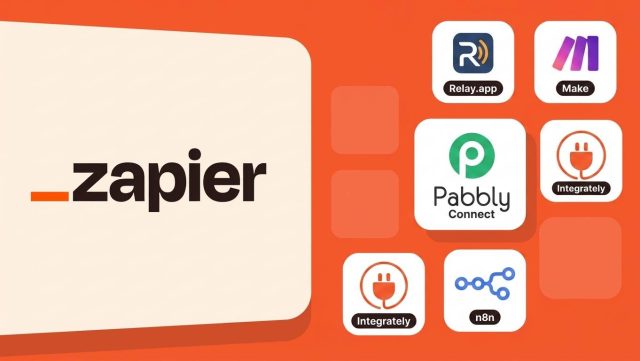
7 Best Zapier Alternatives for Small Businesses (2026)

0

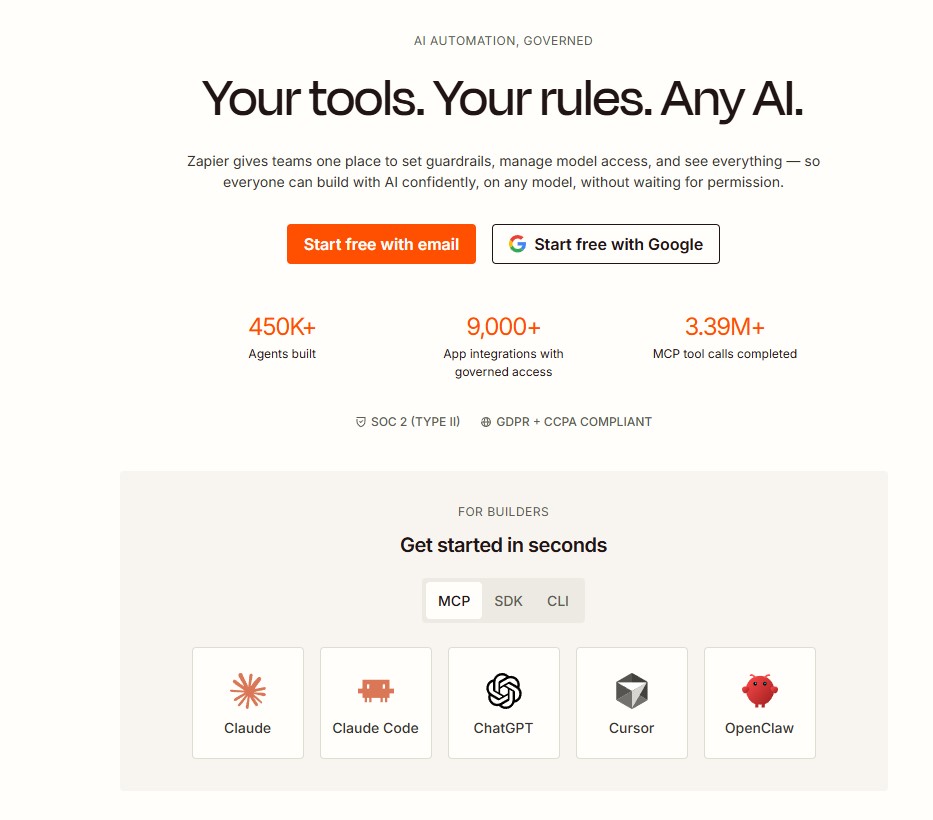
Zapier is one of the most popular automation tools—but it’s not always the best fit for small businesses.

Many users start with Zapier, only to realize that pricing can increase quickly as workflows grow.

That’s why many teams are now searching for better Zapier alternatives for small business.

In this guide, we compare the best automation tools that offer lower costs, easier workflows, or smarter AI-powered automation.

For a broader comparison, read our full Best Zapier Alternatives guide.


Why Small Businesses Look Beyond Zapier

Why businesses look for Zapier alternatives

Zapier is powerful—but it has some common drawbacks for small businesses:

  • Pricing can scale up quickly
  • Complex workflows can become hard to manage
  • Limited AI-first automation features
  • Advanced plans may be too expensive

For startups and growing teams, finding a simpler and more affordable option can make a big difference.


1. Relay.app – Best AI-Powered Zapier Alternative

Relay.app is one of the most promising new automation tools.

Unlike traditional automation platforms, Relay focuses on human-in-the-loop automation, allowing users to combine AI, workflows, and manual approvals.

Best for:

  • Small teams
  • Agencies
  • AI-powered workflows
  • Easier collaboration

Read our full Relay App Review here.

You can also compare Relay App vs Zapier.


2. Make

Make automation platform

Make offers powerful visual workflow building.

It’s often cheaper than Zapier and gives more flexibility for advanced users.

Best for:

  • Technical users
  • Complex automations
  • Visual workflow design

See our comparison: Relay App vs Make


3. Pabbly Connect

Pabbly Connect alternative to Zapier

Pabbly Connect is popular because of its lifetime pricing options.

It’s a good fit for small businesses on a tight budget.


4. Integrately

Integrately focuses on simplicity and fast setup.

It offers many one-click automations, making it beginner-friendly.


5. n8n

n8n is an open-source automation platform.

It’s powerful and highly customizable, but it requires more technical knowledge.


Which Zapier Alternative Is Best for Small Businesses?

For most small businesses:

  • Relay.app → best AI-first option
  • Make → best for advanced workflows
  • Pabbly Connect → best budget option
  • Integrately → easiest to use
  • n8n → best open-source choice

You can also explore our full list of Best AI Automation Tools.

Or learn more about AI Automation Platforms here.


Final Verdict

If Zapier feels too expensive or too complex, there are better options available in 2026.

For most small businesses, Relay.app stands out as one of the best Zapier alternatives thanks to its balance of automation, AI features, and usability.

Best AI Automation Tools (2026): 9 Tools to Automate Your Workflows

6
Best AI Automation Tools
Best AI automation tools compared in 2026

AI automation tools are transforming how businesses and individuals handle repetitive work.

From automating emails and content workflows to connecting apps and managing approvals, today’s AI automation tools can save hours every week.

In this guide, we compare the best AI automation tools available in 2026—and help you choose the right platform for your workflow.

If you’re specifically comparing app automation platforms, check our Best Zapier Alternatives.


What Are AI Automation Tools?

AI automation tools combine automation with artificial intelligence to help users:

  • Connect apps automatically
  • Generate AI-powered content
  • Trigger smart workflows
  • Reduce manual repetitive tasks
  • Improve team productivity

They’re useful for marketers, founders, freelancers, and operations teams.


1. Relay.app – Best for Modern AI Workflows

Relay app AI automation platform

Relay.app is one of the most exciting new AI automation tools.

Unlike traditional automation tools, Relay combines app automation with human approvals and collaboration.

Best for:

  • Team workflows
  • AI-powered operations
  • Approval-based automations
  • Business process automation

Pros

✅ Easy to use
✅ Human-in-the-loop workflows
✅ Great for AI tool integrations
✅ Built for teams

Cons

❌ Smaller app ecosystem than older competitors


2. Zapier – Best for App Integrations

Zapier automation platform

Zapier remains one of the most popular automation platforms.

Best for users who need quick app connections.


3. Make – Best for Advanced Workflow Logic

Make automation builder

Make offers powerful visual automation.

Great for advanced users.


4. n8n – Best Open-Source Automation Tool

n8n is ideal for developers who want flexibility and self-hosting.


5. Pabbly Connect – Best Budget Option

Pabbly Connect offers affordable automation for smaller businesses.


6. Bardeen – Best for Browser Automation

Bardeen focuses on automating browser-based tasks.


7. Workato – Best for Enterprises

Workato is built for enterprise-grade automation.


8. Integrately – Best for Beginners

Integrately offers simple one-click automations.


9. Microsoft Power Automate – Best for Microsoft Users

Microsoft Power Automate is ideal for businesses already using Microsoft tools.


How to Choose the Right AI Automation Tool

Choose Relay.app if:

✅ You want AI-powered team workflows
✅ You need human approvals
✅ You want modern UX

Choose Zapier if:

✅ You need the biggest app library

Choose Make if:

✅ You need advanced automation logic


Final Verdict

For most modern teams, Relay.app is one of the best AI automation tools available in 2026.

It combines automation, AI, and collaboration in a way older tools don’t.

7 Best Zapier Alternatives (2026): Cheaper & Smarter Automation Tools

Best Zapier Alternatives

Zapier is one of the most popular automation platforms—but it’s not always the best choice for everyone.

Many users start looking for Zapier alternatives because they want:

  • Lower pricing
  • More advanced workflows
  • Better AI features
  • Easier collaboration

The good news? There are now several excellent alternatives.

In this guide, we compare the best Zapier alternatives in 2026.

If you’re exploring newer tools, start with our full Relay.app Review .


Quick Comparison Table

ToolBest ForEase of Use
Relay.appAI-first automationEasy
MakeAdvanced workflowsMedium
n8nOpen-source automationAdvanced
BardeenBrowser automationEasy
LindyAI assistantsEasy
GumloopAI workflow buildersMedium
Pabbly ConnectBudget usersEasy

1. Relay.app – Best Modern Zapier Alternative

Relay.app is one of the most exciting automation platforms available today.

It combines:

  • Workflow automation
  • Built-in AI actions
  • Human approval steps
  • Team collaboration

Pros

✅ Easier interface
✅ AI-native workflows
✅ Better collaboration
✅ Human-in-the-loop automation

Cons

❌ Fewer integrations than Zapier

For many teams, Relay feels like a smarter modern alternative.

Read our full Relay.app vs Zapier comparison.

Check current Relay.app Pricing.


2. Make – Best for Advanced Automation

Make is one of the strongest Zapier competitors.

Best for:

  • Complex workflows
  • Power users
  • Advanced logic

It offers more customization than Zapier, but with a steeper learning curve.

See our Relay.app vs Make comparison.


3. n8n – Best Open-Source Alternative

n8n is ideal for technical users who want:

  • Self-hosting
  • Full control
  • Custom integrations

Excellent for developers.


4. Bardeen – Best for Browser Automation

Bardeen automates repetitive browser tasks like:

  • Data entry
  • Web scraping
  • CRM updates

Great for personal productivity.


5. Lindy – Best AI Assistant Automation

Lindy focuses on AI-powered assistants that automate tasks and communication.

A fast-growing category.


6. Gumloop – Best for AI Workflow Builders

Gumloop helps users build AI-powered workflow pipelines.

Promising for modern automation needs.


7. Pabbly Connect – Best Budget Zapier Alternative

Pabbly Connect is popular for users who want cheaper automation.

Good value, but less polished.


Which Zapier Alternative Should You Choose?

Choose Relay.app if:

  • You want AI-first automation
  • You need team collaboration
  • You want approval workflows

Choose Make if:

  • You need advanced workflow logic

Choose n8n if:

  • You want open-source control

For broader comparisons, explore our Best AI Automation Tools guide.


Final Verdict

There are many strong Zapier alternatives, but Relay.app stands out as one of the best modern options.

It offers a cleaner interface, AI-powered workflows, and collaboration features that many teams need today.

Best AI Automation Tools (2026): 7 Top Workflow Platforms Compared

Best AI Automation Tools

AI automation tools can save hours every week by handling repetitive tasks across your apps and workflows.

Whether you need to automate lead management, content workflows, team notifications, or CRM updates, the right platform can dramatically improve productivity.

In this guide, we compare the best AI automation tools in 2026, including features, pricing, and ideal use cases.


Quick Comparison Table

ToolBest ForEase of Use
Relay.appTeams & AI workflowsEasy
ZapierMaximum integrationsEasy
MakeAdvanced automationsMedium
n8nTechnical usersAdvanced
BardeenBrowser automationEasy
LindyAI assistantsEasy
GumloopAI workflow buildersMedium

1. Relay.app – Best AI-First Automation Tool

Relay.app is one of the most promising modern automation tools.

It combines:

  • Workflow automation
  • Built-in AI actions
  • Human approval steps
  • Team collaboration

Best for:

  • Small businesses
  • Agencies
  • Operations teams
  • Marketing teams

Pros

✅ Easy to use
✅ AI-powered steps
✅ Human-in-the-loop workflows
✅ Great collaboration

Cons

❌ Fewer integrations than Zapier

If you’re new to Relay, read our full Relay.app Review

To compare plans, check Relay.app Pricing

Still deciding? Read Relay.app vs Zapier or Relay.app vs Make


2. Zapier – Best for Integrations

Zapier remains the most established automation platform.

Best for:

  • Businesses using many apps
  • Simple workflow automation

Pros

✅ Thousands of integrations
✅ Reliable platform
✅ Beginner-friendly

Cons

❌ Can become expensive
❌ AI features feel secondary


3. Make – Best for Advanced Automation

Make is ideal for advanced users.

Best for:

  • Complex workflows
  • Technical customization

Pros

✅ Powerful logic
✅ Flexible workflows

Cons

❌ Steeper learning curve


4. n8n – Best Open-Source Automation Tool

n8n is popular among technical users who want self-hosted automation.

Great for developers and advanced users.


5. Bardeen – Best Browser Automation Tool

Bardeen focuses on browser-based workflow automation.

Useful for:

  • Web scraping
  • Productivity workflows
  • Repetitive browser tasks

6. Lindy – Best AI Assistant Automation

Lindy helps build AI assistants that automate communication and tasks.

A fast-growing category to watch.


7. Gumloop – Best for AI Workflow Builders

Gumloop is built specifically for AI-powered automation pipelines.

A newer but promising option.


Which AI Automation Tool Should You Choose?

Choose Relay.app if:

  • You want modern AI automation
  • You work in a team
  • You need approval workflows

Choose Zapier if:

  • You need the most integrations

Choose Make if:

  • You need advanced workflow logic

Choose n8n if:

  • You want open-source flexibility

Final Verdict

The best AI automation tool depends on your needs.

For most beginners and teams, Relay.app offers the best balance of simplicity, AI features, and collaboration.

If you want to start with a modern automation platform:

Relay.app Pricing (2026): Plans, Features & Is It Worth It?

1

If you’re considering Relay.app for workflow automation, one of the first questions you’ll ask is:

How much does Relay.app cost—and is it worth paying for?

In this guide, we’ll break down Relay.app pricing, what each plan includes, and whether it offers good value compared to other automation tools.

If you’re new to the platform, start with our full Relay.app Review for an overview of features and use cases.


Relay.app Pricing Overview

relay pricing

Relay.app offers pricing designed for both individuals and teams.

Compared to traditional automation platforms, Relay aims to deliver a more modern and collaborative experience.

Typical pricing factors include:

  • Number of workflows
  • Task usage limits
  • Team collaboration features
  • Premium integrations
  • AI-powered actions

What’s Included in Relay.app Plans?

Depending on the plan, you may get access to:

Workflow Automation

Build automations between apps like:

  • Gmail
  • Slack
  • Notion
  • Google Sheets
  • Airtable
  • HubSpot

Relay’s drag-and-drop builder makes setup easy.


AI-Powered Workflow Steps

Relay allows you to automate tasks such as:

  • Summarizing text
  • Drafting responses
  • Extracting key information
  • Processing AI-generated outputs

This gives it an edge over many traditional tools.

If AI-first automation matters to you, also read our Relay.app vs Zapier comparison


Human Approval Steps

One of Relay’s standout features is human-in-the-loop automation.

You can pause workflows and require approval before continuing.

This is especially useful for:

  • Reviewing AI-generated emails
  • Approving lead assignments
  • Checking CRM updates

Is Relay.app Free?

Relay may offer a free plan or trial depending on current promotions.

A free option is ideal for:

  • Testing the interface
  • Building simple workflows
  • Exploring integrations

Always check the latest official pricing page for updated details.


Relay.app Pricing vs Competitors

Relay.app vs Zapier

Compared to Zapier:

Relay.app

  • Easier UI
  • Better collaboration
  • Built-in human approvals
  • More AI-native

Zapier

  • More integrations
  • Larger ecosystem

Read the full Relay.app vs Zapier guide


Relay.app vs Make.com

Compared to Make:

Relay.app

  • Simpler setup
  • Better for teams

Make.com

  • More advanced workflow logic
  • Better for power users

We also compared Relay.app vs Make


Is Relay.app Worth the Price?

Relay.app is worth it if you want:

✅ Easier workflow automation
✅ AI-powered steps
✅ Human approval controls
✅ Team collaboration

It may be especially valuable for:

  • Agencies
  • Operations teams
  • Small businesses
  • Real estate lead automation
  • Marketing teams

If you’re comparing broader options, explore our Best AI Automation Tools guide


Final Verdict: Should You Pay for Relay.app?

Relay.app offers a compelling balance of:

  • Simplicity
  • AI capabilities
  • Team-friendly automation

For many users, it feels more modern than older automation platforms.

If you want a cleaner, AI-first alternative to Zapier or Make, Relay.app is worth trying.

Relay.app vs Zapier (2026): Which Automation Tool Is Better?

Relay.app vs Zapier

If you’re choosing an automation platform, two tools worth comparing are Relay.app and Zapier.

If you’re new to Relay, read our full Relay.app Review before comparing it with competitors.

Zapier is one of the most established automation tools on the market.

Relay.app is a newer AI-first platform built for modern collaborative workflows.

So which one should you choose?

In this comparison, we’ll break down Relay.app vs Zapier across features, pricing, ease of use, and best use cases.


Quick Verdict

Choose Relay.app if you want:

✅ Simpler workflow builder
✅ AI-powered automation
✅ Human approval steps
✅ Better team collaboration

Choose Zapier if you want:

✅ Thousands of app integrations
✅ Mature ecosystem
✅ Reliable automations
✅ Advanced app compatibility

For modern AI workflows, Relay.app is exciting.
For broad app support, Zapier still wins.

If you’re still evaluating multiple platforms, check our roundup of the Best AI Automation Tools


Feature Comparison

FeatureRelay.appZapier
Ease of use✅ EasierGood
AI features✅ StrongerBasic
Human approvals✅ YesLimited
IntegrationsGrowing✅ Massive
Team collaboration✅ BetterGood
Workflow complexityModerateModerate

1. Ease of Use

Relay.app

Relay has one of the cleanest automation interfaces available.

Its drag-and-drop builder feels modern and easy to understand.

Beginners can create workflows quickly.


Zapier

Zapier is also beginner-friendly, but some workflows can become complicated as automations scale.

Its interface feels more traditional.

Winner: Relay.app


2. App Integrations

Relay.app

Relay supports many popular apps:

  • Gmail
  • Slack
  • Notion
  • Airtable
  • HubSpot
  • Google Sheets

But its library is still growing.


Zapier

Zapier supports thousands of integrations.

It connects with almost everything.

For compatibility, Zapier remains unmatched.

Winner: Zapier


3. AI Features

Relay.app is built with AI in mind.

You can automate tasks like:

  • Summarizing text
  • Generating responses
  • Extracting information
  • AI-assisted workflow steps

Zapier has AI features too, but they feel less central.

Winner: Relay.app


4. Human-in-the-Loop Automation

This is where Relay stands out.

You can pause workflows and request manual approval before continuing.

Examples:

  • Review AI-generated emails
  • Approve CRM updates
  • Validate lead assignments

Zapier can do some of this, but not as elegantly.

Winner: Relay.app


5. Pricing

Relay.app Pricing

relay pricing

Relay offers approachable pricing for individuals and teams.

For a full breakdown, see our Relay.app Pricing guide.


Zapier Pricing

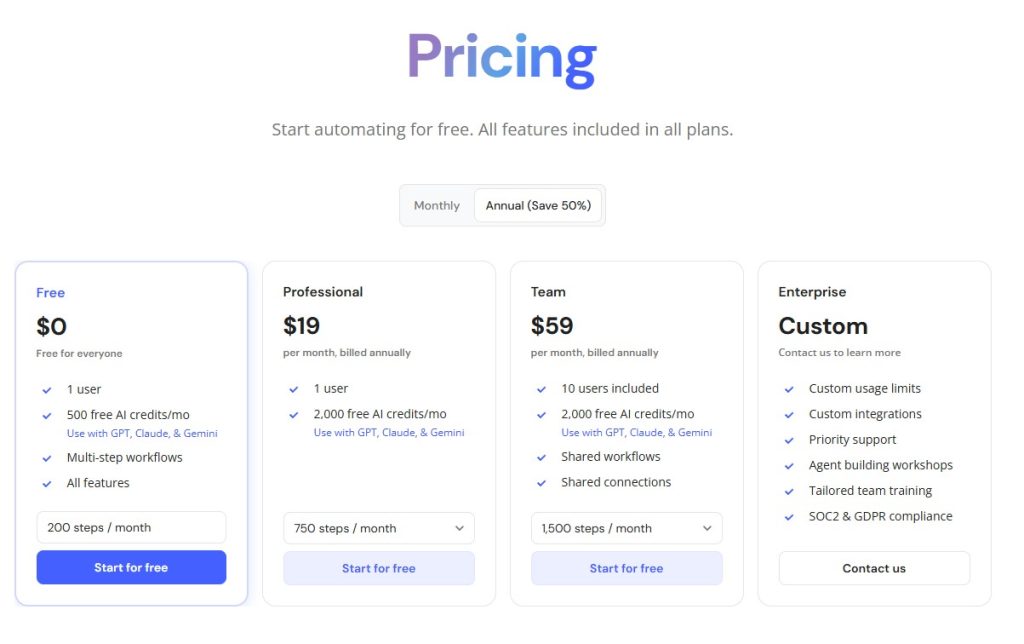
Zapier offers a free plan and multiple paid tiers.

Pricing can increase quickly with higher automation volume.

For cost-sensitive users, Relay may feel more affordable.


Best Use Cases

Choose Relay.app if:

  • You want modern AI automation
  • You work in a team
  • You need approval workflows
  • You prefer cleaner UI

Choose Zapier if:

  • You need maximum integrations
  • You automate across many apps
  • You need mature reliability

Final Verdict: Relay.app or Zapier?

Choose Relay.app if you want a more modern, AI-first automation platform with built-in collaboration.

Choose Zapier if you need the largest ecosystem and proven reliability.

If you also want to compare another popular alternative, read Relay.app vs Make

For many teams, Relay.app feels like the future of workflow automation.

Relay.app Review (2026): Is This AI Automation Tool Worth It?

relay app review

Automation tools are becoming essential for businesses that want to save time and reduce repetitive work.

One of the newest tools gaining attention is Relay.app.

But how does it compare to established automation platforms like Zapier and Make.com?

In this Relay.app review, we’ll cover its features, pricing, pros and cons, and whether it’s worth trying.

If you’re comparing automation platforms, you may also want to read our Relay.app vs Zapier


What Is Relay.app?

Relay.app is an AI-powered workflow automation tool designed to help users automate tasks between apps.

Think of it as a simpler and more collaborative alternative to traditional automation tools.

You can automate things like:

  • Lead notifications
  • CRM updates
  • Email workflows
  • AI content pipelines
  • Slack alerts
  • Form processing
  • Task management

Its biggest selling point is combining automation + human approval steps, which many tools don’t handle well.


Key Relay.app Features

1. Visual Workflow Builder

Relay offers an easy drag-and-drop interface.

You can build automations without coding.

That makes it beginner-friendly compared to more technical tools.


2. Human-in-the-Loop Automation

This is Relay’s standout feature.

You can pause workflows and request human approval before the next step runs.

Examples:

  • Approve AI-generated emails
  • Review lead assignments
  • Confirm task updates

This gives more control than fully automated workflows.


3. AI-Powered Actions

Relay supports AI steps inside workflows, allowing you to:

  • Summarize text
  • Generate replies
  • Extract information
  • Draft content automatically

This makes it more modern than traditional automation tools.


4. App Integrations

Relay connects with popular tools like:

  • Slack
  • Gmail
  • Google Sheets
  • Notion
  • HubSpot
  • Airtable

The integration library is growing quickly.


Relay.app Pricing

relay pricing

Relay offers pricing suitable for individuals and teams. For a full breakdown of plans and value, check our detailed Relay.app Pricing guide

Compared to larger competitors, pricing feels approachable.


Relay.app Pros and Cons

Pros

✅ Easy to use
✅ Beautiful interface
✅ Human approval steps
✅ AI-powered automation
✅ Great for teams


Cons

❌ Fewer integrations than Zapier
❌ Newer platform
❌ Advanced workflows may still favor Make.com


Relay.app vs Zapier

Compared to Zapier:

Relay.app

  • Easier UI
  • Better collaboration
  • Human approval features
  • AI-native feel

Zapier

  • More integrations
  • More mature platform
  • Larger ecosystem

If you want simplicity, Relay may win.

You can read our full Relay.app vs Zapier comparison for a detailed side-by-side breakdown.


Relay.app vs Make.com

Compared to Make:

Relay.app

  • Easier learning curve
  • Better for teams

Make.com

  • More powerful workflows
  • Better for advanced users

We also compared Relay.app vs Make to help you choose the right automation platform.


Who Should Use Relay.app?

Relay.app is ideal for:

  • Small businesses
  • Agencies
  • Marketing teams
  • Operations teams
  • Real estate lead automation
  • AI workflow builders

If you want modern automation without complexity, Relay is worth trying.


Final Verdict: Is Relay.app Worth It?

Relay.app is one of the most promising new automation tools available.

Its combination of:

  • Easy automation
  • AI actions
  • Human approval steps

makes it especially attractive for teams.

If Zapier feels too basic and Make.com feels too complicated, Relay.app may be the perfect middle ground.

Still exploring your options? Check our full list of the Best AI Automation Tools

Popular Posts

My Favorites

AI Voice Generator for YouTube

AI Voice Generator for YouTube (2026): Best Tools for Faceless Channels

1
Faceless YouTube channels have become one of the fastest-growing content categories online.Many creators are producing educational videos, documentaries, tutorials, news content, and storytelling channels...