


Automation

Home AI Tools Automation
Best AI automation tools to streamline workflows, reduce repetitive tasks, and improve efficiency.

AI Workflow Automation Tools (2026): Best Platforms for Smarter Workflows
2
AI Workflow Automation Tools

Artificial intelligence is transforming workflow automation.

Traditional automation platforms could only follow predefined rules.

Modern AI workflow automation tools can analyze information, make decisions, generate content, and automate increasingly complex business processes.

In this guide, we’ll compare the best AI workflow automation tools available in 2026.

If you’re new to automation, start with our Best AI Automation Tools guide.


What Are AI Workflow Automation Tools?

AI workflow automation tools combine workflow automation with artificial intelligence.

These platforms can:

  • Automate repetitive tasks
  • Analyze information
  • Generate content
  • Route requests
  • Assist decision-making
  • Improve workflow efficiency

Businesses use these tools to automate operations across multiple departments.


Benefits of AI Workflow Automation

Save Time

Reduce manual work through intelligent automation.

Improve Accuracy

AI can help reduce errors and inconsistencies.

Increase Productivity

Employees can focus on higher-value activities.

Automate Complex Processes

AI can handle workflows that traditional automation cannot.

Scale Faster

Businesses can automate operations without adding headcount.


How We Evaluated These Platforms

We ranked tools based on:

  • AI capabilities
  • Ease of use
  • Workflow flexibility
  • Integrations
  • Scalability
  • Pricing

1. Relay.app

Relay.app is one of the strongest AI workflow automation tools available today.

The platform combines workflow automation with AI-powered actions and human approval workflows.

Best For

  • AI-powered operations
  • Marketing teams
  • Small businesses
  • Workflow management

Pros

  • Easy visual builder
  • AI integrations
  • Human approval steps
  • Modern interface

Cons

  • Smaller integration library than Zapier

Read our complete Relay.app Review.

Rating

⭐⭐⭐⭐⭐


2. Zapier AI

Zapier has integrated AI features into its workflow automation platform.

Users can now build more intelligent workflows without coding.

Best For

  • Beginners
  • App integrations
  • AI-assisted workflows

Rating

⭐⭐⭐⭐⭐


3. Make

Make provides advanced workflow automation with growing AI capabilities.

Best For

  • Advanced automation
  • Complex workflows

Rating

⭐⭐⭐⭐⭐


4. Microsoft Power Automate

Best For

  • Enterprise organizations
  • Microsoft ecosystem users

Rating

⭐⭐⭐⭐☆


5. n8n

Best For

  • Developers
  • Open-source automation

Rating

⭐⭐⭐⭐☆

AI Workflow Automation Tools Comparison Table

ToolBest ForAI FeaturesEase of UseIntegrationsOverall Rating
Relay.appAI Workflows⭐⭐⭐⭐⭐⭐⭐⭐⭐⭐⭐⭐⭐⭐⭐⭐⭐⭐⭐
Zapier AIBeginners⭐⭐⭐⭐⭐⭐⭐⭐⭐⭐⭐⭐⭐⭐⭐⭐⭐⭐⭐
MakeAdvanced Automation⭐⭐⭐⭐⭐⭐⭐⭐⭐⭐⭐⭐⭐⭐⭐⭐⭐⭐
Power AutomateEnterprise Teams⭐⭐⭐⭐⭐⭐⭐⭐⭐⭐⭐⭐⭐⭐⭐⭐
n8nDevelopers⭐⭐⭐⭐⭐⭐⭐⭐⭐⭐⭐⭐⭐⭐⭐

Which AI Workflow Automation Tool Is Best?

The best platform depends on your business requirements.

Best Overall

Relay.app

Relay.app combines AI-powered workflows, human approval processes, and ease of use.

Best for Beginners

Zapier AI

Ideal for businesses starting with AI-powered automation.

Best for Advanced Users

Make

Excellent for building sophisticated automation workflows.

Best for Enterprises

Microsoft Power Automate

A strong choice for organizations already invested in Microsoft technologies.

Best Open-Source Platform

n8n

Perfect for technical teams that need flexibility and control.


Real-World AI Workflow Automation Examples

Sales Automation

AI can:

  • Score leads
  • Prioritize opportunities
  • Schedule follow-ups
  • Update CRM systems

Marketing Automation

AI can:

  • Generate content
  • Personalize campaigns
  • Segment audiences
  • Analyze performance

Customer Support Automation

AI can:

  • Categorize tickets
  • Draft responses
  • Route requests
  • Summarize conversations

HR Automation

AI can:

  • Support employee onboarding
  • Automate approvals
  • Manage documentation
  • Assign training programs

Read our Workflow Automation Platform guide.


AI Workflow Automation vs Traditional Automation

Traditional automation follows predefined rules.

Example:

IF form submitted → send email.

AI-powered automation can make decisions.

Example:

IF form submitted → analyze lead quality → determine priority → assign salesperson → create follow-up workflow.

This makes AI automation significantly more powerful.

Learn more in our AI Business Process Automation guide.


Why Businesses Are Adopting AI Automation

Businesses increasingly adopt AI workflow automation because it helps:

Reduce Costs

Automation reduces manual labor requirements.

Improve Productivity

Employees spend less time on repetitive tasks.

Increase Accuracy

AI can process information consistently.

Improve Customer Experience

Customers receive faster responses and better service.

Scale Faster

Businesses can automate operations as they grow.


Frequently Asked Questions

What are AI workflow automation tools?

AI workflow automation tools combine workflow automation with artificial intelligence to automate business processes more intelligently.

What is the best AI workflow automation tool?

Relay.app, Zapier AI, and Make are among the strongest options available in 2026.

Can AI replace traditional workflow automation?

AI enhances traditional automation but does not completely replace it. Most businesses use both together.

Are AI workflow automation tools suitable for small businesses?

Yes. Many platforms are designed specifically for small and medium-sized businesses.

Do AI workflow automation tools require coding?

No. Most modern platforms provide no-code workflow builders.


Choosing the right AI workflow automation platform can be challenging.

Our Best Workflow Automation Software comparison includes detailed reviews of the leading automation tools, pricing, integrations, AI capabilities, and the best options for small businesses and enterprise teams.

Final Verdict

AI workflow automation tools are helping businesses automate increasingly complex operations.

By combining workflow automation with artificial intelligence, organizations can improve productivity, reduce costs, and scale faster.

For most businesses, Relay.app stands out as one of the best AI workflow automation tools in 2026 thanks to its AI-powered workflows, flexibility, and user-friendly design.

Businesses seeking extensive integrations may prefer Zapier, while advanced users may benefit from Make.

Start with a single workflow, measure results, and expand automation gradually across your organization.

Workflow Automation Platform (2026): Best Solutions for Businesses

0

Workflow automation platforms help businesses automate repetitive tasks, streamline operations, and improve productivity.

Whether you’re managing sales pipelines, customer support workflows, marketing campaigns, or internal operations, the right automation platform can save hundreds of hours every year.

In this guide, we’ll compare the best workflow automation platforms available in 2026.

If you’re exploring AI-powered automation, start with our Best AI Automation Tools guide.


What Is a Workflow Automation Platform?

A workflow automation platform allows businesses to automate actions across applications and teams.

Typical examples include:

  • Automatically assigning tasks
  • Updating CRM records
  • Sending notifications
  • Processing approvals
  • Creating reports
  • Managing customer requests

Automation reduces manual work and improves operational efficiency.


Why Businesses Use Workflow Automation Platforms

Save Time

Automation eliminates repetitive tasks.

Improve Productivity

Employees can focus on strategic work.

Reduce Errors

Automated workflows improve consistency.

Improve Collaboration

Teams stay aligned through automated processes.

Scale Operations

Businesses can handle larger workloads efficiently.


How We Evaluated These Platforms

We ranked each solution based on:

  • Ease of use
  • Workflow flexibility
  • AI capabilities
  • Integrations
  • Pricing
  • Scalability

1. Relay.app

Relay app AI workflow automation

Relay.app is one of the best workflow automation platforms for modern businesses.

The platform combines AI-powered automation with human approval workflows.

Best For

  • Small businesses
  • Marketing teams
  • Operations teams
  • AI workflows

Pros

  • Easy visual builder
  • AI integrations
  • Human-in-the-loop automation
  • Fast deployment

Cons

  • Smaller integration ecosystem than Zapier

Read our complete Relay.app Review.

Rating

⭐⭐⭐⭐⭐


2. Zapier

Zapier

Zapier remains one of the most widely used workflow automation platforms worldwide.

Best For

  • Beginners
  • SaaS businesses
  • App integrations

Rating

⭐⭐⭐⭐⭐


3. Make

Make offers advanced workflow automation and highly customizable workflows.

Best For

  • Advanced users
  • Complex automation

Rating

⭐⭐⭐⭐⭐


4. Microsoft Power Automate

Best For

  • Enterprise organizations
  • Microsoft ecosystem users

Rating

⭐⭐⭐⭐☆


5. n8n

Best For

  • Developers
  • Open-source automation

Rating

⭐⭐⭐⭐☆


6. Monday.com

Best For

  • Team management
  • Workflow coordination

Rating

⭐⭐⭐⭐☆


7. ClickUp

Best For

  • Project management
  • Team productivity

Rating

⭐⭐⭐⭐☆

Workflow Automation Platform Comparison Table

PlatformBest ForEase of UseAI FeaturesIntegrationsOverall Rating
Relay.appAI Workflows⭐⭐⭐⭐⭐⭐⭐⭐⭐⭐⭐⭐⭐⭐⭐⭐⭐⭐⭐
ZapierBeginners⭐⭐⭐⭐⭐⭐⭐⭐⭐⭐⭐⭐⭐⭐⭐⭐⭐⭐⭐
MakeAdvanced Automation⭐⭐⭐⭐⭐⭐⭐⭐⭐⭐⭐⭐⭐⭐⭐⭐⭐⭐
Power AutomateMicrosoft Users⭐⭐⭐⭐⭐⭐⭐⭐⭐⭐⭐⭐⭐⭐⭐⭐
n8nDevelopers⭐⭐⭐⭐⭐⭐⭐⭐⭐⭐⭐⭐⭐⭐⭐
Monday.comTeam Operations⭐⭐⭐⭐⭐⭐⭐⭐⭐⭐⭐⭐⭐⭐⭐
ClickUpProject Management⭐⭐⭐⭐⭐⭐⭐⭐⭐⭐⭐⭐⭐⭐⭐

Which Workflow Automation Platform Is Best?

The best platform depends on your business needs.

Best Overall

Relay.app

Relay.app offers one of the strongest combinations of usability, AI-powered workflows, and business automation capabilities.

Best for Beginners

Zapier

Easy setup and a massive integration ecosystem make Zapier ideal for newcomers.

Best for Advanced Users

Make

Perfect for businesses that need sophisticated workflow logic and customization.

Best for Enterprise Organizations

Microsoft Power Automate

A strong choice for organizations already using Microsoft products.

Best Open-Source Platform

n8n

Excellent for technical teams seeking flexibility and control.


Common Workflow Automation Platform Use Cases

Sales Automation

Automate:

  • Lead capture
  • CRM updates
  • Follow-up emails
  • Meeting scheduling

Marketing Automation

Automate:

  • Email marketing
  • Lead nurturing
  • Campaign reporting
  • Content distribution

Customer Support Automation

Automate:

  • Ticket routing
  • FAQ responses
  • Customer notifications
  • Feedback collection

HR Automation

Automate:

  • Employee onboarding
  • Training assignments
  • Approval workflows
  • Document collection

Read our Process Automation Tools guide.


Workflow Automation Platform vs Automation Tools

Many businesses use these terms interchangeably.

Workflow Automation Platforms

Designed specifically to automate workflows across applications and teams.

Examples:

  • Relay.app
  • Zapier
  • Make
  • Power Automate

Automation Tools

A broader category that includes:

  • Workflow automation
  • Marketing automation
  • Sales automation
  • Business process automation

Learn more in our Automation Tools guide.


Why AI Is Improving Workflow Automation

Artificial intelligence is making workflow automation smarter.

Modern AI-powered platforms can:

  • Summarize information
  • Generate content
  • Categorize requests
  • Prioritize tasks
  • Recommend actions

These capabilities allow businesses to automate increasingly complex processes.

For a deeper look at AI-powered workflows, read our AI Business Process Automation guide.


Frequently Asked Questions

What is a workflow automation platform?

A workflow automation platform helps businesses automate tasks and workflows using triggers, actions, integrations, and AI.

Which workflow automation platform is best?

Relay.app, Zapier, and Make are among the strongest options available in 2026.

Do workflow automation platforms require coding?

No. Most modern platforms provide visual no-code workflow builders.

Can small businesses use workflow automation platforms?

Absolutely. Small businesses often gain significant productivity improvements from automation.

Is workflow automation worth it?

Yes. Automation can reduce costs, improve efficiency, and help businesses scale faster.


Final Verdict

Workflow automation platforms have become essential for businesses looking to improve efficiency and streamline operations.

Whether you’re automating sales, marketing, HR, customer support, or internal workflows, the right platform can save time and reduce manual work.

For most businesses, Relay.app stands out as one of the best workflow automation platforms in 2026 because of its AI-powered workflows, ease of use, and flexibility.

Businesses that prioritize integrations may prefer Zapier, while advanced users may benefit from Make.

Start by automating a single workflow, then expand automation across your organization as your needs grow.

Automation Tools (2026): 10 Best Platforms for Businesses

1
Automation Tools (2026)

Automation tools help businesses eliminate repetitive tasks, improve efficiency, and scale operations faster.

From marketing automation and customer support to HR workflows and business operations, modern automation platforms can save hundreds of hours every year.

In this guide, we’ll compare the best automation tools available in 2026 and help you choose the right platform for your business.

If you’re looking specifically for AI-powered solutions, start with our guide to Best AI Automation Tools.


What Are Automation Tools?

Automation tools are software platforms that perform tasks automatically based on triggers and workflows.

Examples include:

  • Sending emails
  • Updating CRM records
  • Assigning tasks
  • Processing customer requests
  • Managing leads
  • Generating reports

Instead of manually completing these activities, businesses can automate them using software.


Benefits of Automation Tools

Save Time

Reduce repetitive work.

Improve Productivity

Allow teams to focus on important tasks.

Reduce Errors

Automation improves consistency.

Scale Faster

Businesses can grow without proportional increases in workload.

Improve Customer Experience

Customers receive faster responses and better service.


How We Evaluated These Automation Platforms

We ranked platforms based on:

  • Ease of use
  • Integrations
  • Workflow flexibility
  • AI capabilities
  • Pricing
  • Scalability

1. Relay.app

Relay.app is one of the best automation tools for businesses that want AI-powered workflows without complexity.

Best For

  • Small businesses
  • Operations teams
  • Marketing automation
  • AI workflows

Pros

  • Easy visual workflow builder
  • Human approval steps
  • AI integrations
  • Fast implementation

Cons

  • Smaller integration ecosystem than Zapier

Read our complete Relay.app Review.

Rating

⭐⭐⭐⭐⭐


2. Zapier

Zapier remains one of the most popular automation platforms worldwide.

Best For

  • Beginners
  • SaaS businesses
  • App integrations

Rating

⭐⭐⭐⭐⭐


3. Make

Make offers advanced workflow automation and customization.

Best For

  • Advanced users
  • Complex workflows

Rating

⭐⭐⭐⭐⭐


4. Microsoft Power Automate

Best For

  • Enterprise organizations
  • Microsoft users

Rating

⭐⭐⭐⭐☆


5. UiPath

Best For

  • Robotic process automation
  • Enterprise automation

Rating

⭐⭐⭐⭐☆


6. n8n

Best For

  • Developers
  • Open-source automation

Rating

⭐⭐⭐⭐☆


7. ClickUp

Best For

  • Project management
  • Team workflows

Rating

⭐⭐⭐⭐☆


8. Monday.com

Best For

  • Team operations
  • Workflow management

Rating

⭐⭐⭐⭐☆


9. Airtable

Best For

  • Data-driven workflows
  • Process management

Rating

⭐⭐⭐⭐☆


10. HubSpot

Best For

  • Sales automation
  • Marketing automation

Rating

⭐⭐⭐⭐☆

Automation Tools Comparison Table

ToolBest ForEase of UseAI FeaturesIntegrationsOverall Rating
Relay.appAI Workflows⭐⭐⭐⭐⭐⭐⭐⭐⭐⭐⭐⭐⭐⭐⭐⭐⭐⭐⭐
ZapierBeginners⭐⭐⭐⭐⭐⭐⭐⭐⭐⭐⭐⭐⭐⭐⭐⭐⭐⭐⭐
MakeAdvanced Automation⭐⭐⭐⭐⭐⭐⭐⭐⭐⭐⭐⭐⭐⭐⭐⭐⭐⭐
Power AutomateMicrosoft Users⭐⭐⭐⭐⭐⭐⭐⭐⭐⭐⭐⭐⭐⭐⭐⭐
UiPathEnterprise Automation⭐⭐⭐⭐⭐⭐⭐⭐⭐⭐⭐⭐⭐⭐⭐⭐
n8nDevelopers⭐⭐⭐⭐⭐⭐⭐⭐⭐⭐⭐⭐⭐⭐⭐
ClickUpProject Management⭐⭐⭐⭐⭐⭐⭐⭐⭐⭐⭐⭐⭐⭐⭐
Monday.comTeam Operations⭐⭐⭐⭐⭐⭐⭐⭐⭐⭐⭐⭐⭐⭐⭐
AirtableData Management⭐⭐⭐⭐⭐⭐⭐⭐⭐⭐⭐⭐⭐⭐⭐
HubSpotSales & Marketing⭐⭐⭐⭐⭐⭐⭐⭐⭐⭐⭐⭐⭐⭐⭐⭐

Which Automation Tool Is Best?

The best automation platform depends on your business goals.

Best Overall

Relay.app

Relay.app offers one of the best combinations of AI-powered workflows, ease of use, and flexibility.

Best for Beginners

Zapier

Simple setup and a massive integration ecosystem.

Best for Advanced Users

Make

Excellent for building sophisticated automation workflows.

Best for Enterprise Organizations

Microsoft Power Automate and UiPath

Strong options for larger organizations with complex requirements.

Best Open-Source Option

n8n

Ideal for developers and technical teams.


Common Automation Tool Use Cases

Marketing Automation

Automate:

  • Email campaigns
  • Lead nurturing
  • Social media publishing
  • Marketing reports

Sales Automation

Automate:

  • Lead qualification
  • CRM updates
  • Meeting scheduling
  • Follow-up sequences

Customer Support Automation

Automate:

  • Ticket routing
  • FAQ responses
  • Customer notifications
  • Survey collection

HR Automation

Automate:

  • Employee onboarding
  • Training assignments
  • Approval workflows
  • Document collection

For HR and operations workflows, read our Process Automation Tools guide.


Automation Tools vs Workflow Automation Software

These categories overlap but aren’t identical.

Automation Tools

A broad category that includes:

  • Workflow automation
  • Process automation
  • Marketing automation
  • Sales automation

Workflow Automation Software

Specifically focused on automating workflows between applications and teams.

Learn more in our Workflow Automation Software Comparison guide.


Why AI Is Making Automation Better

Artificial intelligence is transforming automation software.

Modern AI-powered automation platforms can:

  • Generate content
  • Analyze data
  • Categorize requests
  • Prioritize tasks
  • Assist decision-making

This enables businesses to automate more complex operations than traditional automation tools.

For a deeper look at AI-powered workflows, read our AI Business Process Automation guide.


Frequently Asked Questions

What are automation tools?

Automation tools are software platforms that automatically perform tasks and workflows based on predefined triggers and actions.

What is the best automation tool?

Relay.app, Zapier, and Make are among the strongest automation tools available in 2026.

Are automation tools worth it?

Yes. Automation can significantly reduce manual work, improve efficiency, and increase productivity.

Can small businesses use automation tools?

Absolutely. Many platforms are designed specifically for small businesses.

Do automation tools require coding?

No. Most modern platforms offer no-code workflow builders.


Final Verdict

Automation tools have become essential for businesses that want to operate more efficiently and scale faster.

Whether you’re automating sales, marketing, customer support, HR, or operations, the right platform can save significant time and resources.

For most businesses, Relay.app stands out as one of the best automation tools in 2026 thanks to its AI-powered workflows, modern interface, and flexibility.

Businesses needing larger integration ecosystems may prefer Zapier, while advanced users may find Make more suitable.

Start with one automation workflow and expand gradually as your business grows.

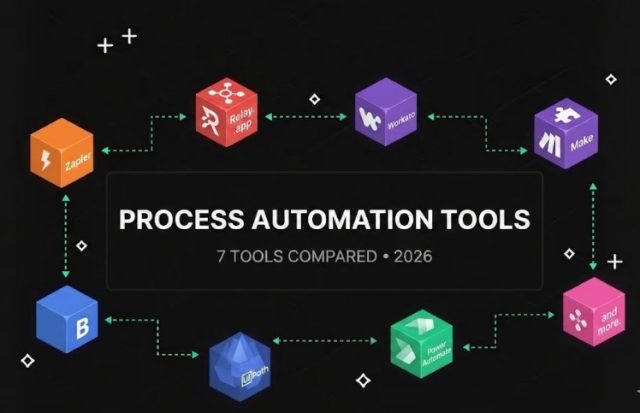
Process Automation Tools (2026): 7 Best Platforms Compared

1
Process Automation Tools

Process automation tools help businesses eliminate repetitive work, improve operational efficiency, and scale faster.

Instead of manually handling routine tasks, organizations can automate entire processes across sales, marketing, customer support, finance, and operations.

In this guide, we’ll compare the best process automation tools available in 2026 and explain which platform is best for different business needs.

If you’re new to automation, start with our guide to Best AI Automation Tools.


What Are Process Automation Tools?

Process automation tools are software platforms that automate business processes using workflows, triggers, integrations, and artificial intelligence.

Common examples include:

  • Lead management
  • Invoice approvals
  • Employee onboarding
  • Customer support workflows
  • Marketing campaigns
  • Data synchronization

Automation reduces manual work while improving consistency and productivity.


Benefits of Process Automation Tools

Save Time

Reduce repetitive administrative work.

Improve Accuracy

Automation minimizes human errors.

Reduce Costs

Businesses can handle larger workloads with fewer resources.

Increase Productivity

Employees can focus on strategic work.

Scale Operations Faster

Automation supports business growth without requiring proportional increases in staffing.


How We Ranked These Tools

We evaluated:

  • Ease of use
  • Workflow flexibility
  • AI capabilities
  • Integrations
  • Scalability
  • Pricing

1. Relay.app

Relay app AI workflow automation

Relay.app is one of the strongest process automation tools available for small and medium-sized businesses.

Its visual workflow builder makes automation accessible without coding.

Best For

  • AI-powered workflows
  • Marketing teams
  • Operations management
  • Small businesses

Pros

  • Easy workflow builder
  • Human approval steps
  • AI integrations
  • Modern interface

Cons

  • Fewer integrations than Zapier

Read our complete Relay.app Review.

Rating

⭐⭐⭐⭐⭐


2. Zapier

Zapier remains one of the most widely used automation platforms in the world.

The platform supports thousands of app integrations and simple workflow creation.

Best For

  • Beginners
  • Small businesses
  • SaaS integrations

Rating

⭐⭐⭐⭐⭐


3. Make

Make offers advanced workflow automation and greater customization.

Many power users prefer Make because of its flexibility.

Best For

  • Advanced workflows
  • Technical users
  • Custom automation

Rating

⭐⭐⭐⭐⭐


4. Microsoft Power Automate

Microsoft Power Automate integrates deeply with Microsoft products.

Best For

  • Enterprise organizations
  • Microsoft 365 users

Rating

⭐⭐⭐⭐☆


5. UiPath

UiPath is one of the leading enterprise automation platforms.

Best For

  • Robotic process automation
  • Enterprise automation

Rating

⭐⭐⭐⭐☆


6. n8n

n8n provides open-source workflow automation capabilities.

Best For

  • Developers
  • Self-hosted automation

Rating

⭐⭐⭐⭐☆


7. Workato

Workato is a powerful enterprise automation platform focused on business process integration.

Best For

  • Enterprise teams
  • Large-scale automation

Rating

⭐⭐⭐⭐☆

Process Automation Tools Comparison Table

ToolBest ForEase of UseAI FeaturesIntegrationsOverall Rating
Relay.appAI Workflows⭐⭐⭐⭐⭐⭐⭐⭐⭐⭐⭐⭐⭐⭐⭐⭐⭐⭐⭐
ZapierBeginners⭐⭐⭐⭐⭐⭐⭐⭐⭐⭐⭐⭐⭐⭐⭐⭐⭐⭐⭐
MakeAdvanced Automation⭐⭐⭐⭐⭐⭐⭐⭐⭐⭐⭐⭐⭐⭐⭐⭐⭐⭐
Power AutomateMicrosoft Users⭐⭐⭐⭐⭐⭐⭐⭐⭐⭐⭐⭐⭐⭐⭐⭐
UiPathEnterprise Automation⭐⭐⭐⭐⭐⭐⭐⭐⭐⭐⭐⭐⭐⭐⭐⭐
n8nDevelopers⭐⭐⭐⭐⭐⭐⭐⭐⭐⭐⭐⭐⭐⭐⭐
WorkatoEnterprise Integration⭐⭐⭐⭐⭐⭐⭐⭐⭐⭐⭐⭐⭐⭐⭐⭐

Which Process Automation Tool Is Best?

The best process automation tool depends on your business requirements.

Best Overall

Relay.app

Relay.app combines ease of use, AI-powered workflows, and strong automation capabilities.

Best for Beginners

Zapier

Ideal for users who want fast setup and a large integration ecosystem.

Best for Advanced Automation

Make

Perfect for businesses needing complex workflow logic.

Best for Enterprise Organizations

Microsoft Power Automate and UiPath

Strong choices for larger organizations.

Best Open-Source Solution

n8n

Excellent for technical teams that want more control.


Process Automation vs Workflow Automation

Many people use these terms interchangeably.

However, there are differences.

Workflow Automation

Workflow automation focuses on individual tasks and actions.

Examples include:

  • Sending emails
  • Creating tasks
  • Updating CRM records

Read our complete Workflow Automation Tools guide.

Process Automation

Process automation focuses on entire business processes.

Examples include:

  • Employee onboarding
  • Lead management
  • Customer support systems
  • Invoice approval workflows

For a deeper comparison, read our Process Automation Software guide.


Common Process Automation Examples

Sales Processes

Automate:

  • Lead capture
  • Follow-up emails
  • CRM updates
  • Meeting scheduling

Marketing Processes

Automate:

  • Email campaigns
  • Lead nurturing
  • Content distribution
  • Reporting

HR Processes

Automate:

  • Employee onboarding
  • Training assignments
  • Approval workflows
  • Document collection

Customer Support Processes

Automate:

  • Ticket routing
  • Customer notifications
  • FAQ responses
  • Feedback collection

Finance Processes

Automate:

  • Invoice approvals
  • Payment reminders
  • Expense tracking
  • Reporting

Why AI Is Transforming Process Automation

Artificial intelligence is making process automation smarter.

Modern platforms can now:

  • Analyze data
  • Generate content
  • Categorize requests
  • Recommend actions
  • Assist decision-making

This allows businesses to automate more complex operations than ever before.

Learn more in our AI Business Process Automation guide.


Frequently Asked Questions

What are process automation tools?

Process automation tools help businesses automate repetitive operational processes and workflows.

What is the best process automation tool?

Relay.app, Zapier, Make, Power Automate, and UiPath are among the top options in 2026.

Are process automation tools suitable for small businesses?

Yes. Many modern automation platforms are designed specifically for small and medium-sized businesses.

What is the difference between process automation and workflow automation?

Workflow automation focuses on individual tasks, while process automation focuses on complete business processes.

Can AI improve process automation?

Absolutely. AI enables smarter decision-making, content generation, and workflow optimization.


Final Verdict

Process automation tools are becoming essential for businesses that want to improve efficiency and scale operations.

Whether you’re automating sales, marketing, HR, customer support, or finance processes, the right platform can save significant time and resources.

For most businesses, Relay.app stands out as one of the best process automation tools in 2026 because it combines AI-powered workflows, ease of use, and flexibility.

Businesses needing larger integration ecosystems may prefer Zapier, while advanced users may find Make more suitable.

Start by automating one process, measure the results, and expand automation gradually across your organization.

Workflow Automation Tools (2026): 7 Best Platforms Compared

0

Workflow automation tools help businesses eliminate repetitive work, improve efficiency, and scale operations faster.

Instead of manually moving information between apps, assigning tasks, or updating records, automation platforms can perform these actions automatically.

In this guide, we’ll compare the best workflow automation tools available in 2026 and help you choose the right solution for your business.

If you’re new to automation, start with our guide to Best AI Automation Tools.


What Are Workflow Automation Tools?

Workflow automation tools allow businesses to automate tasks using triggers and actions.

For example:

  • New lead enters CRM
  • Automation creates a task
  • Team receives notification
  • Follow-up email is sent automatically

These workflows help reduce manual work while improving consistency.


Benefits of Workflow Automation Tools

Save Time

Reduce repetitive administrative tasks.

Improve Accuracy

Automation minimizes human errors.

Increase Productivity

Teams can focus on higher-value activities.

Scale Operations

Businesses can handle larger workloads without hiring more staff.

Improve Collaboration

Automation keeps teams aligned and informed.


How We Ranked These Tools

We evaluated:

  • Ease of use
  • Workflow flexibility
  • AI capabilities
  • Integrations
  • Pricing
  • Scalability

1. Relay.app

Relay.app is one of the most exciting workflow automation tools available today.

The platform focuses on AI-powered workflows while still allowing human approval steps when necessary.

Best For

  • Small businesses
  • Marketing teams
  • Operations automation
  • AI workflows

Pros

  • Easy visual builder
  • Strong AI integrations
  • Human-in-the-loop automation
  • Fast implementation

Cons

  • Smaller integration ecosystem than Zapier

Read our complete Relay.app Review.

Rating

⭐⭐⭐⭐⭐


2. Zapier

Zapier remains one of the most widely used workflow automation tools in the world.

The platform connects thousands of applications through simple automation workflows.

Best For

  • Beginners
  • SaaS businesses
  • App integrations

Pros

  • Huge integration library
  • Easy setup
  • Reliable automation

Cons

  • Costs increase as usage grows

Read our Zapier Alternatives guide.

Rating

⭐⭐⭐⭐⭐


3. Make

Make provides advanced workflow automation capabilities with a visual workflow builder.

Many power users prefer Make because of its flexibility and customization options.

Best For

  • Advanced users
  • Complex workflows
  • Custom automation

Rating

⭐⭐⭐⭐⭐


4. Microsoft Power Automate

Microsoft Power Automate integrates deeply with Microsoft products.

Best For

  • Enterprise organizations
  • Microsoft 365 users

Rating

⭐⭐⭐⭐☆


5. n8n

n8n is a popular open-source workflow automation platform.

Best For

  • Developers
  • Self-hosted automation

Rating

⭐⭐⭐⭐☆


6. ClickUp

ClickUp

ClickUp combines project management with workflow automation.

Rating

⭐⭐⭐⭐☆


7. Monday.com

Monday.com offers workflow automation capabilities alongside project and team management.

Rating

⭐⭐⭐⭐☆

Workflow Automation Tools Comparison Table

ToolBest ForEase of UseAI FeaturesIntegrationsOverall Rating
Relay.appAI Workflows⭐⭐⭐⭐⭐⭐⭐⭐⭐⭐⭐⭐⭐⭐⭐⭐⭐⭐⭐
ZapierBeginners⭐⭐⭐⭐⭐⭐⭐⭐⭐⭐⭐⭐⭐⭐⭐⭐⭐⭐⭐
MakeAdvanced Automation⭐⭐⭐⭐⭐⭐⭐⭐⭐⭐⭐⭐⭐⭐⭐⭐⭐⭐
Power AutomateMicrosoft Users⭐⭐⭐⭐⭐⭐⭐⭐⭐⭐⭐⭐⭐⭐⭐⭐
n8nDevelopers⭐⭐⭐⭐⭐⭐⭐⭐⭐⭐⭐⭐⭐⭐⭐
ClickUpProject Management⭐⭐⭐⭐⭐⭐⭐⭐⭐⭐⭐⭐⭐⭐⭐
Monday.comTeam Operations⭐⭐⭐⭐⭐⭐⭐⭐⭐⭐⭐⭐⭐⭐⭐

Which Workflow Automation Tool Is Best?

The best workflow automation platform depends on your business requirements.

Best Overall

Relay.app

Relay.app combines AI-powered workflows, ease of use, and flexibility into one platform.

Best for Beginners

Zapier

Ideal for businesses starting their automation journey.

Best for Advanced Workflows

Make

Excellent for users who need highly customized workflows.

Best for Enterprise Organizations

Microsoft Power Automate

A strong option for companies already using Microsoft products.

Best Open-Source Solution

n8n

Perfect for technical teams that want full control over automation.


Common Workflow Automation Examples

Sales Automation

Automate:

  • Lead capture
  • CRM updates
  • Meeting scheduling
  • Follow-up emails

Marketing Automation

Automate:

  • Email campaigns
  • Lead nurturing
  • Social media publishing
  • Reporting

Customer Support Automation

Automate:

  • Ticket routing
  • FAQ responses
  • Customer notifications
  • Survey collection

HR Automation

Automate:

  • Employee onboarding
  • Approval workflows
  • Document collection
  • Training assignments

For broader business automation, read our Business Automation Software for Small Businesses guide.


Workflow Automation vs Process Automation

Many people confuse workflow automation and process automation.

Workflow Automation

Automates specific workflows and tasks.

Examples:

  • Sending emails
  • Creating tasks
  • Updating CRM records

Process Automation

Automates complete business processes.

Examples:

  • Employee onboarding
  • Customer support operations
  • Invoice approval systems

Learn more in our Process Automation Software guide.


AI and Workflow Automation

Artificial intelligence is making workflow automation more powerful than ever.

Modern AI-powered platforms can:

  • Generate content
  • Summarize information
  • Categorize requests
  • Analyze customer interactions
  • Recommend next actions

This allows businesses to automate more complex workflows than traditional rule-based systems.

For a deeper look at AI automation, read our AI Business Process Automation guide.


Frequently Asked Questions

What are workflow automation tools?

Workflow automation tools help businesses automate repetitive tasks and workflows using triggers and actions.

What is the best workflow automation tool?

Relay.app, Zapier, and Make are among the strongest workflow automation tools available in 2026.

Are workflow automation tools worth it?

Yes. They reduce manual work, improve efficiency, and help businesses scale operations.

Do workflow automation tools require coding?

No. Most modern platforms provide no-code workflow builders.

Which workflow automation tool is best for small businesses?

Relay.app and Zapier are excellent choices because they are easy to use and quick to implement.


Looking for a more detailed comparison of today’s leading automation platforms?

Read our Best Workflow Automation Software guide to compare Relay.app, Zapier, Make, Microsoft Power Automate, n8n, Workato, Activepieces, and other top workflow automation platforms for businesses of all sizes.

Final Verdict

Workflow automation tools have become essential for modern businesses.

Whether you’re automating sales, marketing, customer support, or internal operations, the right platform can save significant time and resources.

For most businesses, Relay.app stands out as one of the best workflow automation tools in 2026 thanks to its AI-powered workflows, intuitive design, and flexibility.

Businesses requiring larger integration ecosystems may prefer Zapier, while advanced users may benefit from Make.

Start by automating one workflow, then expand automation across your organization as you gain experience.

Process Automation Software (2026): Best Tools Compared

Process Automation Software

Businesses today face increasing pressure to improve efficiency while reducing operational costs.

One of the most effective ways to achieve this is through process automation software.

Modern automation platforms help organizations automate repetitive tasks, streamline workflows, and improve productivity across departments.

In this guide, we’ll compare the best process automation software available in 2026 and help you choose the right solution for your business.

If you’re new to automation, start with our guide to Best AI Automation Tools.


What Is Process Automation Software?

Process automation software automates recurring business processes using predefined workflows and triggers.

Examples include:

  • Lead management
  • Invoice approvals
  • Customer support workflows
  • Employee onboarding
  • Marketing campaigns
  • Data synchronization

Rather than manually performing these tasks, businesses can automate them using software platforms.


Benefits of Process Automation Software

Save Time

Automation eliminates repetitive work.

Reduce Costs

Businesses can handle more work with fewer resources.

Improve Accuracy

Automated processes reduce human error.

Increase Productivity

Employees can focus on higher-value activities.

Scale Operations

Businesses can grow without significantly increasing workload.


How We Evaluated These Platforms

We compared each tool based on:

  • Ease of use
  • Workflow flexibility
  • AI capabilities
  • Integrations
  • Pricing
  • Scalability

1. Relay.app

Relay.app is one of the most user-friendly automation platforms available.

Its visual workflow builder allows businesses to automate processes without technical expertise.

Best For

  • Small businesses
  • Marketing automation
  • Operations teams
  • AI workflows

Pros

  • Visual workflow builder
  • Human approval steps
  • AI integrations
  • Easy setup

Cons

  • Smaller integration ecosystem than Zapier

Read our complete Relay.app Review.

Rating

⭐⭐⭐⭐⭐


2. Zapier

Zapier remains one of the most popular process automation platforms.

Its extensive integration library allows businesses to connect thousands of applications.

Best For

  • Beginners
  • Small businesses
  • SaaS integrations

Pros

  • Massive app ecosystem
  • Easy setup
  • Reliable automation

Cons

  • Can become expensive as usage grows

If you’re evaluating alternatives, read our Zapier Alternatives guide.

Rating

⭐⭐⭐⭐⭐


3. Make

Make offers powerful automation capabilities with a visual workflow builder.

Advanced users often prefer Make because it provides greater flexibility than many competitors.

Best For

  • Complex workflows
  • Advanced users
  • Custom automation

Rating

⭐⭐⭐⭐⭐

4. Microsoft Power Automate

Microsoft Power Automate is designed for businesses that already use the Microsoft ecosystem.

The platform integrates seamlessly with:

  • Microsoft 365
  • Teams
  • SharePoint
  • Outlook
  • Dynamics 365

Best For

  • Enterprise organizations
  • Microsoft users
  • Internal process automation

Pros

  • Deep Microsoft integration
  • Enterprise-grade security
  • Strong governance controls

Cons

  • Learning curve for beginners
  • Less intuitive than Relay.app

Rating

⭐⭐⭐⭐☆


5. UiPath

UiPath is one of the leading robotic process automation (RPA) platforms.

It enables organizations to automate highly repetitive business processes at scale.

Best For

  • Large enterprises
  • Robotic process automation
  • Legacy system automation

Pros

  • Powerful automation capabilities
  • Enterprise scalability
  • Advanced AI features

Cons

  • Higher complexity
  • Enterprise-focused pricing

Rating

⭐⭐⭐⭐☆


Process Automation Software Comparison Table

ToolBest ForEase of UseAI FeaturesIntegrationsOverall Rating
Relay.appAI Workflows⭐⭐⭐⭐⭐⭐⭐⭐⭐⭐⭐⭐⭐⭐⭐⭐⭐⭐⭐
ZapierBeginners⭐⭐⭐⭐⭐⭐⭐⭐⭐⭐⭐⭐⭐⭐⭐⭐⭐⭐⭐
MakeAdvanced Automation⭐⭐⭐⭐⭐⭐⭐⭐⭐⭐⭐⭐⭐⭐⭐⭐⭐⭐
Power AutomateMicrosoft Users⭐⭐⭐⭐⭐⭐⭐⭐⭐⭐⭐⭐⭐⭐⭐⭐
UiPathEnterprise Automation⭐⭐⭐⭐⭐⭐⭐⭐⭐⭐⭐⭐⭐⭐⭐⭐

Which Process Automation Software Is Best?

The best platform depends on your business needs.

Best Overall

Relay.app

Relay.app provides one of the best combinations of AI capabilities, usability, and workflow flexibility.

Best for Beginners

Zapier

Ideal for businesses starting their automation journey.

Best for Advanced Workflows

Make

Excellent for building highly customized automation scenarios.

Best for Enterprise Organizations

Microsoft Power Automate

Strong option for Microsoft-centric businesses.

Best for Robotic Process Automation

UiPath

Designed for large-scale automation initiatives.


Process Automation Use Cases

Sales Processes

Automate:

  • Lead qualification
  • CRM updates
  • Follow-up emails
  • Meeting scheduling

Marketing Processes

Automate:

  • Campaign management
  • Lead nurturing
  • Content distribution
  • Reporting

HR Processes

Automate:

  • Employee onboarding
  • Document collection
  • Approval workflows
  • Training assignments

For HR automation, read our guide to Business Automation Software for Small Businesses.

Customer Support Processes

Automate:

  • Ticket routing
  • Customer notifications
  • Feedback collection
  • FAQ responses

Finance Processes

Automate:

  • Invoice approvals
  • Expense tracking
  • Payment reminders
  • Financial reporting

Process Automation vs Workflow Automation

These concepts are closely related but not identical.

Workflow Automation

Focuses on automating individual tasks and workflows.

Examples:

  • Sending emails
  • Updating databases
  • Creating tasks

Process Automation

Focuses on automating complete business processes.

Examples:

  • Employee onboarding
  • Customer support operations
  • Sales pipelines

Read our complete Workflow Automation Software Comparison guide.


Why AI Is Changing Process Automation

Artificial intelligence is making automation more powerful than ever.

Modern AI-powered platforms can:

  • Analyze data
  • Generate content
  • Categorize information
  • Make recommendations
  • Assist with decision-making

This allows businesses to automate more complex workflows than traditional automation systems.

Learn more in our guide to AI Business Process Automation.


Frequently Asked Questions

What is process automation software?

Process automation software helps businesses automate repetitive processes and operational workflows.

What is the best process automation software?

Relay.app, Zapier, Make, Power Automate, and UiPath are among the top solutions available in 2026.

Is process automation worth it?

Yes. Automation reduces manual work, improves efficiency, and helps businesses scale faster.

Can small businesses use process automation software?

Absolutely. Many platforms are designed specifically for small and medium-sized businesses.

What is the difference between process automation and RPA?

Process automation focuses on workflows and business processes, while robotic process automation (RPA) often automates repetitive computer-based tasks.


Although process automation covers broader business operations, choosing the right workflow platform is often the first step.

See our Best Workflow Automation Software comparison to evaluate Relay.app, Zapier, Make, n8n, and other leading platforms.

Final Verdict

Process automation software has become an essential tool for modern organizations.

By automating repetitive work, businesses can improve efficiency, reduce costs, and create better customer experiences.

For most small and medium-sized businesses, Relay.app stands out as one of the best process automation software platforms in 2026 thanks to its AI-powered workflows, ease of use, and flexibility.

Larger organizations may benefit from enterprise-focused solutions such as Microsoft Power Automate or UiPath.

Start with one process, measure the results, and gradually expand automation across your business.

Business Automation Software for Small Businesses (2026)

1
Business Automation Software

Running a small business often means wearing multiple hats.

Owners and small teams handle sales, marketing, customer support, administration, and operations every day.

As businesses grow, manual work quickly becomes a bottleneck.

This is where business automation software can help.

Modern automation tools allow small businesses to automate repetitive tasks, reduce operational costs, and improve productivity without hiring additional staff.

In this guide, we’ll compare the best business automation software for small businesses in 2026.

If you’re new to automation, start with our guide to Best AI Automation Tools.


What Is Business Automation Software?

Business automation software helps companies automate routine tasks and workflows.

Examples include:

  • Sending follow-up emails
  • Managing leads
  • Updating CRM systems
  • Creating tasks automatically
  • Generating reports
  • Processing customer requests

Instead of handling these tasks manually, businesses can create workflows that run automatically.


Why Small Businesses Need Automation

Small businesses often operate with limited resources.

Automation provides several benefits.

Save Time

Reduce repetitive manual work.

Increase Productivity

Allow employees to focus on higher-value activities.

Reduce Errors

Automated workflows improve consistency.

Scale Faster

Handle more customers without increasing workload.

Improve Customer Experience

Deliver faster and more reliable service.


How We Evaluated These Tools

We compared each platform based on:

  • Ease of use
  • Pricing
  • Automation features
  • AI capabilities
  • Integrations
  • Scalability

1. Relay.app

Relay app AI workflow automation

Relay.app is one of the best automation platforms for small businesses in 2026.

The platform combines workflow automation with AI-powered actions, making it easy for teams to automate operations.

Best For

  • Small businesses
  • Marketing teams
  • Operations management
  • AI workflows

Pros

  • Visual workflow builder
  • Easy setup
  • AI integrations
  • Human approval steps

Cons

  • Smaller integration ecosystem than Zapier

Read our full Relay review.

Rating

⭐⭐⭐⭐⭐


2. Zapier

Zapier remains one of the most popular automation platforms available.

With thousands of integrations, businesses can connect apps and automate workflows without coding.

Best For

  • Beginners
  • SaaS businesses
  • Marketing automation

Pros

  • Huge integration library
  • Easy to use
  • Reliable platform

Cons

  • Pricing can increase quickly

Rating

⭐⭐⭐⭐⭐


3. Make

Make offers powerful workflow automation with a visual builder.

Many advanced users prefer Make because of its flexibility and customization options.

Best For

  • Advanced automation
  • Complex workflows
  • Power users

Rating

⭐⭐⭐⭐⭐


4. ClickUp

ClickUp combines project management with automation.

Businesses can automate tasks, notifications, and team workflows.

Rating

⭐⭐⭐⭐☆


5. Airtable

Airtable combines databases with automation capabilities.

It is ideal for businesses managing large amounts of information.

Rating

⭐⭐⭐⭐☆


6. Monday.com

Monday.com helps businesses automate workflows, projects, and operations.

Rating

⭐⭐⭐⭐☆


7. HubSpot

HubSpot offers strong automation capabilities for marketing, sales, and customer service teams.

Rating

⭐⭐⭐⭐☆

Business Automation Software Comparison Table

ToolBest ForEase of UseAI FeaturesIntegrationsOverall Rating
Relay.appAI-Powered Workflows⭐⭐⭐⭐⭐⭐⭐⭐⭐⭐⭐⭐⭐⭐⭐⭐⭐⭐⭐
ZapierBeginners⭐⭐⭐⭐⭐⭐⭐⭐⭐⭐⭐⭐⭐⭐⭐⭐⭐⭐⭐
MakeAdvanced Automation⭐⭐⭐⭐⭐⭐⭐⭐⭐⭐⭐⭐⭐⭐⭐⭐⭐⭐
ClickUpProject Management⭐⭐⭐⭐⭐⭐⭐⭐⭐⭐⭐⭐⭐⭐⭐
AirtableData Management⭐⭐⭐⭐⭐⭐⭐⭐⭐⭐⭐⭐⭐⭐⭐
Monday.comTeam Operations⭐⭐⭐⭐⭐⭐⭐⭐⭐⭐⭐⭐⭐⭐⭐
HubSpotSales & Marketing⭐⭐⭐⭐⭐⭐⭐⭐⭐⭐⭐⭐⭐⭐⭐⭐

Which Business Automation Software Is Best for Small Businesses?

The best choice depends on your business goals.

Best Overall

Relay.app

Relay.app offers an excellent combination of AI-powered workflows, ease of use, and automation flexibility.

Small businesses can automate operations without needing technical expertise.

Best for Beginners

Zapier

Ideal for business owners who want simple automation with minimal setup.

Best for Complex Workflows

Make

Perfect for users who need advanced workflow customization.

Best for Project Management

ClickUp

Combines task management and automation in a single platform.


Common Small Business Automation Use Cases

Lead Management

Automatically:

  • Capture leads
  • Update CRM systems
  • Assign sales representatives
  • Send follow-up emails

Customer Support

Automate:

  • Ticket routing
  • FAQ responses
  • Customer notifications
  • Survey requests

Marketing

Automate:

  • Email campaigns
  • Social media posting
  • Lead nurturing
  • Campaign reporting

Operations

Automate:

  • Task creation
  • Approval processes
  • Internal notifications
  • Reporting workflows

AI-Powered Business Automation

Modern automation software is increasingly powered by artificial intelligence.

AI can help businesses:

  • Generate content
  • Summarize information
  • Classify data
  • Prioritize tasks
  • Analyze customer interactions

This allows automation systems to handle more complex processes than traditional rule-based workflows.

For a deeper look at AI automation, read our guide to AI Business Process Automation.


How Much Can Small Businesses Save with Automation?

The exact savings depend on the business.

However, many small businesses report:

Time Savings

Teams spend fewer hours on repetitive tasks.

Lower Labor Costs

Automation reduces manual workload.

Faster Customer Response Times

Workflows can operate 24/7.

Increased Revenue

Employees spend more time on growth activities.

Even automating a few routine tasks can produce significant benefits over time.


Business Automation Software vs Workflow Automation Software

These terms are often used interchangeably.

Business Automation Software

Focuses on improving overall business operations.

Examples:

  • Sales processes
  • Marketing automation
  • HR workflows
  • Customer support

Workflow Automation Software

Focuses on automating specific tasks and workflows.

Examples:

  • Sending emails
  • Updating records
  • Creating tasks

Read our complete Workflow Automation Software Comparison guide.


Frequently Asked Questions

What is business automation software?

Business automation software helps companies automate repetitive tasks and operational processes.

What is the best business automation software for small businesses?

Relay.app, Zapier, and Make are among the strongest options available in 2026.

Is automation software expensive?

Many tools offer affordable plans suitable for small businesses.

Can business automation software improve productivity?

Yes. Automation reduces manual work and allows teams to focus on more important activities.

Do I need coding skills to use automation software?

No. Most modern platforms offer no-code workflow builders.


Workflow automation is one of the most important components of business automation.

For a detailed comparison of today’s leading workflow platforms, read our Best Workflow Automation Software guide.

Final Verdict

Business automation software is no longer just for large enterprises.

Small businesses can now use affordable automation platforms to improve efficiency, reduce costs, and scale operations faster.

For most small businesses, Relay.app stands out as one of the best business automation software solutions in 2026 thanks to its AI-powered workflows, user-friendly design, and strong automation capabilities.

Businesses that need larger integration ecosystems may prefer Zapier, while advanced users may benefit from Make.

Start by automating one repetitive process, then gradually expand automation across your business.

Workflow Automation Software Comparison (2026): Which Tool Is Best?

1
Workflow Automation Software Comparison

Workflow automation software helps businesses eliminate repetitive tasks, improve efficiency, and scale operations faster.

Whether you’re automating marketing campaigns, customer support, HR processes, or sales workflows, choosing the right platform can save hundreds of hours every year.

In this workflow automation software comparison, we’ll review the leading tools available in 2026 and help you determine which platform best fits your needs.

If you’re new to automation, start with our complete guide to AI Automation Tools.


What Is Workflow Automation Software?

Workflow automation software automatically performs tasks based on predefined triggers and actions.

Instead of manually completing repetitive processes, businesses can create automated workflows that handle routine work.

Common examples include:

  • Sending emails automatically
  • Updating CRM records
  • Assigning team tasks
  • Processing leads
  • Moving data between applications
  • Generating reports

Modern automation platforms now include AI features that further enhance productivity.


Benefits of Workflow Automation Software

Increased Productivity

Teams spend less time on repetitive work.

Reduced Human Error

Automation ensures consistent execution.

Faster Operations

Processes that once took hours can happen instantly.

Improved Customer Experience

Customers receive faster responses and service.

Better Team Collaboration

Workflows help teams stay organized and aligned.


How We Evaluated These Workflow Automation Platforms

For this comparison, we evaluated each tool based on:

  • Ease of use
  • AI capabilities
  • Integration ecosystem
  • Workflow flexibility
  • Pricing
  • Business scalability

1. Relay.app

Relay app AI workflow automation

Relay.app is one of the most promising workflow automation platforms for businesses looking to combine automation with AI-powered workflows.

Unlike many traditional automation tools, Relay focuses heavily on human-in-the-loop automation, allowing teams to stay involved when necessary.

Best For

  • Small businesses
  • Marketing teams
  • Operations teams
  • AI-powered workflows

Pros

  • Easy visual builder
  • Strong AI integrations
  • Fast setup process
  • Modern interface

Cons

  • Smaller integration library than Zapier

Read our full Relay review.

Rating

⭐⭐⭐⭐⭐


2. Zapier

Zapier remains the most popular workflow automation platform in the market.

With thousands of integrations available, it’s often the easiest solution for businesses wanting to connect multiple apps.

If you’re comparing alternatives, check our Zapier Alternatives guide.

Best For

  • Beginners
  • Small businesses
  • SaaS integrations

Pros

  • Massive integration ecosystem
  • Easy to learn
  • Reliable platform

Cons

  • Can become expensive at scale

Rating

⭐⭐⭐⭐⭐


3. Make

Make is known for offering powerful workflow automation capabilities with a visual workflow builder.

Many advanced users prefer Make because it provides more flexibility than Zapier.

Best For

  • Power users
  • Complex workflows
  • Advanced automation

Rating

⭐⭐⭐⭐⭐

4. Microsoft Power Automate

Microsoft Power Automate is one of the strongest workflow automation platforms for organizations already using Microsoft products.

It integrates deeply with:

  • Microsoft 365
  • Teams
  • SharePoint
  • Outlook
  • Dynamics 365

Best For

  • Enterprise organizations
  • Microsoft-based businesses
  • Internal workflow automation

Pros

  • Deep Microsoft integration
  • Enterprise security
  • Strong governance controls

Cons

  • Learning curve for beginners
  • Less intuitive than Relay or Zapier

Rating

⭐⭐⭐⭐☆


5. n8n

n8n has become increasingly popular among technical users looking for greater control over their workflows.

Unlike many SaaS automation platforms, n8n can be self-hosted.

Best For

  • Developers
  • Technical teams
  • Self-hosted automation

Pros

  • Open-source option
  • Flexible workflow design
  • Lower long-term costs

Cons

  • Requires technical knowledge

Rating

⭐⭐⭐⭐☆


Workflow Automation Software Comparison Table

ToolBest ForEase of UseAI FeaturesIntegrationsOverall Rating
Relay.appAI Workflows⭐⭐⭐⭐⭐⭐⭐⭐⭐⭐⭐⭐⭐⭐⭐⭐⭐⭐⭐
ZapierBeginners⭐⭐⭐⭐⭐⭐⭐⭐⭐⭐⭐⭐⭐⭐⭐⭐⭐⭐⭐
MakeAdvanced Automation⭐⭐⭐⭐⭐⭐⭐⭐⭐⭐⭐⭐⭐⭐⭐⭐⭐⭐
Power AutomateMicrosoft Users⭐⭐⭐⭐⭐⭐⭐⭐⭐⭐⭐⭐⭐⭐⭐⭐
n8nDevelopers⭐⭐⭐⭐⭐⭐⭐⭐⭐⭐⭐⭐⭐⭐⭐

Which Workflow Automation Software Is Best?

Best Overall

Relay.app

Relay.app combines ease of use, AI capabilities, and workflow flexibility.

It is one of the most promising automation platforms for businesses in 2026.

Best for Beginners

Zapier

The easiest platform for users starting with automation.

Best for Advanced Workflows

Make

Excellent for building complex automation scenarios.

Best for Enterprises

Microsoft Power Automate

Ideal for organizations heavily invested in the Microsoft ecosystem.

Best Open-Source Option

n8n

Perfect for technical teams that want full control.


Workflow Automation Use Cases

Marketing Automation

Automate:

  • Lead capture
  • Email campaigns
  • CRM updates
  • Content distribution

Sales Automation

Automate:

  • Lead qualification
  • Meeting scheduling
  • Follow-up sequences
  • Pipeline management

Customer Support

Automate:

  • Ticket routing
  • FAQ responses
  • Customer notifications
  • Feedback collection

HR Automation

Automate:

  • Employee onboarding
  • Document collection
  • Training assignments
  • Approval workflows

If you’re exploring broader automation strategies, read our guide to AI Business Process Automation.


Workflow Automation vs Business Process Automation

Many people use these terms interchangeably.

However, there are important differences.

Workflow Automation

Focuses on automating individual tasks and workflows.

Examples:

  • Sending emails
  • Updating records
  • Moving data between apps

Business Process Automation

Focuses on automating complete business operations.

Examples:

  • Employee onboarding
  • Customer support systems
  • Invoice processing

Learn more in our guide to AI Automation Platforms.


Frequently Asked Questions

What is workflow automation software?

Workflow automation software automates repetitive tasks and business processes using predefined triggers and actions.

What is the best workflow automation software?

For most businesses in 2026, Relay.app, Zapier, and Make are among the strongest options available.

Is workflow automation worth it?

Yes. Automation can reduce manual work, improve accuracy, and increase productivity across departments.

What is the difference between Zapier and Relay.app?

Zapier focuses on integrations and ease of use, while Relay.app offers more collaborative workflows and stronger AI-focused capabilities.

Can small businesses benefit from workflow automation?

Absolutely. Small businesses often see some of the biggest productivity gains from automation.


Final Verdict

Workflow automation software has become essential for modern businesses.

Whether you’re automating marketing campaigns, sales operations, customer support, or internal processes, the right platform can save significant time and resources.

For most businesses, Relay.app stands out as one of the best workflow automation platforms in 2026 thanks to its AI-powered workflows, intuitive design, and strong automation capabilities.

Businesses needing larger integration ecosystems may prefer Zapier, while advanced users may find Make more suitable.

Start by automating one repetitive process, then expand automation gradually across your organization.

Popular Posts

My Favorites

HeyGen Review 2026: Is This AI Avatar Video Generator Worth It?

1
If you’re looking for a way to create talking avatar videos without cameras, actors, or editing skills, HeyGen is one of the most popular...