
Comparisons

Home Comparisons
Compare the best AI tools side by side. Find out which software is better for your workflow, budget, and business needs.

ElevenLabs vs Murf AI (2026): Which AI Voice Generator Is Better?

0

If you’re looking for the best AI voice generator, two names often come up first: ElevenLabs and Murf AI.

Both tools can turn text into realistic speech, but they serve different types of users.

In this comparison, we’ll compare voice quality, features, pricing, ease of use, and overall value to help you choose the right tool.


Quick Verdict

Choose ElevenLabs if you want:

  • The most realistic AI voices
  • Best-in-class voice cloning
  • Lower starting price
  • API access for apps and automation

Choose Murf AI if you want:

  • Easier beginner-friendly editing
  • Built-in voice studio
  • Better tools for presentations and e-learning

For most creators and businesses, ElevenLabs is the better overall choice.


1. Voice Quality

ElevenLabs

ElevenLabs is widely considered the leader in AI voice realism.

Its voices sound:

  • More natural
  • More expressive
  • Less robotic
  • Better at emotional tone

Many users say ElevenLabs is the closest AI voice to human speech available today.


Murf AI

Murf AI offers high-quality voices too, especially for business narration.

Its voices are polished, but often sound slightly more synthetic than ElevenLabs.

Winner: ElevenLabs


2. Voice Cloning

ElevenLabs

One of ElevenLabs’ strongest features is instant voice cloning.

You can upload a short voice sample and generate realistic speech using your own cloned voice.

It’s excellent for:

  • Personal branding
  • YouTube creators
  • Podcasts
  • Automated narration

Murf AI

Murf offers voice customization, but its voice cloning is more limited.

Winner: ElevenLabs


3. Ease of Use

Murf AI

Murf shines when it comes to beginner-friendly design.

It includes:

  • Visual voice editor
  • Timeline editing
  • Scene-based workflow
  • Easy collaboration

This makes it great for teams and business users.


ElevenLabs

ElevenLabs is simple, but more focused on pure voice generation than editing.

Winner: Murf AI


4. Pricing

ElevenLabs Pricing

  • Free plan available
  • Paid plans start at $5/month

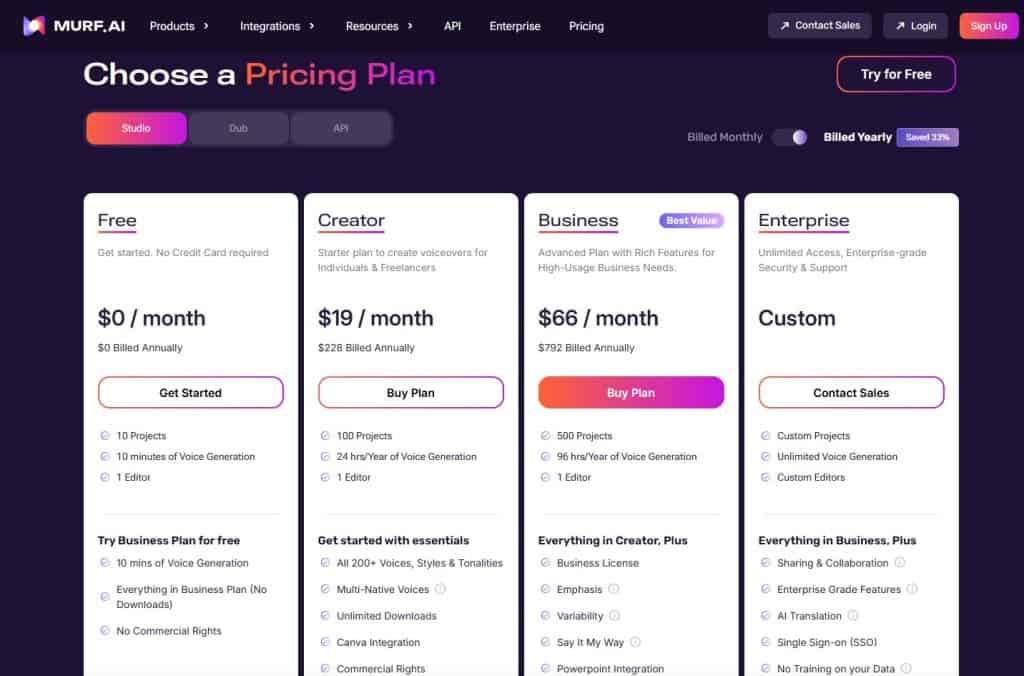
Murf AI Pricing

  • Free plan available
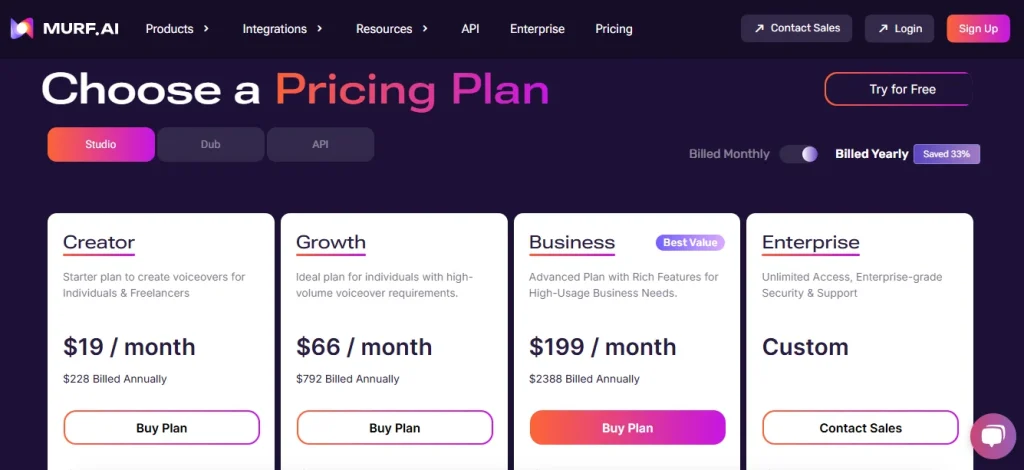
  • Paid plans start at $19/month

ElevenLabs is significantly cheaper at entry level.

Winner: ElevenLabs


5. Best Use Cases

Choose ElevenLabs if you need:

  • AI voiceovers
  • Voice cloning
  • API integrations
  • YouTube narration
  • Premium voice quality

Choose Murf AI if you need:

  • Corporate presentations
  • Training videos
  • Team collaboration
  • Easy drag-and-drop editing

Final Verdict: Which One Should You Choose?

For most users, ElevenLabs wins.

It offers:

  • Better voice quality
  • Better voice cloning
  • Lower pricing
  • More flexibility

Murf AI is still excellent—but mainly for teams that need a polished editing studio.

If your priority is realistic AI speech, ElevenLabs is the best choice in 2026.

HeyGen vs Synthesia (2026): Which AI Video Generator Is Better?

4

If you’re looking for the best AI avatar video generator, you’ve probably come across HeyGen and Synthesia.

Both tools let you create professional AI videos using digital avatars and text-to-speech—but which one is better in 2026?

In this comparison, we’ll break down:

  • Features
  • Avatar quality
  • Ease of use
  • Pricing
  • Best use cases

Quick Verdict

If you want:

Best overall for creators and small businesses

HeyGen wins

Best for enterprise training and corporate teams

Synthesia wins

For most users, HeyGen offers better value and is easier to use.


1. Ease of Use

HeyGen

HeyGen is extremely beginner-friendly.

You can:

  • choose an avatar
  • type your script
  • generate a talking video in minutes

No editing experience needed.

The interface feels simple and modern.


Synthesia

Synthesia is also easy to use, but feels more enterprise-focused.

It’s designed more for:

  • internal training videos
  • corporate presentations
  • multilingual business content

For beginners, it can feel less flexible.

Winner: HeyGen


2. Avatar Quality

HeyGen

HeyGen offers highly realistic avatars with:

  • better facial expressions
  • smoother lip sync
  • more natural movement

Its avatars often look more modern and social-media friendly.


Synthesia

Synthesia avatars are good, but can feel slightly more “corporate.”

They work well for training videos but may feel less engaging for YouTube or marketing.

Winner: HeyGen


3. Features Comparison

HeyGen Features

  • AI avatars
  • Text-to-video
  • Custom avatar creation
  • Video templates
  • Voice options
  • Social media video creation

Synthesia Features

  • AI avatars
  • Team collaboration
  • Brand templates
  • Enterprise security
  • Translation support
  • Corporate integrations

Winner:

  • Creators → HeyGen
  • Businesses → Synthesia


4. Pricing

HeyGen Pricing

HeyGen usually offers:

  • Free plan
  • Affordable creator plans
  • Paid upgrades for premium features

Better for solo creators and small businesses.


Synthesia Pricing

Synthesia tends to be more expensive.

It targets companies and teams rather than casual users.

For many beginners, it may feel overpriced.

Winner: HeyGen


5. Best Use Cases

Choose HeyGen if you:

  • Create YouTube videos
  • Need marketing videos
  • Want social media content
  • Need affordable AI video creation

Choose Synthesia if you:

  • Need employee training videos
  • Need enterprise collaboration
  • Need multilingual corporate content

Final Verdict: HeyGen vs Synthesia

For most creators, marketers, and freelancers:

🏆 Winner: HeyGen

Why?

✅ Easier to use
✅ Better value
✅ More realistic avatars
✅ Better for content creation

Synthesia is still excellent—but mainly for larger companies.


Frequently Asked Questions

Is HeyGen cheaper than Synthesia?

Yes. HeyGen is generally more affordable for creators and freelancers.

Which tool has better AI avatars?

HeyGen usually offers more realistic and social-media-friendly avatars.

Is HeyGen good for YouTube videos?

Yes. Many creators use HeyGen for faceless YouTube channels and marketing content.


Create professional AI avatar videos in minutes.

Relay.app vs Make (2026): Which Automation Tool Is Better?

4

Choosing the right automation platform can save your business hours every week.

Two increasingly popular options are Relay.app and Make.

Both tools help automate repetitive tasks—but they’re built for different users.

In this comparison, we’ll break down Relay.app vs Make across ease of use, workflow power, AI capabilities, and pricing.

If you’re new to Relay, read our full Relay.app Review


Quick Verdict

Choose Relay.app if you want:

✅ Easier setup
✅ Cleaner interface
✅ AI-powered workflow steps
✅ Human approval controls
✅ Better team collaboration

Choose Make if you want:

✅ Advanced workflow logic
✅ Complex automation scenarios
✅ Greater customization
✅ More technical control

For beginners and teams, Relay.app is easier.
For advanced automation builders, Make is more powerful.

If you’re still comparing automation platforms, check our Best AI Automation Tools guide


Feature Comparison

FeatureRelay.appMake
Ease of use✅ EasierMore complex
Workflow powerGood✅ Stronger
AI features✅ Better built-inBasic
Human approvals✅ YesLimited
Collaboration✅ BetterModerate
Custom logicBasic✅ Advanced

1. Ease of Use

Relay.app

Relay is designed for simplicity.

Its drag-and-drop interface is intuitive and beginner-friendly.

You can build useful automations quickly—even without technical experience.


Make

Make offers a visual builder too, but workflows can become highly technical.

You may need time to learn concepts like:

  • Routers
  • Filters
  • Data mapping
  • Error handling

Winner: Relay.app


2. Workflow Power

Relay.app

Relay handles common automations very well, especially for teams.

Examples:

  • Lead routing
  • CRM updates
  • AI content approvals
  • Team notifications

Make

Make excels at advanced automation.

You can build:

  • Multi-step branching workflows
  • Complex logic chains
  • Advanced data transformations

For power users, Make is hard to beat.

Winner: Make


3. AI Features

Relay.app is built with AI in mind.

You can automate tasks like:

  • Summarizing content
  • Drafting responses
  • Extracting information
  • Processing AI outputs

This gives Relay a modern advantage.

For another comparison, read Relay.app vs Zapier

Winner: Relay.app


4. Pricing

Relay.app Pricing

Relay offers approachable pricing for individuals and teams.

For full plan details, check our Relay.app Pricing guide


Make Pricing

Make also offers flexible pricing, including a free tier.

It can be cost-effective for advanced users—but complexity may slow beginners down.


Best Use Cases

Choose Relay.app if:

  • You want easier automation
  • You work with a team
  • You need approval workflows
  • You want built-in AI actions

Choose Make if:

  • You need advanced workflow logic
  • You enjoy technical customization
  • You automate complex business processes

Final Verdict: Relay.app or Make?

Choose Relay.app if you want the easiest path to modern, AI-powered automation.

Choose Make if you need maximum workflow flexibility and technical power.

For many businesses, Relay.app offers the better balance of simplicity and capability.

Try Relay.app here:

Relay.app vs Zapier (2026): Which Automation Tool Is Better?

Relay.app vs Zapier

If you’re choosing an automation platform, two tools worth comparing are Relay.app and Zapier.

If you’re new to Relay, read our full Relay.app Review before comparing it with competitors.

Zapier is one of the most established automation tools on the market.

Relay.app is a newer AI-first platform built for modern collaborative workflows.

So which one should you choose?

In this comparison, we’ll break down Relay.app vs Zapier across features, pricing, ease of use, and best use cases.


Quick Verdict

Choose Relay.app if you want:

✅ Simpler workflow builder
✅ AI-powered automation
✅ Human approval steps
✅ Better team collaboration

Choose Zapier if you want:

✅ Thousands of app integrations
✅ Mature ecosystem
✅ Reliable automations
✅ Advanced app compatibility

For modern AI workflows, Relay.app is exciting.
For broad app support, Zapier still wins.

If you’re still evaluating multiple platforms, check our roundup of the Best AI Automation Tools


Feature Comparison

FeatureRelay.appZapier
Ease of use✅ EasierGood
AI features✅ StrongerBasic
Human approvals✅ YesLimited
IntegrationsGrowing✅ Massive
Team collaboration✅ BetterGood
Workflow complexityModerateModerate

1. Ease of Use

Relay.app

Relay has one of the cleanest automation interfaces available.

Its drag-and-drop builder feels modern and easy to understand.

Beginners can create workflows quickly.


Zapier

Zapier is also beginner-friendly, but some workflows can become complicated as automations scale.

Its interface feels more traditional.

Winner: Relay.app


2. App Integrations

Relay.app

Relay supports many popular apps:

  • Gmail
  • Slack
  • Notion
  • Airtable
  • HubSpot
  • Google Sheets

But its library is still growing.


Zapier

Zapier supports thousands of integrations.

It connects with almost everything.

For compatibility, Zapier remains unmatched.

Winner: Zapier


3. AI Features

Relay.app is built with AI in mind.

You can automate tasks like:

  • Summarizing text
  • Generating responses
  • Extracting information
  • AI-assisted workflow steps

Zapier has AI features too, but they feel less central.

Winner: Relay.app


4. Human-in-the-Loop Automation

This is where Relay stands out.

You can pause workflows and request manual approval before continuing.

Examples:

  • Review AI-generated emails
  • Approve CRM updates
  • Validate lead assignments

Zapier can do some of this, but not as elegantly.

Winner: Relay.app


5. Pricing

Relay.app Pricing

relay pricing

Relay offers approachable pricing for individuals and teams.

For a full breakdown, see our Relay.app Pricing guide.


Zapier Pricing

Zapier offers a free plan and multiple paid tiers.

Pricing can increase quickly with higher automation volume.

For cost-sensitive users, Relay may feel more affordable.


Best Use Cases

Choose Relay.app if:

  • You want modern AI automation
  • You work in a team
  • You need approval workflows
  • You prefer cleaner UI

Choose Zapier if:

  • You need maximum integrations
  • You automate across many apps
  • You need mature reliability

Final Verdict: Relay.app or Zapier?

Choose Relay.app if you want a more modern, AI-first automation platform with built-in collaboration.

Choose Zapier if you need the largest ecosystem and proven reliability.

If you also want to compare another popular alternative, read Relay.app vs Make

For many teams, Relay.app feels like the future of workflow automation.

Rytr vs ChatGPT (2026): Which AI Writing Tool Is Better?

Rytr vs ChatGPT

If you’re looking for an AI writing assistant, you’ve probably narrowed it down to two popular options: Rytr and ChatGPT by OpenAI.

Both can help you write faster—but they work differently and serve different users.

In this comparison, we’ll break down Rytr vs ChatGPT across pricing, features, ease of use, and writing quality.


Quick Verdict

Choose Rytr if you want:

✅ Ready-made writing templates
✅ Faster content generation
✅ Beginner-friendly interface
✅ Affordable pricing

Choose ChatGPT if you want:

✅ More flexible AI conversations
✅ Better reasoning and creativity
✅ Advanced custom prompts
✅ Multi-purpose AI assistant

For most beginners focused on content writing, Rytr is easier.
For advanced users, ChatGPT offers more power.


Rytr vs ChatGPT: Feature Comparison

Rytr vs ChatGPT
FeatureRytrChatGPT
Writing templates✅ Yes❌ No built-in templates
AI chatLimited✅ Excellent
Blog writingGoodVery good
SEO writingGoodBetter with prompting
Ease of use✅ EasierModerate
PriceLowerDepends on plan
Custom workflowsLimitedBetter

1. Ease of Use

Rytr

Rytr is designed specifically for writing.

You simply:

  1. Choose a use case
  2. Add your topic
  3. Click generate

It’s extremely beginner-friendly.

ChatGPT

ChatGPT requires prompting.

You need to tell it:

  • What to write
  • Desired tone
  • Word count
  • Format

That gives more flexibility—but also more effort.

Winner: Rytr


2. Writing Quality

Rytr

Rytr performs well for:

  • Product descriptions
  • Email drafts
  • Social media posts
  • Blog outlines
  • Ad copy

However, long-form articles often need editing.

ChatGPT

ChatGPT usually produces:

  • More natural flow
  • Better reasoning
  • Better long-form content
  • Better nuanced explanations

Winner: ChatGPT


3. Templates & Workflow

Rytr shines here.

It includes 40+ built-in templates like:

  • Blog ideas
  • Meta descriptions
  • AIDA copy
  • PAS framework
  • Email writing
  • Website copy

ChatGPT has no templates—you build your own prompts.

Winner: Rytr


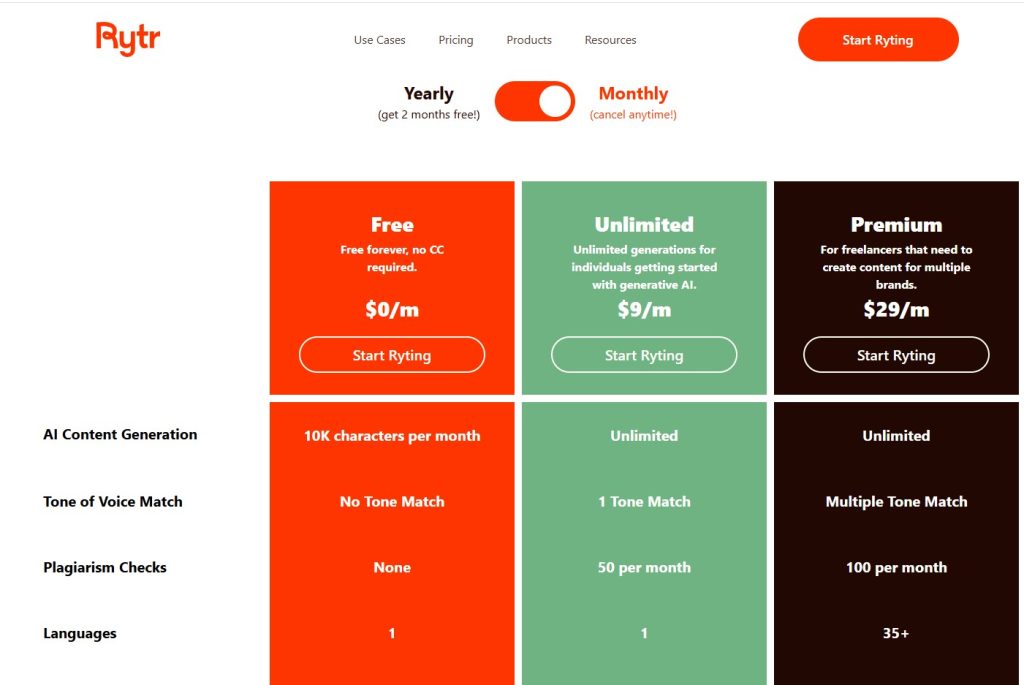
4. Pricing

Rytr Pricing

Rytr Pricing

Rytr is one of the most affordable AI writing tools.

It offers:

  • Free plan
  • Unlimited plan
  • Premium plan

ChatGPT Pricing

ChatGPT offers:

  • Free version
  • Paid premium plan

ChatGPT may offer more power, but Rytr is often cheaper for dedicated writing.

Winner: Rytr


5. Best Use Cases

Rytr is best for:

  • Beginners
  • Bloggers
  • Affiliate marketers
  • Small businesses
  • Fast copy generation

ChatGPT is best for:

  • Researchers
  • Advanced writers
  • Prompt engineers
  • Brainstorming complex ideas
  • Multi-purpose AI use

Final Verdict: Rytr or ChatGPT?

Want to compare even more options? Explore our full list of the Best AI Writing Tools to find the right AI writer for your workflow.

Choose Rytr if:

  • You want the easiest AI writing tool
  • You need templates
  • You want affordable pricing

Choose ChatGPT if:

  • You want maximum flexibility
  • You write long-form content
  • You’re comfortable using prompts

For many users, the best setup is actually:

Rytr for fast structured writing + ChatGPT for editing and brainstorming.

Try Rytr here:

7 Best Zapier Alternatives (2026): Cheaper & Smarter Automation Tools

Best Zapier Alternatives

Zapier is one of the most popular automation platforms—but it’s not always the best choice for everyone.

Many users start looking for Zapier alternatives because they want:

  • Lower pricing
  • More advanced workflows
  • Better AI features
  • Easier collaboration

The good news? There are now several excellent alternatives.

In this guide, we compare the best Zapier alternatives in 2026.

If you’re exploring newer tools, start with our full Relay.app Review .


Quick Comparison Table

ToolBest ForEase of Use
Relay.appAI-first automationEasy
MakeAdvanced workflowsMedium
n8nOpen-source automationAdvanced
BardeenBrowser automationEasy
LindyAI assistantsEasy
GumloopAI workflow buildersMedium
Pabbly ConnectBudget usersEasy

1. Relay.app – Best Modern Zapier Alternative

Relay.app is one of the most exciting automation platforms available today.

It combines:

  • Workflow automation
  • Built-in AI actions
  • Human approval steps
  • Team collaboration

Pros

✅ Easier interface
✅ AI-native workflows
✅ Better collaboration
✅ Human-in-the-loop automation

Cons

❌ Fewer integrations than Zapier

For many teams, Relay feels like a smarter modern alternative.

Read our full Relay.app vs Zapier comparison.

Check current Relay.app Pricing.


2. Make – Best for Advanced Automation

Make is one of the strongest Zapier competitors.

Best for:

  • Complex workflows
  • Power users
  • Advanced logic

It offers more customization than Zapier, but with a steeper learning curve.

See our Relay.app vs Make comparison.


3. n8n – Best Open-Source Alternative

n8n is ideal for technical users who want:

  • Self-hosting
  • Full control
  • Custom integrations

Excellent for developers.


4. Bardeen – Best for Browser Automation

Bardeen automates repetitive browser tasks like:

  • Data entry
  • Web scraping
  • CRM updates

Great for personal productivity.


5. Lindy – Best AI Assistant Automation

Lindy focuses on AI-powered assistants that automate tasks and communication.

A fast-growing category.


6. Gumloop – Best for AI Workflow Builders

Gumloop helps users build AI-powered workflow pipelines.

Promising for modern automation needs.


7. Pabbly Connect – Best Budget Zapier Alternative

Pabbly Connect is popular for users who want cheaper automation.

Good value, but less polished.


Which Zapier Alternative Should You Choose?

Choose Relay.app if:

  • You want AI-first automation
  • You need team collaboration
  • You want approval workflows

Choose Make if:

  • You need advanced workflow logic

Choose n8n if:

  • You want open-source control

For broader comparisons, explore our Best AI Automation Tools guide.


Final Verdict

There are many strong Zapier alternatives, but Relay.app stands out as one of the best modern options.

It offers a cleaner interface, AI-powered workflows, and collaboration features that many teams need today.

Murf AI vs ElevenLabs (2026): Which AI Voice Generator Is Better?
1
Murf AI vs ElevenLabs comparison

Choosing the right AI voice generator can save time, money, and dramatically improve your content quality. In this Murf AI vs ElevenLabs comparison, we test two of the most popular AI voice tools in 2026 to see which one is better.

Murf AI is known for its easy voiceover studio and business-friendly features.

ElevenLabs is famous for ultra-realistic voice cloning and emotional speech generation.

So which one should you choose?

Try Both Tools Free


Quick Comparison: Murf AI vs ElevenLabs

FeatureMurf AIElevenLabs
Voice qualityExcellentOutstanding
Voice cloningGoodBest-in-class
Ease of useVery easyEasy
Editing toolsExcellentBasic
LanguagesManyMany
PricingModerateFlexible
Best forBusiness voiceoversRealistic voice cloning


Murf AI Overview

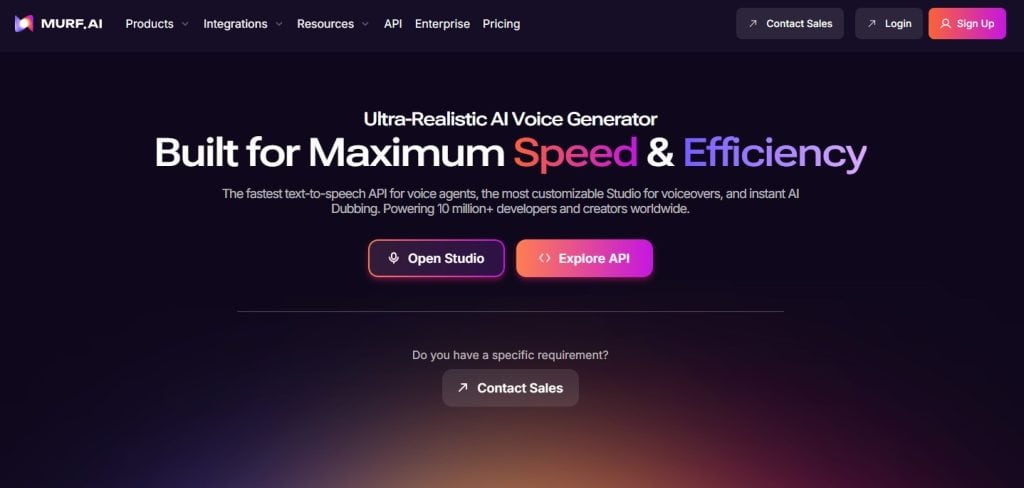
Murf AI is designed for creators and businesses who need fast, polished voiceovers.

Best for:

  • YouTube creators
  • Online course creators
  • Product demos
  • Marketing teams
  • Business presentations

Biggest strengths:

  • Easy drag-and-drop editor
  • Voice customization
  • Slide syncing
  • Background music tools

👉 Read our full Murf AI Review

Murf AI dashboard overview

ElevenLabs Overview

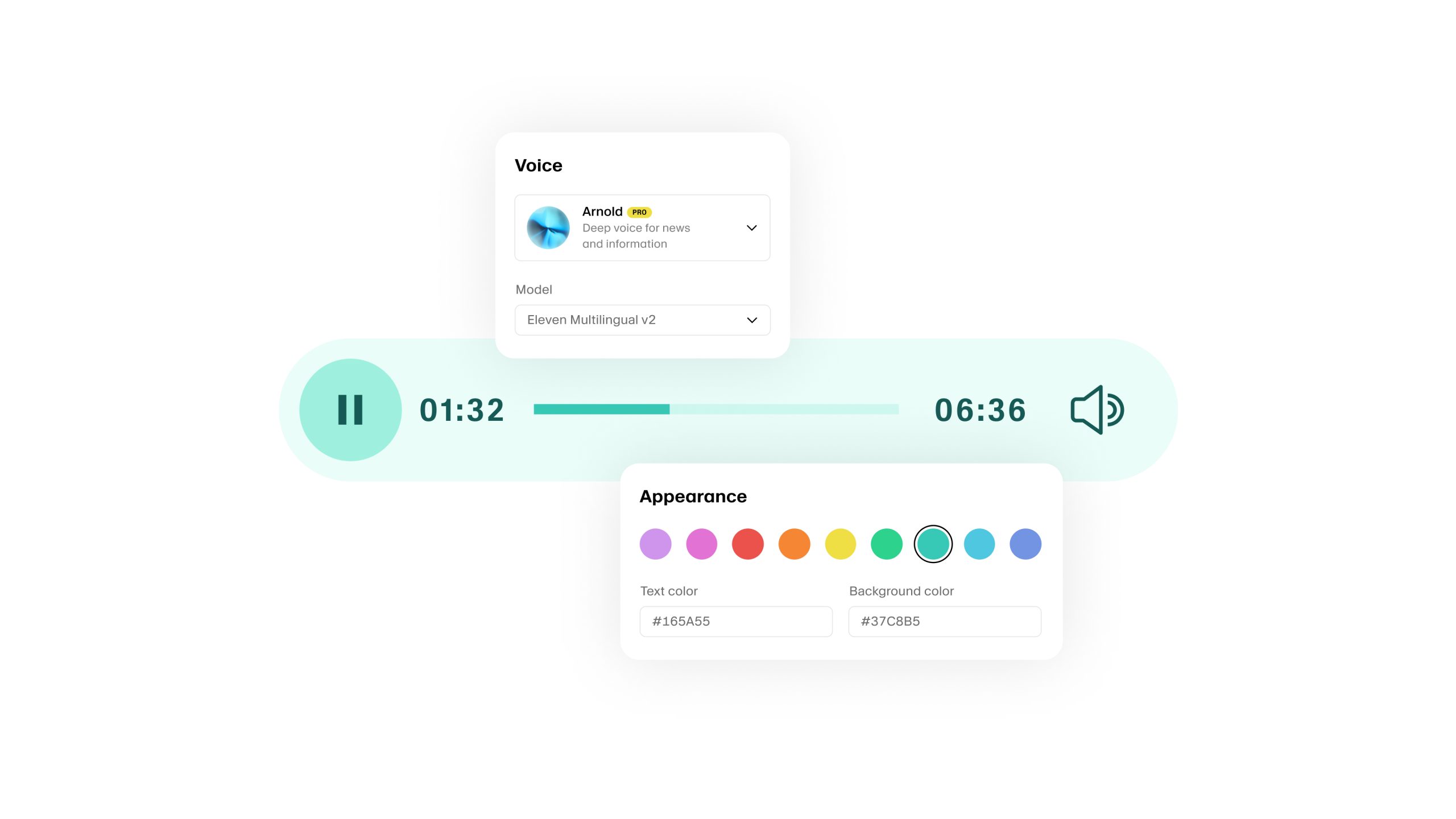
ElevenLabs focuses heavily on realism and advanced AI voice cloning.

Best for:

  • Audiobooks
  • Character voices
  • Podcast narration
  • Voice cloning
  • Emotional speech generation

Its voices often sound closer to real humans than competitors.

ElevenLabs AI voice generator

Voice Quality Comparison

This is where ElevenLabs wins.

Its speech sounds:

  • More emotional
  • More natural
  • Better with long-form narration

Murf AI still sounds excellent, but ElevenLabs is often more human-like.

Winner: ElevenLabs


Ready to Try the Winner?

Or if you prefer easier editing:


Ease of Use Comparison

Murf AI is easier for beginners.

Its editor is polished and built for quick production.

ElevenLabs is simpler but offers fewer editing tools.

Winner: Murf AI


Voice Editing Features

Murf AI allows:

  • Speed adjustment
  • Pitch control
  • Pauses
  • Emphasis
  • Slide syncing

ElevenLabs focuses more on generating voices than editing.

Winner: Murf AI


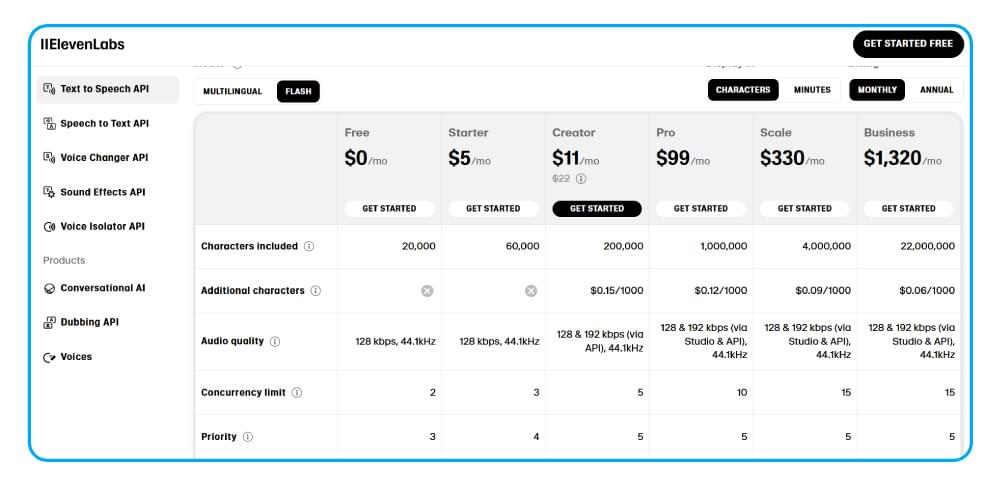
Pricing Comparison

Both tools offer free plans.

Murf AI is better for structured business use.

ElevenLabs can be cheaper for voice generation only.

Official websites:

ElevenLabs pricing
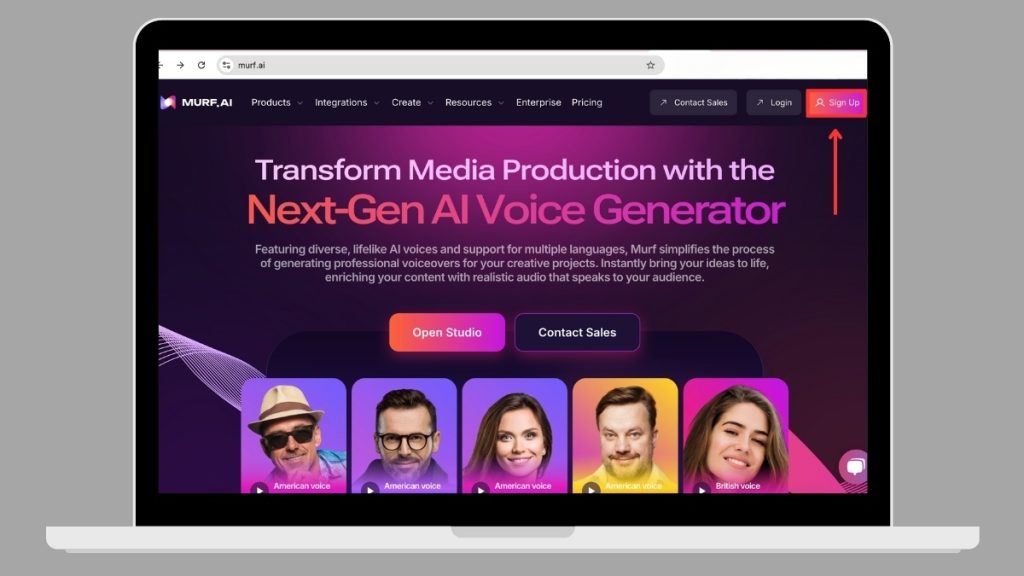
Murf AI pricing plans

Pros and Cons

Choose Murf AI if you want:

✅ Easy editing
✅ Business voiceovers
✅ Professional workflow
✅ Fast production

Choose ElevenLabs if you want:

✅ Best voice realism
✅ Advanced voice cloning
✅ Emotional narration
✅ Audiobook-quality voices


Final Verdict: Which AI Voice Generator Is Better?

If you want the most realistic AI voices, choose ElevenLabs.

If you want the best all-in-one voiceover platform, choose Murf AI.

For most content creators and marketers, Murf AI is easier and more practical.

For premium voice realism, ElevenLabs wins.


Try Them Yourself

🚀 Try Murf AI

Best for creators, marketers, and business voiceovers.

🎙️ Try ElevenLabs

Best for ultra-realistic AI voices and voice cloning.
Popular Posts

My Favorites

Best Workflow Automation Software

Best Workflow Automation Software (2026): 7 Tools Worth Using

0
Workflow automation software helps businesses eliminate repetitive tasks, improve productivity, and reduce human error.Whether you're managing leads, marketing campaigns, customer support, or internal operations,...