AI Tools

Home AI Tools
Discover the best AI tools for productivity, business, marketing, and creativity. Honest reviews, comparisons, and curated recommendations.

ElevenLabs Review 2026: Features, Pricing, Pros & Cons


If you’re looking for one of the most realistic AI voice generators in 2026, ElevenLabs is probably already on your radar.

It has quickly become one of the top AI voice tools for YouTubers, marketers, educators, and businesses that need natural-sounding voiceovers without hiring voice actors.

But is it really worth paying for?

In this ElevenLabs review, I’ll break down its features, pricing, pros and cons, and help you decide whether it’s the right AI voice generator for your needs.


What Is ElevenLabs?

ElevenLabs is an AI voice generation platform that can create ultra-realistic speech from text.

Unlike older text-to-speech tools that sound robotic, ElevenLabs produces voices that sound surprisingly human—with natural pauses, emotions, and tone variation.

Its main features include:

  • Text-to-speech
  • AI voice cloning
  • Multilingual voice generation
  • Dubbing & translation
  • Voice library access
  • API for developers

It’s widely used for:

  • YouTube videos
  • Audiobooks
  • Podcast intros
  • Marketing videos
  • Online courses
  • Real estate property walkthrough videos

Key Features of ElevenLabs

1. Realistic AI Voice Quality

This is where ElevenLabs stands out.

The voices sound natural, expressive, and emotional—far better than many competitors like Murf AI or PlayHT.

You can adjust:

  • Stability
  • Clarity
  • Style exaggeration
  • Speaker boost

These controls help customize how human or dramatic the voice sounds.


2. Instant Voice Cloning

One of ElevenLabs’ most impressive features is voice cloning.

Upload a short voice sample, and the AI can recreate your voice for future narration.

This is useful for:

  • Personal branding
  • YouTube automation
  • Audiobook narration
  • Scaling content production

3. Multiple Languages

ElevenLabs supports many languages, making it useful for global audiences.

You can create voiceovers in:

  • English
  • Spanish
  • German
  • French
  • Japanese
  • Korean
  • And more

4. Dubbing & Translation

A newer feature allows automatic dubbing into other languages while preserving voice style.

This can help creators repurpose content internationally.


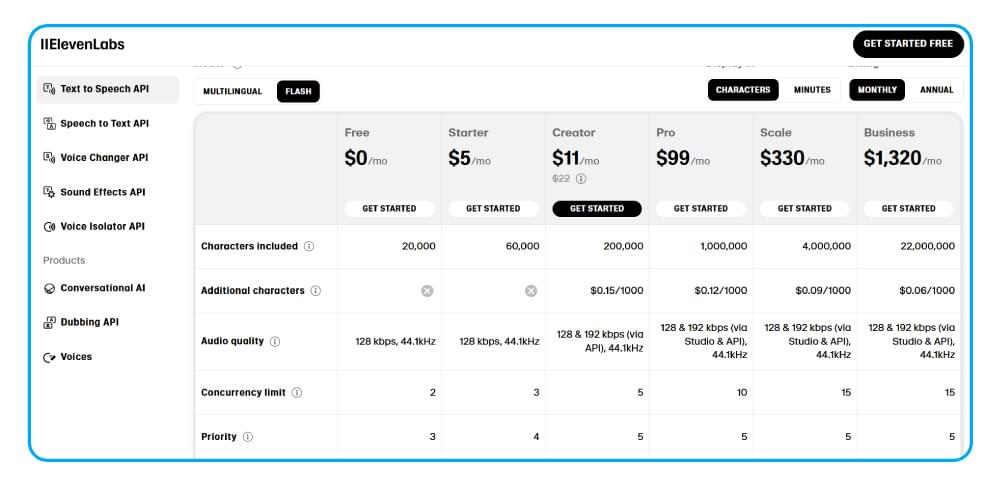
ElevenLabs Pricing (2026)

ElevenLabs offers both free and paid plans.

Free Plan

Good for testing the platform.

Includes:

  • Limited characters/month
  • Basic voice generation
  • Access to standard voices

Paid Plans

Pricing may change, but typical options include:

  • Starter
  • Creator
  • Pro
  • Scale

Paid plans unlock:

  • More character credits
  • Better voice cloning
  • Commercial usage
  • API access

Pros and Cons

Pros

✅ Best-in-class voice realism
✅ Easy to use
✅ Excellent voice cloning
✅ Fast generation speed
✅ Great for creators and businesses

Cons

❌ Free plan is limited
❌ Can get expensive at scale
❌ Some cloned voices need tweaking


Who Should Use ElevenLabs?

ElevenLabs is ideal for:

Content Creators

Perfect for YouTube narration, faceless channels, and short-form videos.

Marketers

Create ad voiceovers without hiring talent.

Educators

Generate lesson narration quickly.

Real Estate Agents

Create professional property listing walkthrough videos with AI voice narration.

This is especially useful if you want to produce listing videos faster and cheaper.


Is ElevenLabs Worth It?

For most users, yes.

If realistic voice quality matters, ElevenLabs is one of the best AI voice generators available today.

The free plan makes it easy to test, and paid plans can save significant time if you produce content regularly.

Final Verdict: 9/10

Best for: creators, marketers, educators, and real estate professionals.


Murf AI Review 2026: Is This AI Voice Generator Worth It?

1

AI voice generators are becoming essential for creators, marketers, and businesses—but not all of them sound natural. In this Murf AI review, we test one of the most popular AI voice generators in 2026 to see if it’s really worth paying for.

Murf AI promises realistic voices, easy voice customization, and professional-quality voiceovers without needing expensive recording equipment. But can it compete with top alternatives like ElevenLabs and PlayHT?

In this review, we’ll cover Murf AI pricing, key features, pros and cons, and who should use it.


What Is Murf AI?

Murf AI is an AI-powered text-to-speech and voiceover platform designed to turn written text into realistic spoken audio.

It’s commonly used for:

  • YouTube voiceovers
  • Online courses
  • Podcasts
  • Product demos
  • Marketing videos
  • Business presentations
  • Audiobook narration

Unlike basic text-to-speech tools, Murf focuses on premium-quality human-like voices.


Murf AI dashboard overview

Murf AI Key Features

1. Realistic AI Voices

Murf AI offers over 120+ AI voices across multiple languages and accents.

Supported languages include:

  • English (US, UK, Australia)
  • Spanish
  • French
  • German
  • Hindi
  • Japanese

The voice quality is highly natural, making Murf ideal for professional content.


Murf AI voice library

2. Advanced Voice Customization

One of Murf AI’s biggest strengths is voice editing flexibility.

Users can adjust:

  • Speed
  • Pitch
  • Pronunciation
  • Pauses
  • Emphasis
  • Tone

This makes voiceovers sound more human and less robotic.


3. Built-In Voiceover Studio

Murf includes an easy-to-use editor that lets you:

  • Add text blocks
  • Preview voices instantly
  • Sync voice with slides
  • Add background music
  • Export finished audio

This makes Murf more than just a text-to-speech tool.


Murf AI Pricing (2026)

Murf AI offers both free and paid plans.

Free Plan

Ideal for testing features before upgrading.

Creator Plan

Best for solo creators and freelancers needing regular voiceovers.

Business Plan

Designed for teams and companies.

You can check current pricing on the official Murf AI website.


Murf AI pricing plans

Murf AI Pros and Cons

Pros

✅ Realistic AI voices
✅ Easy-to-use interface
✅ Multiple languages
✅ Strong editing controls
✅ Great for YouTube and marketing

Cons

❌ Limited free plan
❌ Premium plans can be expensive
❌ Some voices sound similar


Murf AI vs Competitors

Compared to ElevenLabs and PlayHT, Murf AI is better for users who want a complete voiceover studio.

If you need advanced voice cloning, ElevenLabs may be better.

If you want easy editing and commercial-ready voiceovers, Murf AI is an excellent choice.


Is Murf AI Worth It?

Yes—especially for creators, educators, and businesses that need professional AI voiceovers quickly.

Murf AI combines:

  • High-quality voices
  • Easy editing tools
  • Professional workflow

It may not be the cheapest option, but it offers strong value.


Final Verdict

Murf AI remains one of the best AI voice generators in 2026.

If you want realistic voiceovers without recording your own voice, it’s definitely worth trying.

Also read our HeyGen Review

Business Automation Software for Small Businesses (2026)

0
Business Automation Software

Running a small business often means wearing multiple hats.

Owners and small teams handle sales, marketing, customer support, administration, and operations every day.

As businesses grow, manual work quickly becomes a bottleneck.

This is where business automation software can help.

Modern automation tools allow small businesses to automate repetitive tasks, reduce operational costs, and improve productivity without hiring additional staff.

In this guide, we’ll compare the best business automation software for small businesses in 2026.

If you’re new to automation, start with our guide to Best AI Automation Tools.


What Is Business Automation Software?

Business automation software helps companies automate routine tasks and workflows.

Examples include:

  • Sending follow-up emails
  • Managing leads
  • Updating CRM systems
  • Creating tasks automatically
  • Generating reports
  • Processing customer requests

Instead of handling these tasks manually, businesses can create workflows that run automatically.


Why Small Businesses Need Automation

Small businesses often operate with limited resources.

Automation provides several benefits.

Save Time

Reduce repetitive manual work.

Increase Productivity

Allow employees to focus on higher-value activities.

Reduce Errors

Automated workflows improve consistency.

Scale Faster

Handle more customers without increasing workload.

Improve Customer Experience

Deliver faster and more reliable service.


How We Evaluated These Tools

We compared each platform based on:

  • Ease of use
  • Pricing
  • Automation features
  • AI capabilities
  • Integrations
  • Scalability

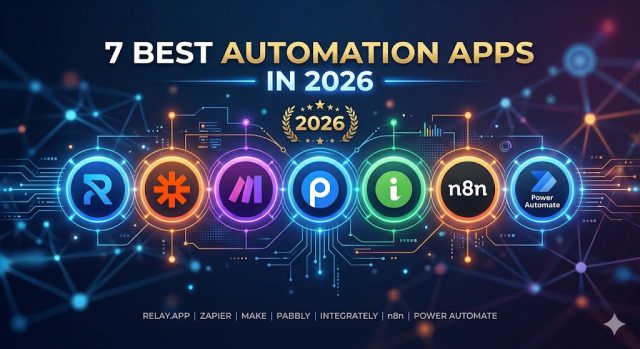
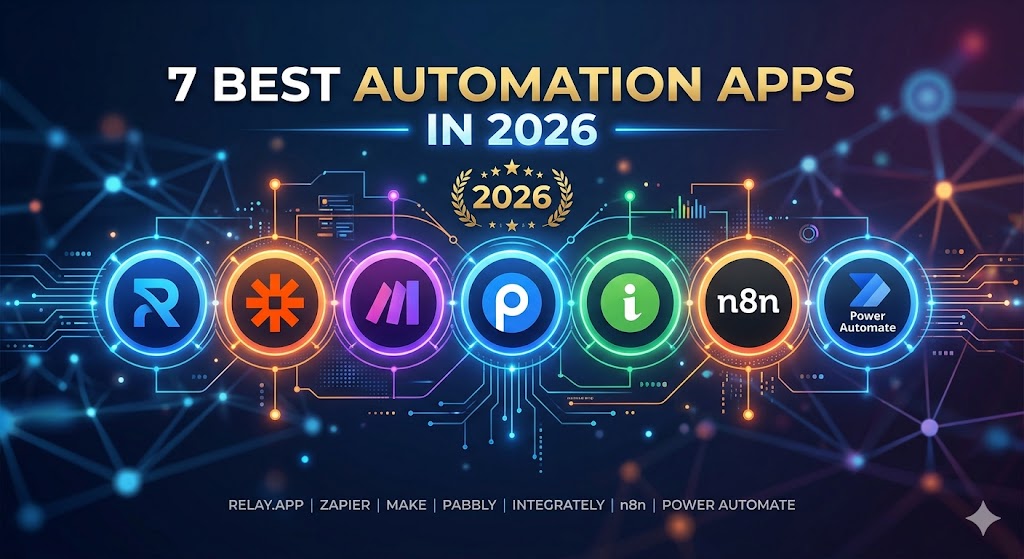
1. Relay.app

Relay app AI workflow automation

Relay.app is one of the best automation platforms for small businesses in 2026.

The platform combines workflow automation with AI-powered actions, making it easy for teams to automate operations.

Best For

  • Small businesses
  • Marketing teams
  • Operations management
  • AI workflows

Pros

  • Visual workflow builder
  • Easy setup
  • AI integrations
  • Human approval steps

Cons

  • Smaller integration ecosystem than Zapier

Read our full Relay review.

Rating

⭐⭐⭐⭐⭐


2. Zapier

Zapier remains one of the most popular automation platforms available.

With thousands of integrations, businesses can connect apps and automate workflows without coding.

Best For

  • Beginners
  • SaaS businesses
  • Marketing automation

Pros

  • Huge integration library
  • Easy to use
  • Reliable platform

Cons

  • Pricing can increase quickly

Rating

⭐⭐⭐⭐⭐


3. Make

Make offers powerful workflow automation with a visual builder.

Many advanced users prefer Make because of its flexibility and customization options.

Best For

  • Advanced automation
  • Complex workflows
  • Power users

Rating

⭐⭐⭐⭐⭐


4. ClickUp

ClickUp combines project management with automation.

Businesses can automate tasks, notifications, and team workflows.

Rating

⭐⭐⭐⭐☆


5. Airtable

Airtable combines databases with automation capabilities.

It is ideal for businesses managing large amounts of information.

Rating

⭐⭐⭐⭐☆


6. Monday.com

Monday.com helps businesses automate workflows, projects, and operations.

Rating

⭐⭐⭐⭐☆


7. HubSpot

HubSpot offers strong automation capabilities for marketing, sales, and customer service teams.

Rating

⭐⭐⭐⭐☆

Business Automation Software Comparison Table

ToolBest ForEase of UseAI FeaturesIntegrationsOverall Rating
Relay.appAI-Powered Workflows⭐⭐⭐⭐⭐⭐⭐⭐⭐⭐⭐⭐⭐⭐⭐⭐⭐⭐⭐
ZapierBeginners⭐⭐⭐⭐⭐⭐⭐⭐⭐⭐⭐⭐⭐⭐⭐⭐⭐⭐⭐
MakeAdvanced Automation⭐⭐⭐⭐⭐⭐⭐⭐⭐⭐⭐⭐⭐⭐⭐⭐⭐⭐
ClickUpProject Management⭐⭐⭐⭐⭐⭐⭐⭐⭐⭐⭐⭐⭐⭐⭐
AirtableData Management⭐⭐⭐⭐⭐⭐⭐⭐⭐⭐⭐⭐⭐⭐⭐
Monday.comTeam Operations⭐⭐⭐⭐⭐⭐⭐⭐⭐⭐⭐⭐⭐⭐⭐
HubSpotSales & Marketing⭐⭐⭐⭐⭐⭐⭐⭐⭐⭐⭐⭐⭐⭐⭐⭐

Which Business Automation Software Is Best for Small Businesses?

The best choice depends on your business goals.

Best Overall

Relay.app

Relay.app offers an excellent combination of AI-powered workflows, ease of use, and automation flexibility.

Small businesses can automate operations without needing technical expertise.

Best for Beginners

Zapier

Ideal for business owners who want simple automation with minimal setup.

Best for Complex Workflows

Make

Perfect for users who need advanced workflow customization.

Best for Project Management

ClickUp

Combines task management and automation in a single platform.


Common Small Business Automation Use Cases

Lead Management

Automatically:

  • Capture leads
  • Update CRM systems
  • Assign sales representatives
  • Send follow-up emails

Customer Support

Automate:

  • Ticket routing
  • FAQ responses
  • Customer notifications
  • Survey requests

Marketing

Automate:

  • Email campaigns
  • Social media posting
  • Lead nurturing
  • Campaign reporting

Operations

Automate:

  • Task creation
  • Approval processes
  • Internal notifications
  • Reporting workflows

AI-Powered Business Automation

Modern automation software is increasingly powered by artificial intelligence.

AI can help businesses:

  • Generate content
  • Summarize information
  • Classify data
  • Prioritize tasks
  • Analyze customer interactions

This allows automation systems to handle more complex processes than traditional rule-based workflows.

For a deeper look at AI automation, read our guide to AI Business Process Automation.


How Much Can Small Businesses Save with Automation?

The exact savings depend on the business.

However, many small businesses report:

Time Savings

Teams spend fewer hours on repetitive tasks.

Lower Labor Costs

Automation reduces manual workload.

Faster Customer Response Times

Workflows can operate 24/7.

Increased Revenue

Employees spend more time on growth activities.

Even automating a few routine tasks can produce significant benefits over time.


Business Automation Software vs Workflow Automation Software

These terms are often used interchangeably.

Business Automation Software

Focuses on improving overall business operations.

Examples:

  • Sales processes
  • Marketing automation
  • HR workflows
  • Customer support

Workflow Automation Software

Focuses on automating specific tasks and workflows.

Examples:

  • Sending emails
  • Updating records
  • Creating tasks

Read our complete Workflow Automation Software Comparison guide.


Frequently Asked Questions

What is business automation software?

Business automation software helps companies automate repetitive tasks and operational processes.

What is the best business automation software for small businesses?

Relay.app, Zapier, and Make are among the strongest options available in 2026.

Is automation software expensive?

Many tools offer affordable plans suitable for small businesses.

Can business automation software improve productivity?

Yes. Automation reduces manual work and allows teams to focus on more important activities.

Do I need coding skills to use automation software?

No. Most modern platforms offer no-code workflow builders.


Final Verdict

Business automation software is no longer just for large enterprises.

Small businesses can now use affordable automation platforms to improve efficiency, reduce costs, and scale operations faster.

For most small businesses, Relay.app stands out as one of the best business automation software solutions in 2026 thanks to its AI-powered workflows, user-friendly design, and strong automation capabilities.

Businesses that need larger integration ecosystems may prefer Zapier, while advanced users may benefit from Make.

Start by automating one repetitive process, then gradually expand automation across your business.

Best Automation Software for Small Business (2026): 7 Tools Worth Considering

1
Best Automation Software for Small Business

Running a small business is rarely simple.

Most business owners juggle multiple responsibilities every day. Sales, customer support, invoicing, marketing, scheduling, and team management all compete for attention. As a business grows, these repetitive tasks can quickly consume valuable time and resources.

The challenge is that hiring more employees isn’t always the answer. Labor costs continue to rise, and many tasks don’t require human creativity or decision-making. They simply need to happen consistently and accurately.

This is where automation software becomes a game changer.

Modern automation platforms allow small businesses to connect applications, automate repetitive workflows, eliminate manual data entry, and improve operational efficiency. With recent advances in artificial intelligence, many automation tools can now perform tasks that previously required human involvement.

Whether you’re a freelancer, startup founder, agency owner, or small business operator, the right automation platform can help you save hours every week while improving consistency across your business.

In this guide, we’ll compare the best automation software for small businesses in 2026, including their key features, strengths, weaknesses, and ideal use cases.

If you’re new to automation, start with our guide to AI Automation Tools.


Why Small Businesses Need Automation Software

Many small business owners spend hours every week completing repetitive tasks.

Common examples include:

  • Sending follow-up emails
  • Updating CRM records
  • Managing invoices
  • Tracking leads
  • Scheduling appointments
  • Creating reports
  • Notifying team members

Individually, these tasks may only take a few minutes. However, over weeks and months they can consume dozens of hours.

Automation software helps eliminate these bottlenecks by creating workflows that run automatically.

Instead of manually moving information between applications, automation tools can perform these actions instantly and consistently.

Benefits include:

Increased Productivity

Automation reduces manual work and allows teams to focus on strategic activities.

Fewer Errors

Humans make mistakes. Automated workflows help ensure tasks are completed accurately.

Faster Response Times

Customers receive faster responses and improved service.

Lower Costs

Businesses can scale operations without significantly increasing staffing requirements.

Better Team Collaboration

Automation improves communication and workflow visibility across departments.

For many businesses, automation software pays for itself within months through time savings alone.


How We Selected the Best Automation Software

To create this list, we evaluated platforms based on several important factors.

Ease of Use

Small businesses often lack dedicated technical teams, so usability is critical.

Integrations

The ability to connect with popular tools such as Gmail, Slack, Shopify, HubSpot, and Notion is essential.

Automation Capabilities

We looked at workflow flexibility, conditional logic, AI functionality, and scalability.

Pricing

Affordable pricing is particularly important for small businesses.

Reliability

Automation platforms must be stable and dependable.

Based on these criteria, the following tools stand out in 2026.


1. Relay.app

Relay app AI workflow automation

Relay.app has rapidly become one of the most promising automation platforms for small businesses.

Unlike many traditional automation tools that focus primarily on integrations, Relay emphasizes workflow clarity, collaboration, and AI-powered automation.

The platform is designed to make automation accessible without requiring technical expertise.

Key Features

  • Visual workflow builder
  • AI-powered workflow actions
  • Human approval steps
  • Team collaboration features
  • Multi-step workflows
  • Gmail integration
  • Slack integration
  • Notion integration

One feature that separates Relay from many competitors is its support for human-in-the-loop workflows.

Instead of automating everything blindly, businesses can create approval steps that allow managers or team members to review actions before they occur.

This is particularly useful for:

  • Customer communications
  • Financial approvals
  • Marketing campaigns
  • Content publishing

Pros

  • Beginner-friendly interface
  • Excellent workflow visualization
  • Strong AI capabilities
  • Collaborative workflow management
  • Fast setup process

Cons

  • Smaller integration ecosystem than Zapier
  • Some advanced developer features are limited

Best For

  • Small businesses
  • Agencies
  • Startups
  • Service-based businesses
  • Teams adopting AI workflows

If you’d like a deeper look at the platform, read our full Relay App Review.


2. Zapier

Zapier workflow automation software

Zapier remains one of the most recognizable names in workflow automation.

Its primary advantage is the enormous number of integrations available. Businesses can connect thousands of applications without writing code.

This flexibility makes Zapier a popular choice for organizations of all sizes.

Key Features

  • Thousands of app integrations
  • Multi-step workflows
  • AI-powered automation
  • Webhooks
  • API support
  • Workflow templates

Zapier is particularly useful when businesses rely on multiple software tools that need to exchange information automatically.

Examples include:

  • CRM systems
  • Email marketing platforms
  • E-commerce stores
  • Project management software
  • Customer support systems

Pros

  • Massive integration ecosystem
  • Easy setup
  • Reliable infrastructure
  • Extensive documentation

Cons

  • Pricing can become expensive
  • Advanced workflows may require higher-tier plans

Best For

Businesses that prioritize integrations above everything else.

If you’re considering other options, check our guide to Best Zapier Alternatives.


3. Make

Make workflow automation

Make, formerly known as Integromat, is one of the most powerful workflow automation platforms available today.

While Zapier focuses on simplicity, Make focuses on flexibility.

The platform offers a visual workflow builder that allows users to create highly customized automation scenarios with advanced logic and branching conditions.

For businesses with more complex requirements, Make often provides greater control than simpler automation tools.

Key Features

  • Visual scenario builder
  • Advanced workflow logic
  • Data transformation tools
  • Scheduling options
  • API integrations
  • Webhook support

Many power users prefer Make because it allows them to design workflows that would be difficult or expensive to build elsewhere.

Pros

  • Extremely flexible
  • Advanced workflow customization
  • Strong pricing structure
  • Powerful visual interface

Cons

  • Steeper learning curve
  • Can feel overwhelming for beginners

Best For

  • Advanced users
  • Technical teams
  • Businesses with complex workflows

Compare these platforms in our Relay App vs Make guide.


4. Pabbly Connect

Pabbly Connect has gained popularity among small businesses thanks to its affordable pricing model and generous automation limits.

Many users initially discover Pabbly because of its lifetime deals, which can provide significant long-term savings compared to subscription-based competitors.

Key Features

  • Multi-step workflows
  • App integrations
  • Webhooks
  • Data transfer automation
  • Scheduling tools

Pros

  • Budget-friendly
  • Good value for money
  • Simple setup process

Cons

  • Smaller ecosystem than Zapier
  • Interface feels less modern

Best For

Budget-conscious small businesses and solopreneurs.

5. Integrately

Integrately is designed for businesses that want automation without complexity.

While platforms like Make provide extensive customization, Integrately focuses on getting workflows running as quickly as possible.

Its library includes thousands of ready-made automations that users can activate with minimal setup.

For small businesses that don’t have time to build workflows from scratch, this simplicity can be a major advantage.

Key Features

  • One-click automation templates
  • Multi-app integrations
  • Prebuilt workflows
  • Easy setup process
  • Beginner-friendly interface

Pros

  • Very easy to learn
  • Fast deployment
  • Minimal technical knowledge required

Cons

  • Less flexible than Make
  • Fewer advanced workflow options

Best For

  • Beginners
  • Small teams
  • Business owners new to automation

6. Microsoft Power Automate

Microsoft Power Automate is part of the Microsoft ecosystem and integrates deeply with Microsoft 365 products.

For businesses already using Outlook, Teams, SharePoint, and Excel, Power Automate can be a natural choice.

The platform supports cloud workflows, desktop automation, AI-powered actions, and enterprise-grade security.

Key Features

  • Microsoft 365 integration
  • Cloud automation
  • Desktop automation
  • AI Builder
  • Enterprise security controls

Pros

  • Excellent Microsoft integration
  • Strong security
  • Enterprise-level capabilities

Cons

  • Can be difficult for beginners
  • Less intuitive than Relay or Zapier

Best For

  • Microsoft 365 users
  • Professional services firms
  • Businesses already invested in Microsoft products

7. n8n

n8n has become one of the most popular open-source workflow automation platforms.

Unlike many commercial tools, n8n allows businesses to self-host their automation infrastructure and maintain full control over their data.

This flexibility has made it especially popular among developers and technical teams.

Key Features

  • Open-source platform
  • Self-hosting support
  • API integrations
  • Advanced workflow logic
  • Custom scripting

Pros

  • Highly flexible
  • Cost-effective at scale
  • Strong developer community

Cons

  • Requires technical knowledge
  • Less beginner-friendly

Best For

  • Developers
  • Technical teams
  • Businesses requiring data ownership

Automation Software Comparison Table

ToolBest ForEase of UseAI FeaturesPricing
Relay.appSmall businesses & teamsExcellentStrongAffordable
ZapierIntegrationsExcellentGoodMedium–High
MakeAdvanced workflowsMediumGoodMedium
Pabbly ConnectBudget usersGoodBasicLow
IntegratelyBeginnersExcellentBasicLow
Power AutomateMicrosoft usersMediumGoodMedium
n8nDevelopersHardFlexibleLow–Medium

Common Automation Use Cases for Small Businesses

Many business owners understand that automation can save time, but they’re not always sure where to start.

Here are some of the most common ways small businesses use automation software.

Lead Management

Automation can instantly:

  • Capture leads from forms
  • Update CRM records
  • Notify sales teams
  • Send welcome emails

This ensures every lead receives attention quickly.

Customer Support

Businesses can automate:

  • Ticket routing
  • Customer notifications
  • Follow-up emails
  • FAQ responses

This improves response times while reducing support workloads.

Marketing Automation

Automation platforms can:

  • Schedule campaigns
  • Segment audiences
  • Send email sequences
  • Generate reports

Marketing teams often save dozens of hours each month through automation.

Internal Operations

Many businesses automate:

  • Employee onboarding
  • Expense approvals
  • Meeting scheduling
  • Document management

As businesses grow, these efficiencies become increasingly important.

For a broader overview, read our guide to AI Process Automation Tools.


How to Choose the Right Automation Software

Not every automation platform is built for the same audience.

Before choosing a solution, consider the following factors.

Ease of Use

If your team has limited technical experience, simplicity matters.

Relay.app and Zapier generally provide the easiest learning experience.

Integrations

Make sure your chosen platform connects with the tools you already use.

Popular integrations include:

  • Gmail
  • Slack
  • Shopify
  • HubSpot
  • Notion
  • Salesforce

AI Capabilities

AI-powered workflows are becoming increasingly valuable.

Look for features such as:

  • AI-generated summaries
  • Content generation
  • Intelligent routing
  • Data classification

Pricing

Choose a platform that fits both your current needs and future growth plans.

Scalability

The best automation software should grow alongside your business.

You may also want to compare additional platforms in our guide to Best Workflow Automation Software.


Which Automation Software Is Best for Small Businesses?

The best platform depends on your business goals.

Choose Relay.app if:

  • You want AI-powered workflows
  • You value simplicity
  • Your team collaborates frequently
  • You want modern workflow management

Choose Zapier if:

  • You need the largest integration ecosystem

Choose Make if:

  • You require advanced workflow customization

Choose Pabbly Connect if:

  • Budget is your primary concern

Choose n8n if:

  • You want open-source flexibility

If you’re still evaluating platforms, check our guide to AI Automation Platform.


Frequently Asked Questions

What is automation software for small businesses?

Automation software helps businesses automate repetitive tasks and workflows to improve efficiency and reduce manual work.

Is automation software worth it for small businesses?

Yes. Most businesses save significant time and reduce operational costs by automating routine processes.

What is the easiest automation platform to use?

Relay.app, Zapier, and Integrately are often considered among the easiest automation tools for beginners.

Can automation software help increase revenue?

Indirectly, yes. By reducing repetitive work, teams can focus more time on sales, customer service, and business growth.

What is the best automation software for small businesses in 2026?

For many businesses, Relay.app offers one of the best balances of usability, AI capabilities, collaboration features, and affordability.


Final Verdict

Small businesses face constant pressure to do more with limited resources.

Automation software helps solve this challenge by eliminating repetitive tasks, reducing errors, and improving operational efficiency.

While every platform on this list has strengths, the best choice ultimately depends on your business needs.

If you’re looking for a modern platform that combines workflow automation, collaboration, and AI-powered capabilities, Relay.app stands out as one of the strongest options available in 2026.

Businesses focused on integrations may prefer Zapier, while advanced users may gravitate toward Make or n8n.

Not sure if Relay is the right choice for your business? Read Is Relay App Worth It?

Workflow Automation Platform (2026): Best Solutions for Businesses

0

Workflow automation platforms help businesses automate repetitive tasks, streamline operations, and improve productivity.

Whether you’re managing sales pipelines, customer support workflows, marketing campaigns, or internal operations, the right automation platform can save hundreds of hours every year.

In this guide, we’ll compare the best workflow automation platforms available in 2026.

If you’re exploring AI-powered automation, start with our Best AI Automation Tools guide.


What Is a Workflow Automation Platform?

A workflow automation platform allows businesses to automate actions across applications and teams.

Typical examples include:

  • Automatically assigning tasks
  • Updating CRM records
  • Sending notifications
  • Processing approvals
  • Creating reports
  • Managing customer requests

Automation reduces manual work and improves operational efficiency.


Why Businesses Use Workflow Automation Platforms

Save Time

Automation eliminates repetitive tasks.

Improve Productivity

Employees can focus on strategic work.

Reduce Errors

Automated workflows improve consistency.

Improve Collaboration

Teams stay aligned through automated processes.

Scale Operations

Businesses can handle larger workloads efficiently.


How We Evaluated These Platforms

We ranked each solution based on:

  • Ease of use
  • Workflow flexibility
  • AI capabilities
  • Integrations
  • Pricing
  • Scalability

1. Relay.app

Relay app AI workflow automation

Relay.app is one of the best workflow automation platforms for modern businesses.

The platform combines AI-powered automation with human approval workflows.

Best For

  • Small businesses
  • Marketing teams
  • Operations teams
  • AI workflows

Pros

  • Easy visual builder
  • AI integrations
  • Human-in-the-loop automation
  • Fast deployment

Cons

  • Smaller integration ecosystem than Zapier

Read our complete Relay.app Review.

Rating

⭐⭐⭐⭐⭐


2. Zapier

Zapier

Zapier remains one of the most widely used workflow automation platforms worldwide.

Best For

  • Beginners
  • SaaS businesses
  • App integrations

Rating

⭐⭐⭐⭐⭐


3. Make

Make offers advanced workflow automation and highly customizable workflows.

Best For

  • Advanced users
  • Complex automation

Rating

⭐⭐⭐⭐⭐


4. Microsoft Power Automate

Best For

  • Enterprise organizations
  • Microsoft ecosystem users

Rating

⭐⭐⭐⭐☆


5. n8n

Best For

  • Developers
  • Open-source automation

Rating

⭐⭐⭐⭐☆


6. Monday.com

Best For

  • Team management
  • Workflow coordination

Rating

⭐⭐⭐⭐☆


7. ClickUp

Best For

  • Project management
  • Team productivity

Rating

⭐⭐⭐⭐☆

Workflow Automation Platform Comparison Table

PlatformBest ForEase of UseAI FeaturesIntegrationsOverall Rating
Relay.appAI Workflows⭐⭐⭐⭐⭐⭐⭐⭐⭐⭐⭐⭐⭐⭐⭐⭐⭐⭐⭐
ZapierBeginners⭐⭐⭐⭐⭐⭐⭐⭐⭐⭐⭐⭐⭐⭐⭐⭐⭐⭐⭐
MakeAdvanced Automation⭐⭐⭐⭐⭐⭐⭐⭐⭐⭐⭐⭐⭐⭐⭐⭐⭐⭐
Power AutomateMicrosoft Users⭐⭐⭐⭐⭐⭐⭐⭐⭐⭐⭐⭐⭐⭐⭐⭐
n8nDevelopers⭐⭐⭐⭐⭐⭐⭐⭐⭐⭐⭐⭐⭐⭐⭐
Monday.comTeam Operations⭐⭐⭐⭐⭐⭐⭐⭐⭐⭐⭐⭐⭐⭐⭐
ClickUpProject Management⭐⭐⭐⭐⭐⭐⭐⭐⭐⭐⭐⭐⭐⭐⭐

Which Workflow Automation Platform Is Best?

The best platform depends on your business needs.

Best Overall

Relay.app

Relay.app offers one of the strongest combinations of usability, AI-powered workflows, and business automation capabilities.

Best for Beginners

Zapier

Easy setup and a massive integration ecosystem make Zapier ideal for newcomers.

Best for Advanced Users

Make

Perfect for businesses that need sophisticated workflow logic and customization.

Best for Enterprise Organizations

Microsoft Power Automate

A strong choice for organizations already using Microsoft products.

Best Open-Source Platform

n8n

Excellent for technical teams seeking flexibility and control.


Common Workflow Automation Platform Use Cases

Sales Automation

Automate:

  • Lead capture
  • CRM updates
  • Follow-up emails
  • Meeting scheduling

Marketing Automation

Automate:

  • Email marketing
  • Lead nurturing
  • Campaign reporting
  • Content distribution

Customer Support Automation

Automate:

  • Ticket routing
  • FAQ responses
  • Customer notifications
  • Feedback collection

HR Automation

Automate:

  • Employee onboarding
  • Training assignments
  • Approval workflows
  • Document collection

Read our Process Automation Tools guide.


Workflow Automation Platform vs Automation Tools

Many businesses use these terms interchangeably.

Workflow Automation Platforms

Designed specifically to automate workflows across applications and teams.

Examples:

  • Relay.app
  • Zapier
  • Make
  • Power Automate

Automation Tools

A broader category that includes:

  • Workflow automation
  • Marketing automation
  • Sales automation
  • Business process automation

Learn more in our Automation Tools guide.


Why AI Is Improving Workflow Automation

Artificial intelligence is making workflow automation smarter.

Modern AI-powered platforms can:

  • Summarize information
  • Generate content
  • Categorize requests
  • Prioritize tasks
  • Recommend actions

These capabilities allow businesses to automate increasingly complex processes.

For a deeper look at AI-powered workflows, read our AI Business Process Automation guide.


Frequently Asked Questions

What is a workflow automation platform?

A workflow automation platform helps businesses automate tasks and workflows using triggers, actions, integrations, and AI.

Which workflow automation platform is best?

Relay.app, Zapier, and Make are among the strongest options available in 2026.

Do workflow automation platforms require coding?

No. Most modern platforms provide visual no-code workflow builders.

Can small businesses use workflow automation platforms?

Absolutely. Small businesses often gain significant productivity improvements from automation.

Is workflow automation worth it?

Yes. Automation can reduce costs, improve efficiency, and help businesses scale faster.


Final Verdict

Workflow automation platforms have become essential for businesses looking to improve efficiency and streamline operations.

Whether you’re automating sales, marketing, HR, customer support, or internal workflows, the right platform can save time and reduce manual work.

For most businesses, Relay.app stands out as one of the best workflow automation platforms in 2026 because of its AI-powered workflows, ease of use, and flexibility.

Businesses that prioritize integrations may prefer Zapier, while advanced users may benefit from Make.

Start by automating a single workflow, then expand automation across your organization as your needs grow.

HeyGen Pricing Explained (2026): Which Plan Is Worth It?

2

If you’re considering using HeyGen to create AI avatar videos, one of the first questions you probably have is:

How much does HeyGen cost—and which plan should you choose?

In this guide, I’ll break down HeyGen pricing in 2026, compare the free and paid plans, and help you decide which option gives you the best value.


Quick Overview of HeyGen Pricing

HeyGen offers both free and paid subscription plans, depending on how many videos you need and which features you want.

Their pricing is designed for:

  • Beginners testing AI video creation
  • Content creators making regular videos
  • Businesses needing branded avatar content

HeyGen Free Plan

The free plan is perfect if you want to test the platform before paying.

What you get:

  • Limited video credits
  • Access to basic AI avatars
  • Standard video generation
  • Watermarked exports

Pros:

✅ No credit card needed
✅ Easy way to test avatar quality
✅ Good for first-time users

Limitations:

❌ Limited monthly video minutes
❌ Watermark on exported videos
❌ No premium avatars
❌ No custom avatar creation

For most users, the free plan is enough to decide whether HeyGen fits your workflow.

👉 Start with the Free Plan

(affiliate link here)


HeyGen Paid Plans

If you want serious commercial use, you’ll likely need a paid plan.

Paid plans typically unlock:

  • More monthly video minutes
  • Higher resolution exports
  • Premium avatars
  • Faster generation
  • Commercial rights
  • Brand customization
  • Team collaboration
  • Custom avatar access

Pricing can change, so it’s best to check the latest plans directly.


Which HeyGen Plan Should You Choose?

1. Free Plan → Best for Beginners

Choose this if:

  • You’re just testing AI video tools
  • You only need a few videos
  • You want to compare HeyGen with alternatives

2. Creator / Paid Plan → Best for Content Creators

Best for:

  • YouTube creators
  • TikTok creators
  • Social media marketers
  • Freelancers

If you publish content regularly, this is usually the best value.


3. Business / Team Plans → Best for Companies

Best for:

  • Agencies
  • Marketing teams
  • Corporate training
  • Sales teams

These plans usually include collaboration and branding features.


Is HeyGen Worth the Price?

For most creators and businesses: yes.

Compared to hiring actors, recording yourself, or outsourcing editing, HeyGen can save a lot of time and money.

You can create professional AI spokesperson videos in minutes.


HeyGen Free vs Paid: Key Difference

FeatureFreePaid
Video creditsLimitedMore
WatermarkYesNo
Premium avatarsNoYes
Commercial useLimitedYes
Custom avatarNoYes

Final Verdict

If you’re just curious, start with the free plan.

If you plan to create videos regularly, upgrading to a paid plan makes sense.

For most creators, HeyGen’s pricing is fair considering how much time it saves.


Best AI Tools for Small Businesses (2026)

1

Small businesses are under more pressure than ever to do more with less.

Whether you’re managing marketing, customer service, content creation, or daily operations, AI tools can help you save hours every week—and often reduce costs too.

The challenge is knowing which tools are actually worth using.

In this guide, we’ve selected the best AI tools for small businesses in 2026, based on ease of use, value, and practical business impact.

Why Small Businesses Should Use AI

AI tools can help you:

  • Write marketing content faster
  • Automate repetitive tasks
  • Create videos and social media content
  • Improve customer communication
  • Organize documents and workflows
  • Reduce outsourcing costs

Even using one good AI tool can significantly improve productivity.

1. Jasper AI – Best for Marketing & Content Writing

If your business needs blog posts, ad copy, emails, product descriptions, or website content, Jasper AI is one of the best tools available.

It helps teams create professional-quality marketing content quickly without hiring extra writers.

Key features:

  • Blog writing
  • Social media captions
  • Email marketing copy
  • Product descriptions
  • Brand voice customization

Best for:

Small businesses focused on content marketing and sales copy.

Try Jasper AI

2. ChatGPT – Best All-Purpose AI Assistant

ChatGPT remains one of the most versatile AI tools for businesses.

You can use it for:

  • Brainstorming ideas
  • Drafting emails
  • Customer support responses
  • Research
  • SOP writing
  • Business planning

The flexibility makes it useful for almost every department.

Best for:

Business owners who want one AI assistant for multiple tasks.

3. ElevenLabs – Best AI Voice Generator

Need professional voiceovers without hiring voice talent?

ElevenLabs can generate highly realistic AI voices for:

  • Product demos
  • Training videos
  • YouTube content
  • Explainer videos
  • Podcasts

The voice quality is among the best in the industry.

Best for:

Businesses creating video or audio content.

4. Pictory – Best for AI Video Creation

Pictory helps turn written content into professional videos.

You can transform blog posts, scripts, or product descriptions into short videos for social media or websites.

Great for:

  • Marketing videos
  • Social media clips
  • Blog-to-video conversion
  • Product promotions

Best for:

Businesses that want easy video marketing.

Try Pictory

5. Notion AI – Best for Productivity & Team Organization

xr:d:DAFZy9A6neM:994,j:43762886190,t:23032209

Notion AI combines note-taking, project management, and AI assistance.

It can help teams:

  • Summarize documents
  • Generate meeting notes
  • Organize workflows
  • Draft internal documents

Best for:

Teams that want better internal productivity.

How to Choose the Right AI Tool

Start by identifying your biggest bottleneck.

If you need better marketing:

Choose Jasper AI

If you need a general assistant:

Choose ChatGPT

If you create videos:

Choose Pictory

If you need voiceovers:

Choose ElevenLabs

If you need organization:

Choose Notion AI

You do not need every tool. One good tool can make a big difference.

Final Verdict

AI is no longer just for large companies.

Small businesses can now access powerful tools that improve efficiency, reduce costs, and help teams move faster.

If you are just getting started, begin with one tool that solves your most time-consuming problem.

The sooner you adopt AI, the bigger your competitive advantage will be.

Automation Tools (2026): 10 Best Platforms for Businesses

0
Automation Tools (2026)

Automation tools help businesses eliminate repetitive tasks, improve efficiency, and scale operations faster.

From marketing automation and customer support to HR workflows and business operations, modern automation platforms can save hundreds of hours every year.

In this guide, we’ll compare the best automation tools available in 2026 and help you choose the right platform for your business.

If you’re looking specifically for AI-powered solutions, start with our guide to Best AI Automation Tools.


What Are Automation Tools?

Automation tools are software platforms that perform tasks automatically based on triggers and workflows.

Examples include:

  • Sending emails
  • Updating CRM records
  • Assigning tasks
  • Processing customer requests
  • Managing leads
  • Generating reports

Instead of manually completing these activities, businesses can automate them using software.


Benefits of Automation Tools

Save Time

Reduce repetitive work.

Improve Productivity

Allow teams to focus on important tasks.

Reduce Errors

Automation improves consistency.

Scale Faster

Businesses can grow without proportional increases in workload.

Improve Customer Experience

Customers receive faster responses and better service.


How We Evaluated These Automation Platforms

We ranked platforms based on:

  • Ease of use
  • Integrations
  • Workflow flexibility
  • AI capabilities
  • Pricing
  • Scalability

1. Relay.app

Relay.app is one of the best automation tools for businesses that want AI-powered workflows without complexity.

Best For

  • Small businesses
  • Operations teams
  • Marketing automation
  • AI workflows

Pros

  • Easy visual workflow builder
  • Human approval steps
  • AI integrations
  • Fast implementation

Cons

  • Smaller integration ecosystem than Zapier

Read our complete Relay.app Review.

Rating

⭐⭐⭐⭐⭐


2. Zapier

Zapier remains one of the most popular automation platforms worldwide.

Best For

  • Beginners
  • SaaS businesses
  • App integrations

Rating

⭐⭐⭐⭐⭐


3. Make

Make offers advanced workflow automation and customization.

Best For

  • Advanced users
  • Complex workflows

Rating

⭐⭐⭐⭐⭐


4. Microsoft Power Automate

Best For

  • Enterprise organizations
  • Microsoft users

Rating

⭐⭐⭐⭐☆


5. UiPath

Best For

  • Robotic process automation
  • Enterprise automation

Rating

⭐⭐⭐⭐☆


6. n8n

Best For

  • Developers
  • Open-source automation

Rating

⭐⭐⭐⭐☆


7. ClickUp

Best For

  • Project management
  • Team workflows

Rating

⭐⭐⭐⭐☆


8. Monday.com

Best For

  • Team operations
  • Workflow management

Rating

⭐⭐⭐⭐☆


9. Airtable

Best For

  • Data-driven workflows
  • Process management

Rating

⭐⭐⭐⭐☆


10. HubSpot

Best For

  • Sales automation
  • Marketing automation

Rating

⭐⭐⭐⭐☆

Automation Tools Comparison Table

ToolBest ForEase of UseAI FeaturesIntegrationsOverall Rating
Relay.appAI Workflows⭐⭐⭐⭐⭐⭐⭐⭐⭐⭐⭐⭐⭐⭐⭐⭐⭐⭐⭐
ZapierBeginners⭐⭐⭐⭐⭐⭐⭐⭐⭐⭐⭐⭐⭐⭐⭐⭐⭐⭐⭐
MakeAdvanced Automation⭐⭐⭐⭐⭐⭐⭐⭐⭐⭐⭐⭐⭐⭐⭐⭐⭐⭐
Power AutomateMicrosoft Users⭐⭐⭐⭐⭐⭐⭐⭐⭐⭐⭐⭐⭐⭐⭐⭐
UiPathEnterprise Automation⭐⭐⭐⭐⭐⭐⭐⭐⭐⭐⭐⭐⭐⭐⭐⭐
n8nDevelopers⭐⭐⭐⭐⭐⭐⭐⭐⭐⭐⭐⭐⭐⭐⭐
ClickUpProject Management⭐⭐⭐⭐⭐⭐⭐⭐⭐⭐⭐⭐⭐⭐⭐
Monday.comTeam Operations⭐⭐⭐⭐⭐⭐⭐⭐⭐⭐⭐⭐⭐⭐⭐
AirtableData Management⭐⭐⭐⭐⭐⭐⭐⭐⭐⭐⭐⭐⭐⭐⭐
HubSpotSales & Marketing⭐⭐⭐⭐⭐⭐⭐⭐⭐⭐⭐⭐⭐⭐⭐⭐

Which Automation Tool Is Best?

The best automation platform depends on your business goals.

Best Overall

Relay.app

Relay.app offers one of the best combinations of AI-powered workflows, ease of use, and flexibility.

Best for Beginners

Zapier

Simple setup and a massive integration ecosystem.

Best for Advanced Users

Make

Excellent for building sophisticated automation workflows.

Best for Enterprise Organizations

Microsoft Power Automate and UiPath

Strong options for larger organizations with complex requirements.

Best Open-Source Option

n8n

Ideal for developers and technical teams.


Common Automation Tool Use Cases

Marketing Automation

Automate:

  • Email campaigns
  • Lead nurturing
  • Social media publishing
  • Marketing reports

Sales Automation

Automate:

  • Lead qualification
  • CRM updates
  • Meeting scheduling
  • Follow-up sequences

Customer Support Automation

Automate:

  • Ticket routing
  • FAQ responses
  • Customer notifications
  • Survey collection

HR Automation

Automate:

  • Employee onboarding
  • Training assignments
  • Approval workflows
  • Document collection

For HR and operations workflows, read our Process Automation Tools guide.


Automation Tools vs Workflow Automation Software

These categories overlap but aren’t identical.

Automation Tools

A broad category that includes:

  • Workflow automation
  • Process automation
  • Marketing automation
  • Sales automation

Workflow Automation Software

Specifically focused on automating workflows between applications and teams.

Learn more in our Workflow Automation Software Comparison guide.


Why AI Is Making Automation Better

Artificial intelligence is transforming automation software.

Modern AI-powered automation platforms can:

  • Generate content
  • Analyze data
  • Categorize requests
  • Prioritize tasks
  • Assist decision-making

This enables businesses to automate more complex operations than traditional automation tools.

For a deeper look at AI-powered workflows, read our AI Business Process Automation guide.


Frequently Asked Questions

What are automation tools?

Automation tools are software platforms that automatically perform tasks and workflows based on predefined triggers and actions.

What is the best automation tool?

Relay.app, Zapier, and Make are among the strongest automation tools available in 2026.

Are automation tools worth it?

Yes. Automation can significantly reduce manual work, improve efficiency, and increase productivity.

Can small businesses use automation tools?

Absolutely. Many platforms are designed specifically for small businesses.

Do automation tools require coding?

No. Most modern platforms offer no-code workflow builders.


Final Verdict

Automation tools have become essential for businesses that want to operate more efficiently and scale faster.

Whether you’re automating sales, marketing, customer support, HR, or operations, the right platform can save significant time and resources.

For most businesses, Relay.app stands out as one of the best automation tools in 2026 thanks to its AI-powered workflows, modern interface, and flexibility.

Businesses needing larger integration ecosystems may prefer Zapier, while advanced users may find Make more suitable.

Start with one automation workflow and expand gradually as your business grows.

Popular Posts

My Favorites

AI Voice Cloning Software

AI Voice Cloning Software (2026): 7 Best Tools Compared

1
AI voice cloning software has become one of the most exciting applications of artificial intelligence.Instead of recording hours of audio, modern AI platforms can...