



AI Tools

Home AI Tools Page 5
Discover the best AI tools for productivity, business, marketing, and creativity. Honest reviews, comparisons, and curated recommendations.

Is Relay App Free? Pricing & Free Plan Explained (2026)

0
Is Relay App Free

If you’re considering Relay.app for workflow automation, one of the first questions you might ask is:

Is Relay App free?

The short answer: Yes—Relay offers a free way to try the platform, but advanced usage may require a paid plan.

In this guide, we’ll explain Relay.app pricing, what you get for free, and whether it’s worth upgrading.

If you’re new to the tool, read our full Relay App Review first.


Does Relay App Have a Free Plan?

Relay app pricing free plan

Yes, Relay.app offers a free way to explore the platform.

Depending on their latest pricing structure, users can typically:

  • Build basic workflows
  • Test automation templates
  • Connect popular apps
  • Explore AI-powered workflow features

The free option is ideal for:

  • Solo users
  • Small teams testing automation
  • Beginners switching from Zapier

What Do You Get With Relay App?

Relay workflow builder interface

Relay focuses on AI-powered workflow automation with human approvals.

Key features include:

  • Visual workflow builder
  • AI automation steps
  • Human-in-the-loop approvals
  • App integrations
  • Team collaboration tools

Unlike some automation platforms, Relay feels easier for non-technical users.

For a deeper comparison, see Relay App vs Zapier.


Is Relay App Better Than Zapier for Small Teams?

Relay.app vs Zapier

Many small businesses are exploring Relay because:

  • Zapier can become expensive fast
  • Relay offers more modern AI features
  • Workflow approvals are easier to manage

You can also explore other Zapier competitors in our guide.


Is Relay App Worth Paying For?

If your automations are simple, the free option may be enough.

If you need:

  • More workflow runs
  • Team collaboration
  • Advanced automation
  • AI-heavy workflows

…then upgrading could be worth it.

Relay is especially attractive for businesses looking into AI automation tools.


Final Verdict

So, is Relay App free?

Yes—Relay offers a free way to get started, making it easy to test before committing to a paid plan.

For many users, it’s one of the most promising automation tools in 2026.

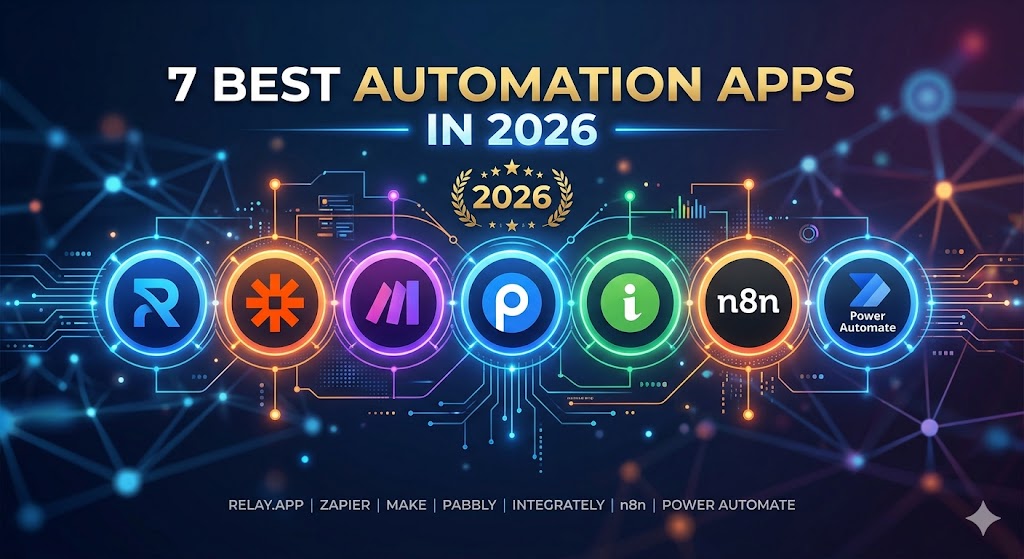
7 Best Zapier Alternatives for Small Businesses (2026)

0

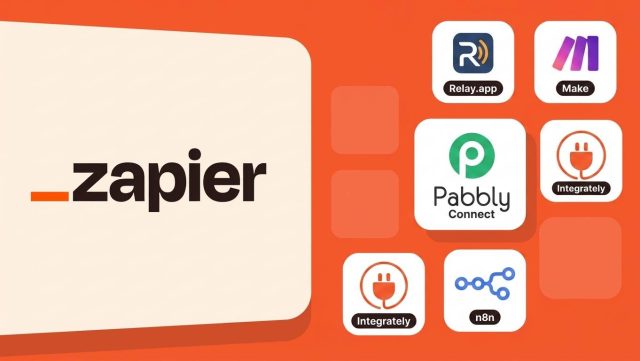
Zapier is one of the most popular automation tools—but it’s not always the best fit for small businesses.

Many users start with Zapier, only to realize that pricing can increase quickly as workflows grow.

That’s why many teams are now searching for better Zapier alternatives for small business.

In this guide, we compare the best automation tools that offer lower costs, easier workflows, or smarter AI-powered automation.

For a broader comparison, read our full Best Zapier Alternatives guide.


Why Small Businesses Look Beyond Zapier

Why businesses look for Zapier alternatives

Zapier is powerful—but it has some common drawbacks for small businesses:

  • Pricing can scale up quickly
  • Complex workflows can become hard to manage
  • Limited AI-first automation features
  • Advanced plans may be too expensive

For startups and growing teams, finding a simpler and more affordable option can make a big difference.


1. Relay.app – Best AI-Powered Zapier Alternative

Relay.app is one of the most promising new automation tools.

Unlike traditional automation platforms, Relay focuses on human-in-the-loop automation, allowing users to combine AI, workflows, and manual approvals.

Best for:

  • Small teams
  • Agencies
  • AI-powered workflows
  • Easier collaboration

Read our full Relay App Review here.

You can also compare Relay App vs Zapier.


2. Make

Make automation platform

Make offers powerful visual workflow building.

It’s often cheaper than Zapier and gives more flexibility for advanced users.

Best for:

  • Technical users
  • Complex automations
  • Visual workflow design

See our comparison: Relay App vs Make


3. Pabbly Connect

Pabbly Connect alternative to Zapier

Pabbly Connect is popular because of its lifetime pricing options.

It’s a good fit for small businesses on a tight budget.


4. Integrately

Integrately focuses on simplicity and fast setup.

It offers many one-click automations, making it beginner-friendly.


5. n8n

n8n is an open-source automation platform.

It’s powerful and highly customizable, but it requires more technical knowledge.


Which Zapier Alternative Is Best for Small Businesses?

For most small businesses:

  • Relay.app → best AI-first option
  • Make → best for advanced workflows
  • Pabbly Connect → best budget option
  • Integrately → easiest to use
  • n8n → best open-source choice

You can also explore our full list of Best AI Automation Tools.

Or learn more about AI Automation Platforms here.


Final Verdict

If Zapier feels too expensive or too complex, there are better options available in 2026.

For most small businesses, Relay.app stands out as one of the best Zapier alternatives thanks to its balance of automation, AI features, and usability.

Synthesia vs Veed (2026): Which AI Video Tool Is Better?

Synthesia vs Veed

If you’re choosing between Synthesia and Veed, you’re probably looking for the best AI video tool for your workflow.

While both platforms help users create videos faster, they serve different purposes.

In this guide, we compare Synthesia vs Veed based on features, pricing, ease of use, and who each tool is best for.

If you’re new to Synthesia, read our full Synthesia Review first.


Quick Overview: Synthesia vs Veed

Synthesia vs Veed quick comparison

Synthesia

Synthesia is an AI avatar video generator designed for businesses, educators, and teams.

Its main strength is turning text into professional talking-avatar videos.

Best for:

  • Training videos
  • Corporate presentations
  • Product explainers
  • Multilingual business content

Veed

Veed is primarily an online video editor with AI features.

It focuses more on editing, subtitles, screen recordings, and social media video creation.

Best for:

  • YouTubers
  • Social media creators
  • Marketing teams
  • Quick video editing

Features Comparison

AI Avatars

Synthesia clearly wins here.

It offers a wide range of realistic AI avatars and text-to-speech voices.

Veed has some AI avatar tools, but they are not its main strength.


Video Editing

Veed wins for editing flexibility.

It offers:

  • Timeline editing
  • Subtitle generation
  • Screen recording
  • Audio cleanup
  • Social media templates

Synthesia is simpler and more template-based.


Ease of Use

Both tools are beginner-friendly.

However:

  • Synthesia is easier for creating business videos fast
  • Veed gives more manual control

Pricing: Which Is More Affordable?

Synthesia tends to be more expensive, especially for premium plans.

Read our full Synthesia Pricing breakdown here.

However, if your goal is professional AI avatar videos, the extra cost may be worth it.

Veed may be cheaper for creators who mainly need editing tools.


Pros and Cons

Choose Synthesia if you want:

✅ AI avatars
✅ Professional business videos
✅ Fast multilingual video production
✅ Minimal editing effort


Choose Veed if you want:

✅ Advanced editing tools
✅ Social media content creation
✅ Screen recording
✅ Subtitle editing


Which One Is Better?

For most businesses and professional teams, Synthesia is the better choice.

For content creators who need flexible editing, Veed may be a better fit.

Still deciding? Read:


Final Verdict

Synthesia AI video example

In the Synthesia vs Veed comparison, there is no single winner for everyone.

But if your goal is to create professional AI avatar videos quickly, Synthesia is the stronger option in 2026.

Is Synthesia Worth It? (2026 Review for Businesses & Creators)

0
Is Synthesia Worth It

Synthesia is one of the most popular AI video generators for creating avatar-led videos.

But with many alternatives available, a common question is:

Is Synthesia worth it?

In this review, we’ll look at Synthesia’s features, pricing, pros and cons, and whether it’s worth paying for in 2026.

Still comparing options? Read our HeyGen vs Synthesia comparison to see which AI video generator is better.

If you’re new to the platform, read our Synthesia Review first.


What Makes Synthesia Popular?

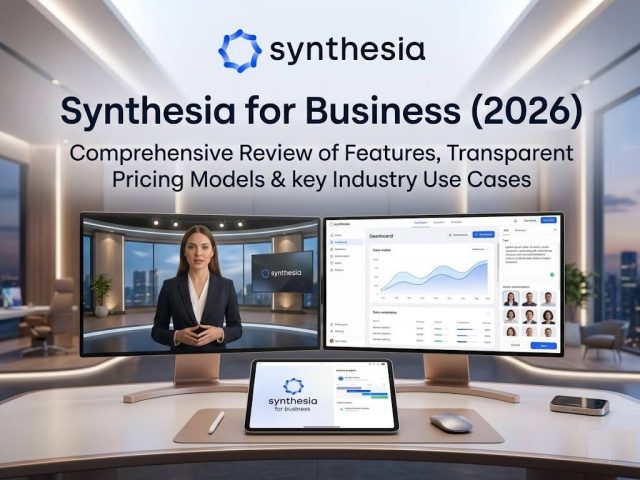
Synthesia AI avatars

Synthesia allows users to create professional videos using AI avatars and text-to-speech—without cameras, microphones, or actors.

Popular use cases include:

  • Training videos
  • Product demos
  • Marketing content
  • Internal company communications
  • Educational videos

Its ease of use makes it especially attractive for businesses and creators who need fast, scalable video production.


Synthesia Pricing: Is It Affordable?

Synthesia pricing plans

Pricing is one of the biggest factors when deciding if Synthesia is worth it.

For a full breakdown, check our Synthesia Pricing guide.

Compared to hiring actors, voice talent, or video editors, Synthesia can save significant time and money.

For teams producing videos regularly, the monthly subscription can quickly pay for itself.


Pros and Cons of Synthesia

Pros

✅ Easy to use
✅ Professional-quality AI avatars
✅ Fast video creation
✅ Supports multiple languages
✅ Great for teams and businesses

Cons

❌ Limited creative flexibility
❌ Subscription cost may feel high for casual users
❌ Some avatars can still look slightly artificial


Synthesia vs Alternatives

If you’re comparing options, read:

For many users, HeyGen may offer more creative flexibility, while Synthesia remains stronger for professional business and training videos.


So, Is Synthesia Worth It?

Synthesia is worth it if you:

✅ Create business or training videos regularly
✅ Want fast AI-generated avatar videos
✅ Need scalable multilingual content
✅ Prefer simplicity over complex editing

It may not be worth it if you only need occasional creative or social media videos.


Final Verdict

Synthesia AI video editor

For businesses, marketers, and educators, Synthesia is often worth the investment.

Its ease of use, professional output, and scalability make it one of the best AI video generators in 2026.

Best AI Automation Tools (2026): 9 Tools to Automate Your Workflows

6
Best AI Automation Tools
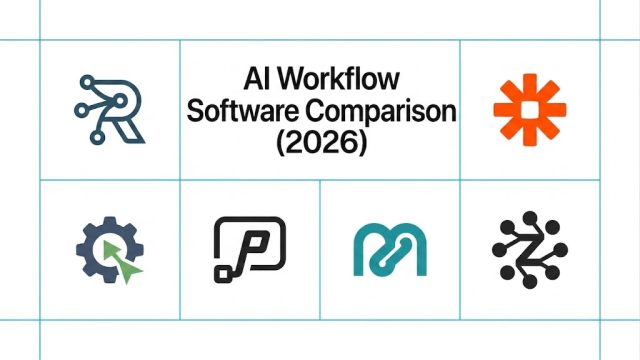
Best AI automation tools compared in 2026

AI automation tools are transforming how businesses and individuals handle repetitive work.

From automating emails and content workflows to connecting apps and managing approvals, today’s AI automation tools can save hours every week.

In this guide, we compare the best AI automation tools available in 2026—and help you choose the right platform for your workflow.

If you’re specifically comparing app automation platforms, check our Best Zapier Alternatives.


What Are AI Automation Tools?

AI automation tools combine automation with artificial intelligence to help users:

  • Connect apps automatically
  • Generate AI-powered content
  • Trigger smart workflows
  • Reduce manual repetitive tasks
  • Improve team productivity

They’re useful for marketers, founders, freelancers, and operations teams.


1. Relay.app – Best for Modern AI Workflows

Relay app AI automation platform

Relay.app is one of the most exciting new AI automation tools.

Unlike traditional automation tools, Relay combines app automation with human approvals and collaboration.

Best for:

  • Team workflows
  • AI-powered operations
  • Approval-based automations
  • Business process automation

Pros

✅ Easy to use
✅ Human-in-the-loop workflows
✅ Great for AI tool integrations
✅ Built for teams

Cons

❌ Smaller app ecosystem than older competitors


2. Zapier – Best for App Integrations

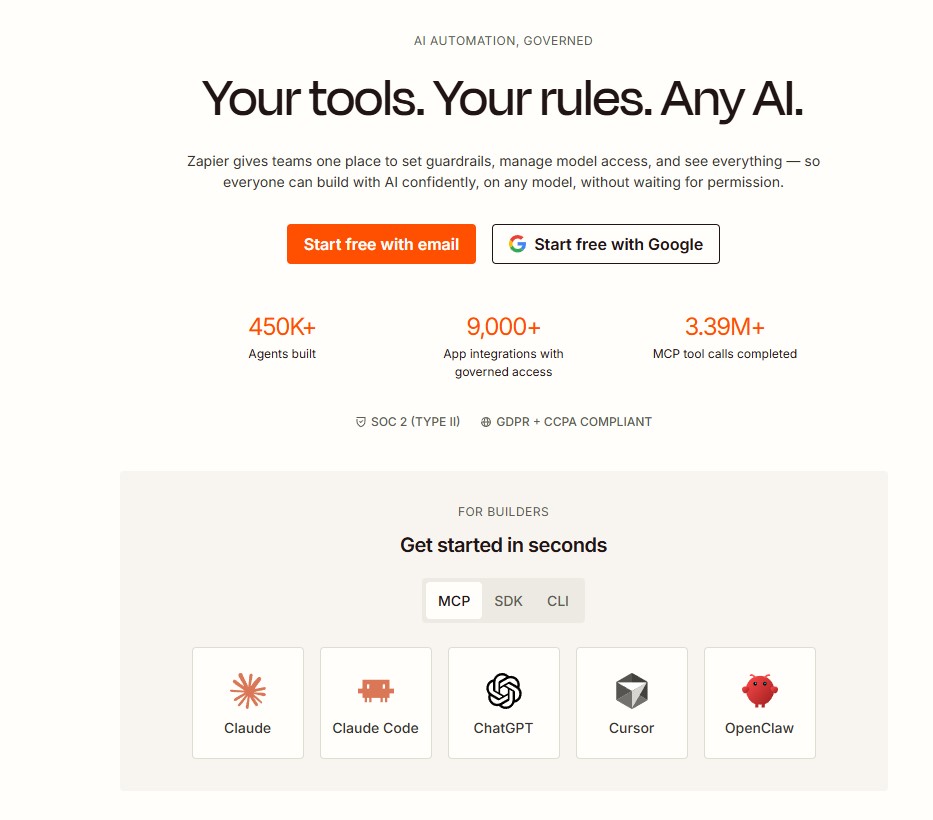
Zapier automation platform

Zapier remains one of the most popular automation platforms.

Best for users who need quick app connections.


3. Make – Best for Advanced Workflow Logic

Make automation builder

Make offers powerful visual automation.

Great for advanced users.


4. n8n – Best Open-Source Automation Tool

n8n is ideal for developers who want flexibility and self-hosting.


5. Pabbly Connect – Best Budget Option

Pabbly Connect offers affordable automation for smaller businesses.


6. Bardeen – Best for Browser Automation

Bardeen focuses on automating browser-based tasks.


7. Workato – Best for Enterprises

Workato is built for enterprise-grade automation.


8. Integrately – Best for Beginners

Integrately offers simple one-click automations.


9. Microsoft Power Automate – Best for Microsoft Users

Microsoft Power Automate is ideal for businesses already using Microsoft tools.


How to Choose the Right AI Automation Tool

Choose Relay.app if:

✅ You want AI-powered team workflows
✅ You need human approvals
✅ You want modern UX

Choose Zapier if:

✅ You need the biggest app library

Choose Make if:

✅ You need advanced automation logic


Final Verdict

For most modern teams, Relay.app is one of the best AI automation tools available in 2026.

It combines automation, AI, and collaboration in a way older tools don’t.

Rytr Cost (2026): How Much Does Rytr Really Cost?

0
Rytr Cost

If you’re considering Rytr, one of the first questions you’ll ask is:

How much does Rytr really cost?

Rytr is known as one of the most affordable AI writing tools on the market—but understanding its pricing can help you decide whether it’s the right fit for your budget.

In this guide, we’ll break down Rytr cost, compare free vs paid plans, and help you decide if it’s worth paying for.

If you’re still evaluating the tool overall, read our full Rytr Review first.


Rytr Cost Overview

Rytr AI writing tool dashboard

Rytr offers both free and paid options, making it accessible for beginners and professionals alike.

Your total cost depends on:

  • How often you write
  • How much content you generate
  • Whether you need premium features

For many users, Rytr remains one of the most budget-friendly AI writing assistants.


Does Rytr Have a Free Plan?

Yes—Rytr offers a free plan for users who want to try the platform before paying.

The free plan is ideal for:

  • Casual users
  • Students
  • Bloggers testing AI writing
  • Freelancers exploring tools

Want full details? Check our guide to Rytr Free Plan Limits.


Rytr Paid Plan Cost

Rytr paid plan pricing and features

Rytr’s paid plans unlock:

  • Higher content generation limits
  • More writing flexibility
  • Access to premium features
  • Better value for regular users

Compared to many competitors, Rytr’s pricing is generally considered affordable.

For a full pricing breakdown, see Rytr Pricing.


Is Rytr Worth the Cost?

Rytr is worth paying for if you:

✅ Publish content regularly
✅ Need AI help with multiple writing tasks
✅ Want a lower-cost alternative to premium tools
✅ Need fast content generation

For occasional users, the free plan may be enough.

If you’re unsure, read Is Rytr Worth It?.


Rytr Cost vs Other AI Writing Tools

Compared to tools like Jasper or ChatGPT-based writing platforms, Rytr is often:

  • More affordable
  • Easier for beginners
  • Better for budget-conscious creators

However, advanced users may want additional capabilities.

If you’re comparing options, explore our Best AI Writing Tools guide.


Final Verdict: How Much Should You Spend on Rytr?

For most users, Rytr offers excellent value for money.

Its free plan makes it easy to test, and the paid plan is affordable enough for bloggers, freelancers, and small businesses.

Rytr Free Plan Limits (2026): What You Can Really Do for Free

2
Rytr Free Plan Limits

If you’re considering Rytr, one of the first questions you might ask is:

What are the Rytr free plan limits?

Rytr is one of the most affordable AI writing tools available, and its free plan is a popular way for beginners to test the platform before upgrading.

But what exactly do you get for free—and when do the limits become restrictive?

In this guide, we’ll break down the current Rytr free plan limits, included features, and whether the free version is enough for your needs.

If you’re new to the platform, read our full Rytr Review first.


Rytr Free Plan Overview

Rytr AI writing tool dashboard

Rytr offers a free plan designed for users who want to try AI writing without paying upfront.

The free tier is ideal for:

  • Beginners exploring AI writing
  • Casual content creators
  • Students
  • Freelancers testing the tool

It’s one of the easiest ways to get started with AI writing.


What’s Included in the Rytr Free Plan?

Depending on current updates, Rytr’s free plan typically includes access to:

AI Writing Generation

You can generate content for:

  • Blog ideas
  • Product descriptions
  • Social media captions
  • Email drafts
  • Ad copy
  • SEO meta descriptions

Rytr includes many built-in templates, making it beginner-friendly.


Access to Multiple Use Cases

Rytr supports many writing use cases across different content types.

This makes the free plan surprisingly useful for testing real workflows.


Tone Selection

Users can choose different writing tones such as:

  • Professional
  • Friendly
  • Persuasive
  • Casual

A helpful feature for adapting content style.


Rytr Free Plan Limits

Rytr free plan usage limits explained

While generous, the free plan does have important limitations.

1. Monthly Character Limit

Rytr’s free plan limits how much content you can generate each month.

For heavy users, this can run out quickly.

If you write frequently, you may need to upgrade sooner than expected.

For full pricing details, check our Rytr Pricing guide.


2. Limited Advanced Features

Some premium features may only be available on paid plans.

These can include:

  • Higher usage limits
  • Priority support
  • Additional customization options

3. Not Ideal for Heavy Long-Form Writing

The free plan is great for short-form content, but large blog articles can consume your monthly allowance quickly.

If you need more writing power, compare Rytr Alternatives.


Is the Rytr Free Plan Enough?

The free plan is enough if:

✅ You write occasionally
✅ You need short-form content
✅ You want to test AI writing tools
✅ You’re on a tight budget


You may need to upgrade if:

❌ You publish content regularly
❌ You need more output volume
❌ You want advanced features


Rytr Free Plan vs Paid Plan

The paid plan offers:

  • Higher usage limits
  • More flexibility
  • Better value for frequent users

If you’re deciding whether to upgrade, read Is Rytr Worth It?.


Final Verdict: Should You Use Rytr Free?

Rytr Free Plan Limits

Yes—Rytr’s free plan is one of the best free AI writing options available.

It’s perfect for testing the platform and handling smaller writing tasks.

But if you create content regularly, you’ll likely hit the limits and want to upgrade.

7 Best Synthesia Alternatives (2026): Top AI Video Generators Compared

4
Synthesia Alternatives

Synthesia is one of the most popular AI avatar video generators—but it’s not the right choice for everyone.

Some users look for Synthesia alternatives because they want:

  • Lower pricing
  • More creative flexibility
  • Better AI dubbing
  • Easier editing tools
  • Different avatar styles

Fortunately, there are several strong alternatives available.

In this guide, we compare the best Synthesia alternatives in 2026.

If you’re still evaluating Synthesia itself, read our full Synthesia Review first.


Quick Comparison Table

ToolBest ForEase of Use
HeyGenBest overall alternativeEasy
ColossyanLearning & trainingEasy
D-IDTalking photo videosEasy
Elai.ioPresentation videosEasy
DeepBrain AIAI presentersEasy
VEED AIEditing + avatarsEasy
SynthesiaEnterprise business videosEasy

1. HeyGen – Best Overall Synthesia Alternative

HeyGen is one of the strongest alternatives to Synthesia—and for many users, the better choice.

Best for:

  • Marketing videos
  • Creative content
  • AI dubbing
  • General business use

Pros

✅ More affordable
✅ Easier to use
✅ Strong AI dubbing
✅ Flexible video styles

Cons

❌ Slightly fewer enterprise-focused tools

For many creators and businesses, HeyGen offers the best balance.

Read our full HeyGen Review.

Check current HeyGen Pricing .


2. Colossyan – Best for Corporate Training

Colossyan focuses on learning and training content.

Great for:

  • Employee onboarding
  • eLearning
  • Internal education

A strong enterprise alternative.


3. D-ID – Best for Talking Photo Videos

D-ID specializes in animated talking photo videos.

Ideal for personalized or experimental content.


4. Elai.io – Best for Presentation Videos

Elai.io turns text into AI presenter videos.

Useful for:

  • Product demos
  • Educational presentations

5. DeepBrain AI – Best for AI Presenters

DeepBrain AI offers realistic digital presenters and multilingual capabilities.


6. VEED AI – Best for Editing + AI Avatars

VEED combines video editing tools with avatar features.

A good all-in-one option.


7. Stay with Synthesia – Still Best for Enterprise

Synthesia Alternatives

Before switching, remember that Synthesia remains one of the best tools for:

  • Professional training videos
  • Corporate communications
  • Business-ready templates

Check current Synthesia Pricing.


Which Synthesia Alternative Should You Choose?

Choose HeyGen if:

  • You want better value
  • You need AI dubbing
  • You want more creative flexibility

Choose Colossyan if:

  • You focus on training and education

Stay with Synthesia if:

  • You need enterprise-grade business videos

For broader comparisons, explore our Best AI Video Generators guide.


Final Verdict

There are many good Synthesia alternatives, but HeyGen stands out as the best overall option for most users.

It’s more flexible, often more affordable, and easier for general creators and businesses.

Popular Posts

My Favorites

Synthesia Pricing

Synthesia Pricing (2026): Plans, Features & Is It Worth It?

2
If you're considering Synthesia for AI video creation, one of the first questions you'll ask is:How much does Synthesia cost—and is it worth paying...